ScopeMaker
Rest assured your preconstruction scope content and its context aren’t lost when you edit or delete documents.
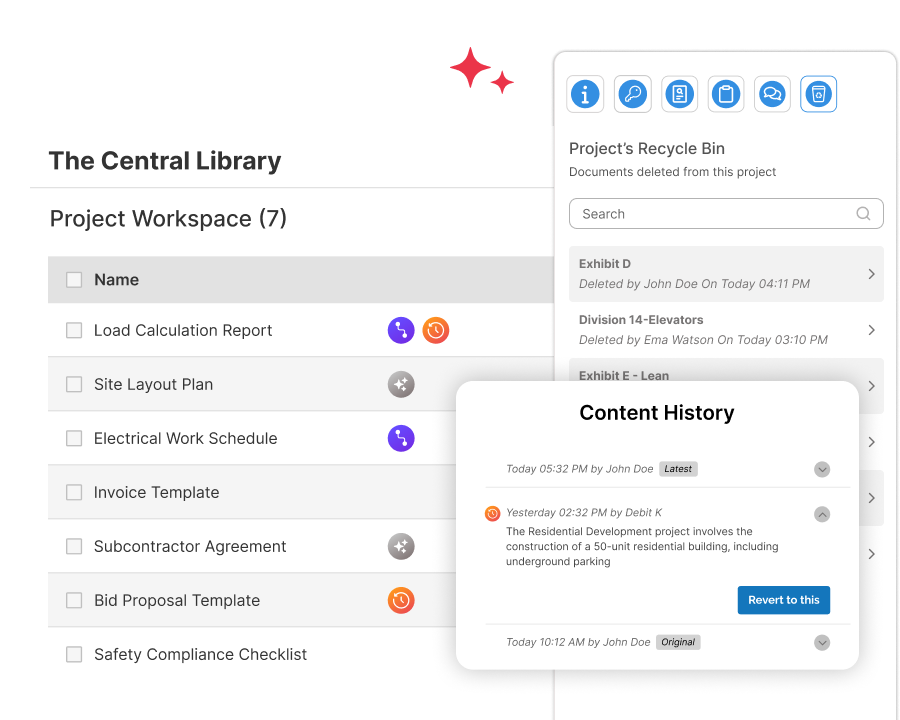
Work with confidence—your scope work stays recoverable during preconstruction as documents change. Keep deleted content and its context available, so you can review what happened and bring back what you need without rebuilding. Reduce risk when teams shift, scopes evolve, and deadlines tighten.
As documents evolve, missing edit and deletion history drives rework and increases risk
During preconstruction, scope documents change as work shifts between trades, trades get merged or split, and templates get adapted to the project. Line items get edited and documents get deleted. When that happens, document history gets lost, restoring content is costly, risk goes up, and valuable preconstruction knowledge disappears.
Scope Maker preserves deleted content and its context, so you can recover work quickly and reduce risk when teams change, scope shifts, and deadlines tighten.
Preserve deleted scope content and keep Preconstruction workflows moving across Scope Maker, Bid Package Documents, Bid Package Exhibits, and Scope Directives.
Line Item History
View edited line item snapshots and restore any version—one line at a time
Use a clear flag to spot line items with history. Open the history to view snapshots of edited content, plus who edited it and when. Select any snapshot and restore that specific content. Restore one line item without affecting other line items in Scope Maker.
Document’s Recycle Bin
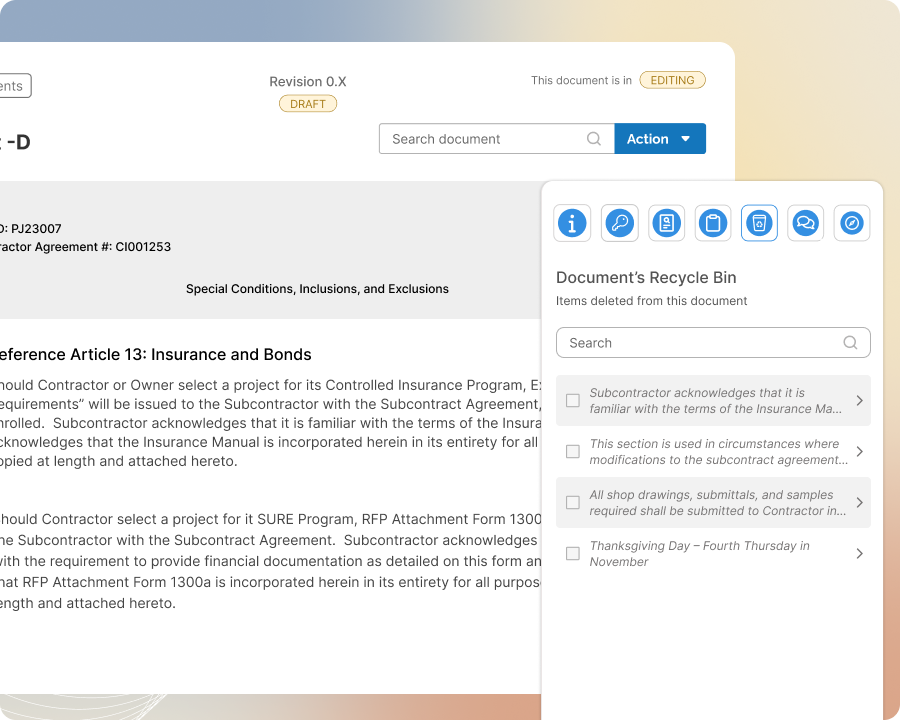
Restore deleted line items—complete with comments and history—and insert them anywhere in the document.
Keep deleted line items and sub-items from being lost as documents get edited. Save the deleted content with who deleted it, when, related comments, and the full Line Item History. Restore the line item and its comments and history by inserting it anywhere in the document.
Project’s Recycle Bin
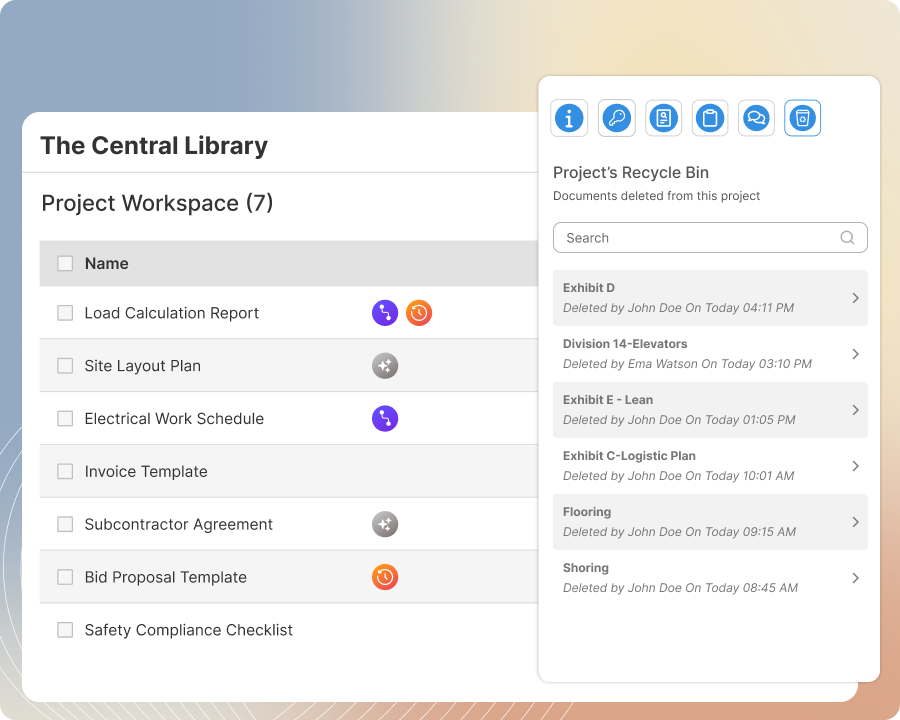
Review and restore deleted documents with comments, line item history, and revision history intact.
Delete documents without losing anything—Scope Maker preserves the document, comments, Line Item History, and prior revisions. Review the deleted document and restore it back to the project with everything reinstated, including revision history.
Project Archive
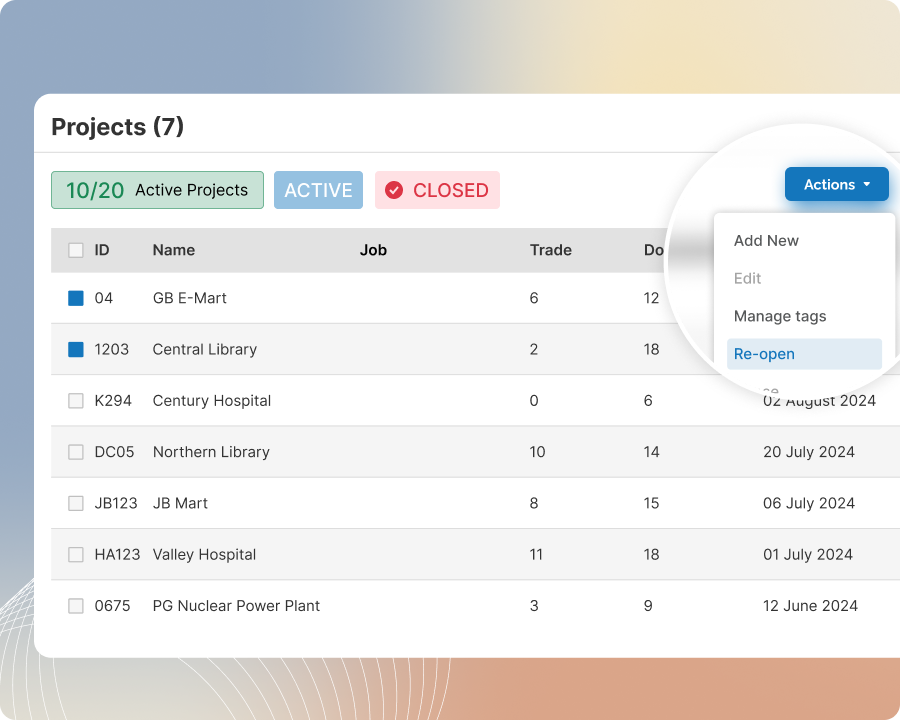
Archive a project with the full history of every document—then unarchive to access it all again.
Archive a completed project to keep its active scope and bid package content, plus previously deleted items, their comments, and Line Item History. Unarchive the project later to access everything again—including deleted items, comments, and Line Item History—in one step.