ScopeMaker
Improve Spec Item Coverage, Accuracy, and Precision Across Bid Packages During Preconstruction
Upload spec items into Zurel ScopeMaker, place them into exhibits with more accuracy, and track them across the project and within each exhibit. Give your team better visibility into spec item buyout, inclusion, and placement during preconstruction.
Managing spec items across bid packages is challenging—not with Zurel ScopeMaker
Managing spec items across multiple bid packages can be challenging. Without clear visibility into what spec items have been bought out, what trade they appear under, and where they show up across exhibits, teams are more likely to overlook items, duplicate them, or place them incorrectly.
Zurel ScopeMaker is designed to give teams a clearer way to work with spec items across the project. By bringing spec items into one place, making them easier to place in exhibits, and providing both project-level and exhibit-level tracking, it helps teams improve coverage, accuracy, and precision across their bid packages.

Spec Upload
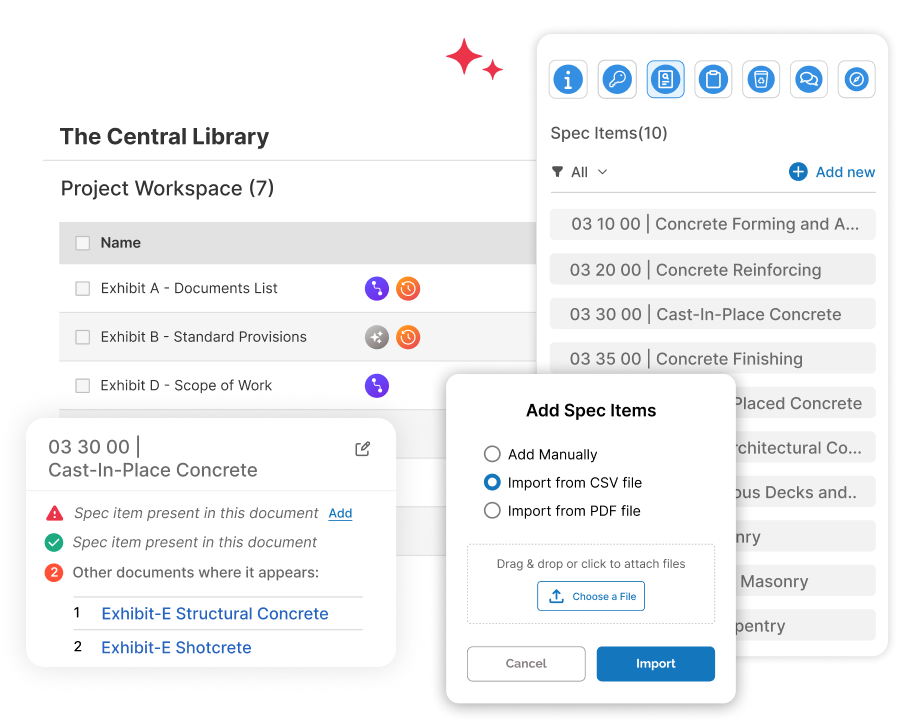
Upload divisions and spec items and start with a bid package structure that is precise and accurate
Upload divisions and spec items from a CSV file or from the table of contents in a PDF at the start of preconstruction so all your spec items and division codes are already in Zurel. Organize work around the actual specification framework, reduce manual setup, and build bid package content on a stronger foundation.
Project Spec Tracking
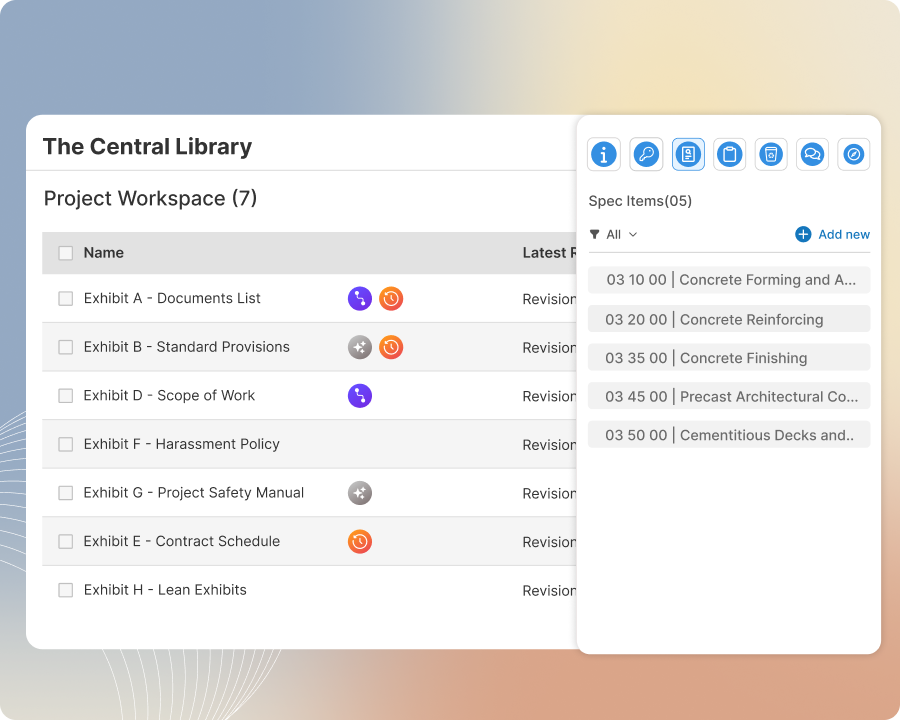
Improve coverage and accuracy with a project-wide view of all your spec items
Use a project-level dashboard to view all spec items in the project, see whether each one has been included in a bid package exhibit, and jump to the exact location within the exhibit where it appears. At a glance, spot spec items that have not been included in a bid package, and catch those that are misplaced or duplicated.
Spec Placement
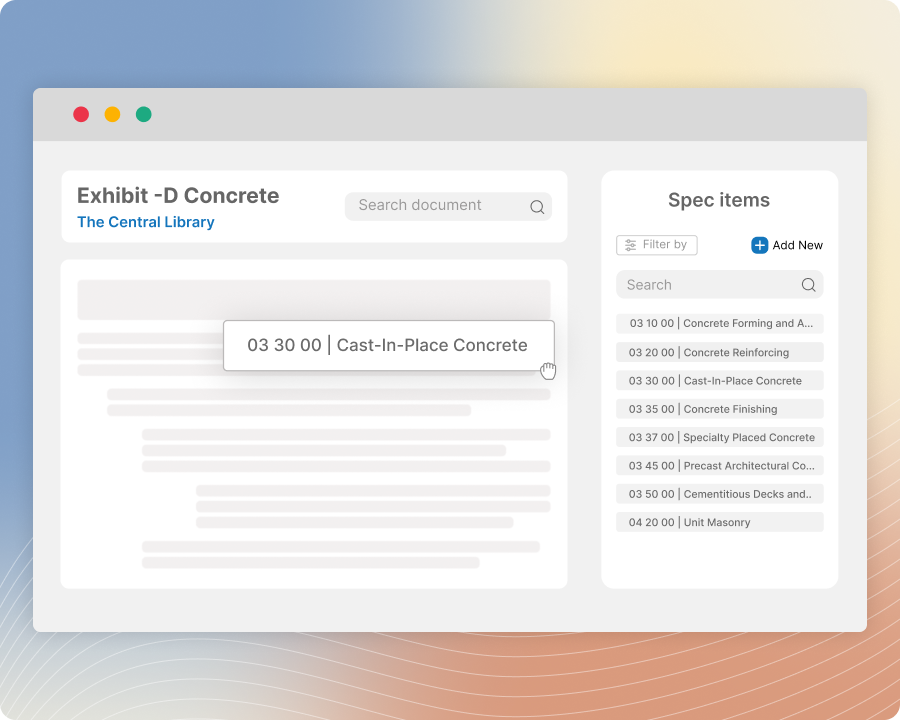
Build exhibits with more accurate spec item selection and more precise placement
Add spec items into an exhibit by selecting them from the project’s spec item list and placing them yourself where they belong, or by letting Zurel place them automatically at pre-tagged locations already built into the template. Reduce typing and copy-paste work, improve placement accuracy, and build exhibits with more accuracy.
Exhibit Spec Tracking
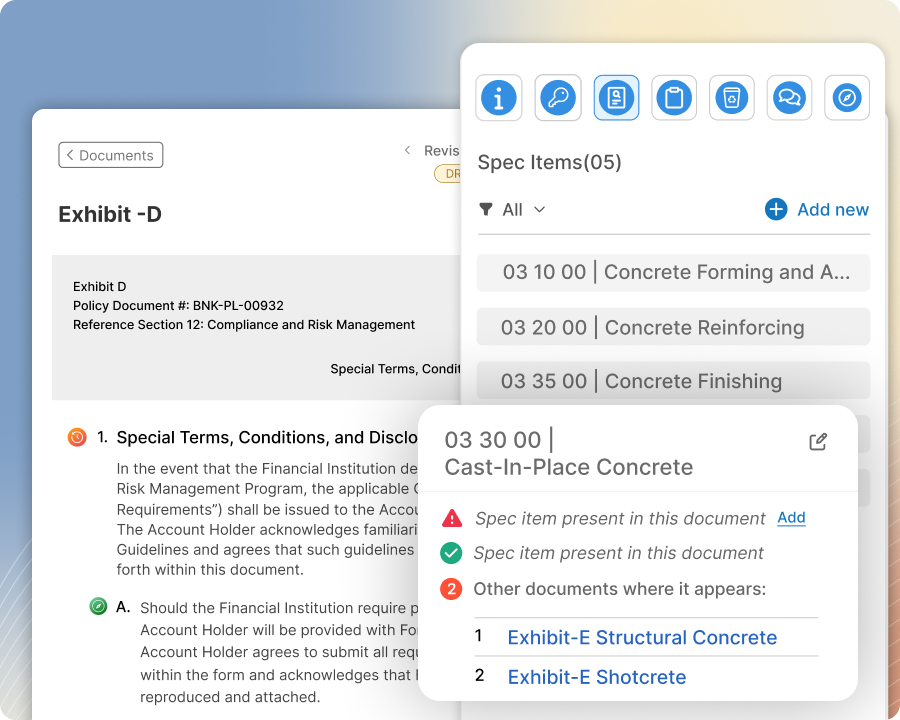
Review spec item usage in each exhibit and catch missing, overlapping, or unexpected items
In every exhibit, see at a glance which spec items are present, whether they are also included in other exhibits in the project, and get alerted to spec items that appear in the exhibit but are not part of the project’s spec item list. Catch document-level issues more easily and improve the accuracy of your bid package documents.