

ScopeMaker
Leverage Past Exhibit Language Across New Preconstruction Work
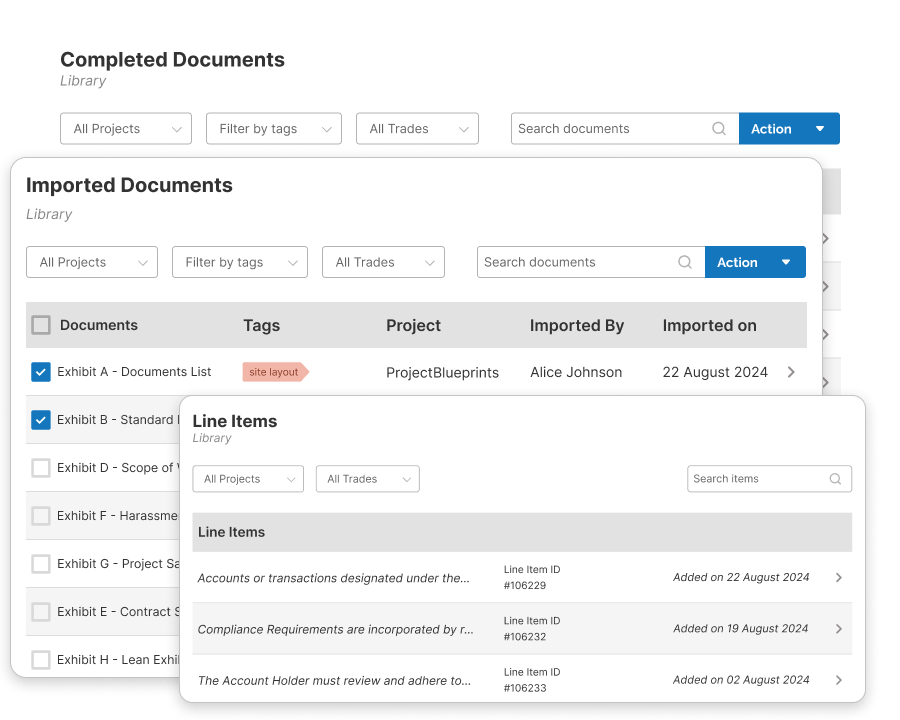
Use exhibits or line items from similar projects or past scope to build new bid package exhibits faster. Find the language your team used before, review it in context, and reuse it in your current project instead of recreating it from scratch.
Proven language from past exhibits is hard to leverage—not with Zurel ScopeMaker
Preconstruction teams often already have strong exhibit language from similar projects or similar tasks in the past, but it is scattered across Word files and PDFs in drives and folders. When that past language is hard to find, review, and reuse, teams spend time rewriting scope, repeating work, and missing the benefit of language they have already developed.
Zurel is designed to turn past exhibit work into a reusable resource for current preconstruction work. By organizing completed exhibits, imported exhibits, and line items into searchable libraries, Zurel makes it easier and more precise to find past language from similar projects or tasks, review it in context, and reuse it in new bid package exhibits.
Libraries for reviewing and reusing past exhibit content across preconstruction work
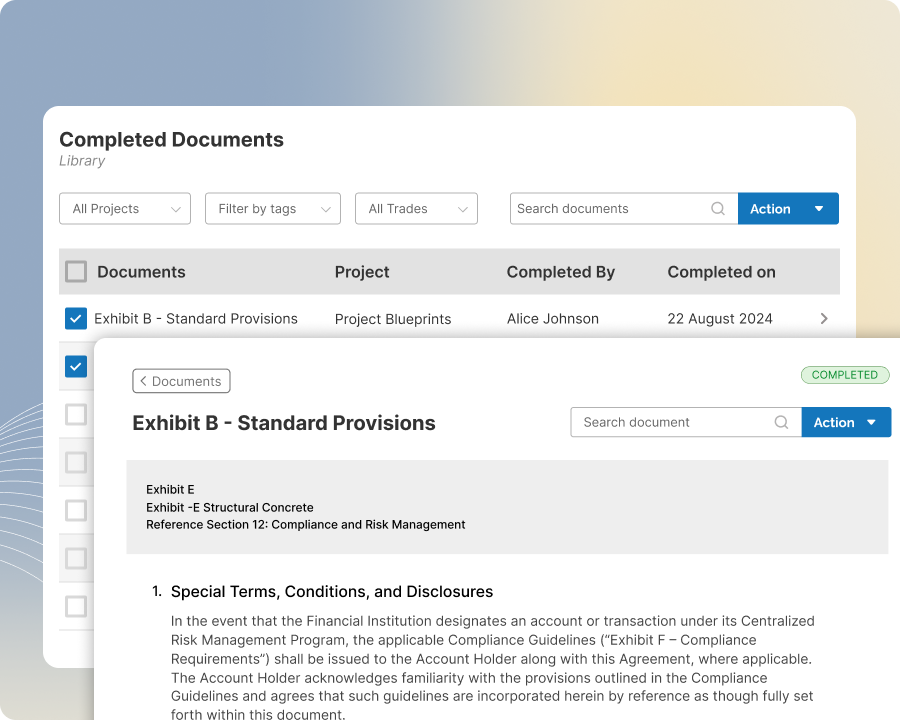
Completed Exhibits Library
Find, review, and reuse completed exhibits from past projects without starting from scratch
Access a library of all past completed exhibits automatically created as users mark exhibits as completed in ScopeMaker. Search and filter by project, trade, tags, or content to quickly find the completed exhibits you need. View and copy the full exhibit or any of its line items to your clipboard for reuse in your current project.
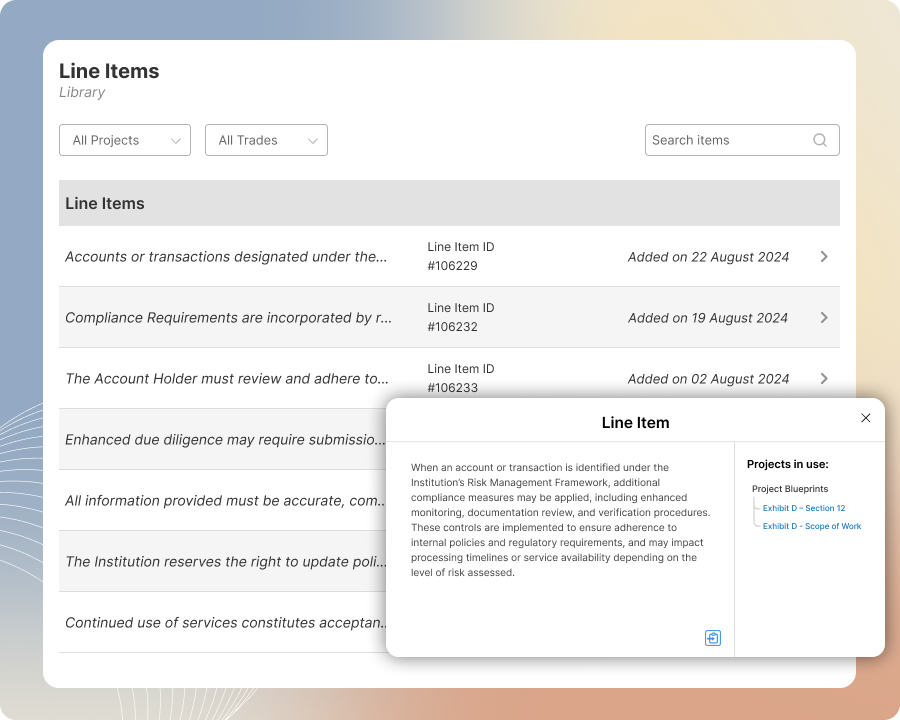
Line Item Library
Find and reuse specific line items from past work in your current exhibits.
Access a library of line items automatically created as exhibits are marked completed in ScopeMaker. Search by content to find the scope language you need, identify the exhibits where it was used, and open them to review it in context. Copy the line item, the full exhibit, or other line items from that exhibit to your clipboard for use in your current work.
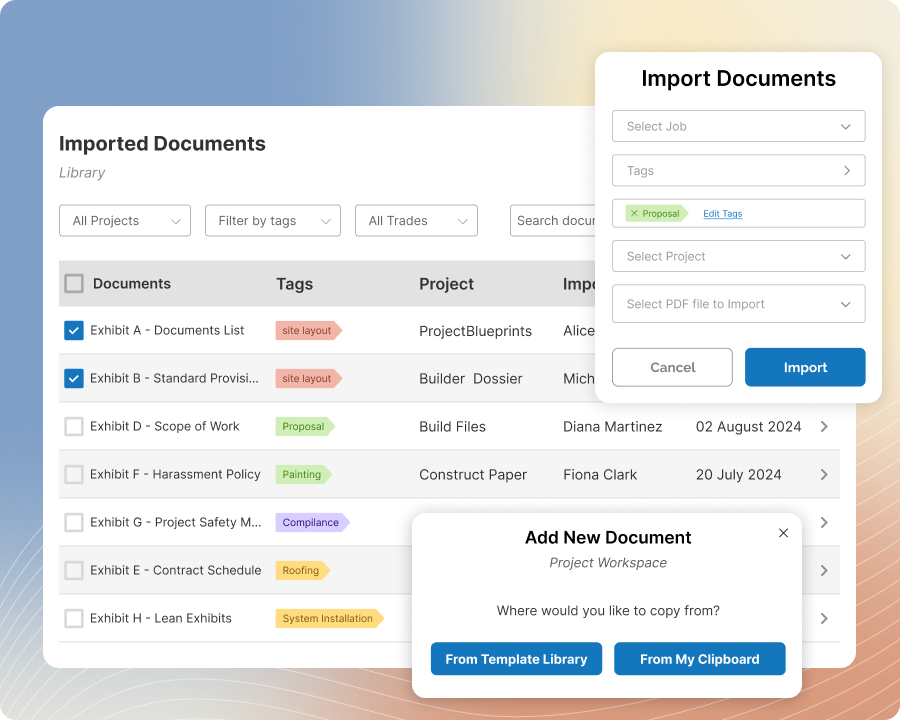
Imported Exhibits Library
Import exhibits created outside ScopeMaker and reuse their content in current projects.
Build a library of historic exhibits by importing past PDF exhibits created outside ScopeMaker, either in bulk during setup or gradually over time. Tag imported exhibits by project, trade, job, or other tags so they are easy to find later. Reuse their content in your current project by copying the full exhibit or any of its line items into your clipboard.