

ScopeMaker
Manage Bid Package Exhibits in Preconstruction with More Consistency, Efficiency, and Control Using Magic Placeholder
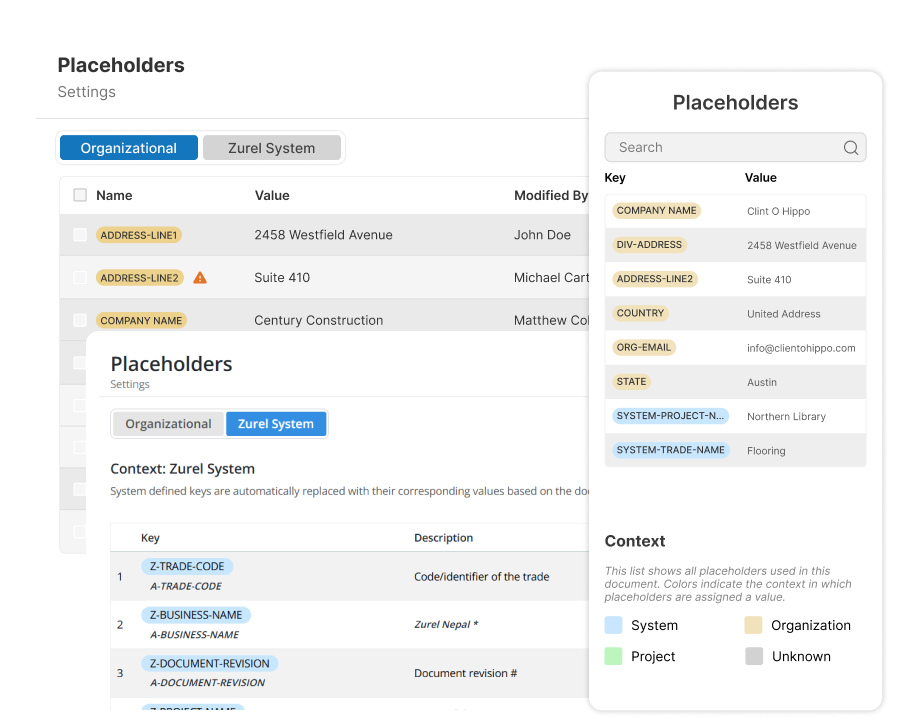
Create reusable placeholders for common terms and phrases, insert them into templates and exhibits, and update their values with very little effort. Keep bid package exhibits more consistent, reduce manual find-and-replace, and give projects and trades flexibility without losing control.
How do you use ScopeMaker’s Magic Placeholder to create exhibits from templates with less effort and more accuracy?
Placeholder Creation (For Reference Only)
Create placeholders easily from ordinary words or phrases right in the document
Placeholder Placement (For Reference Only)
Insert placeholders effortlessly into templates and documents as you write
Placeholder Tracking (For Reference Only)
Identify and locate placeholders and their values instantly while editing or reviewing an exhibit
Value Assignment (For Reference Only)
Assign placeholder values once with little effort and update the right documents automatically
Placeholder Value Context (For Reference Only)
Keep values consistently uniform across documents while allowing project and trade-level flexibility
Placeholder Creation
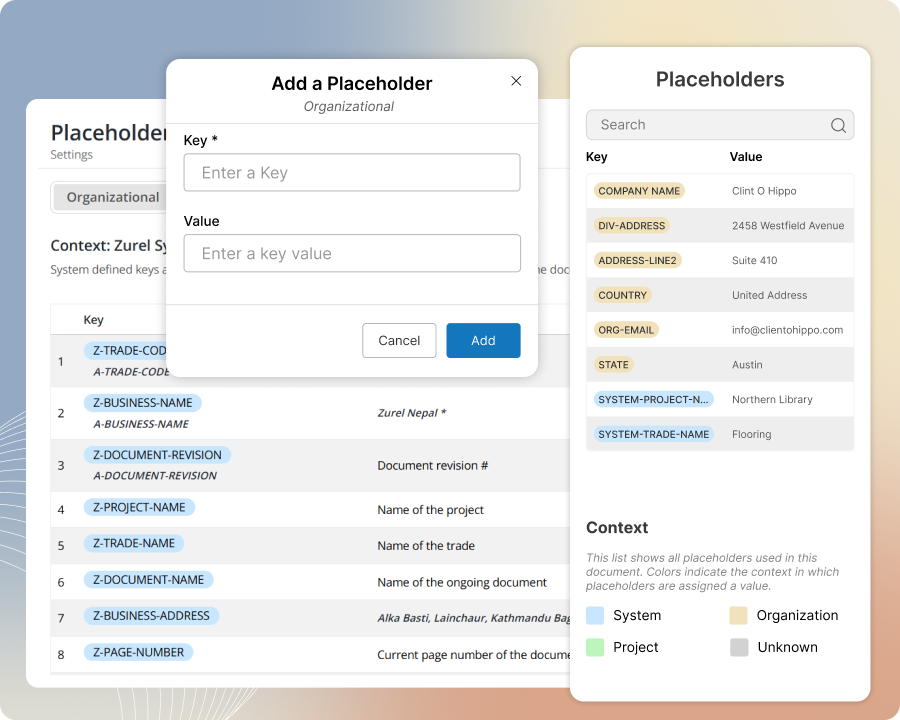
Turn ordinary text into reusable placeholders
Create placeholders directly in the document by tagging words or phrases as you type. Add frequently used placeholders to your organization’s placeholder list for easier reuse, and skip creating many common placeholders from scratch because Zurel already provides them as system placeholders.
Placeholder Placement
Insert placeholders into templates and documents with less effort than manual typing
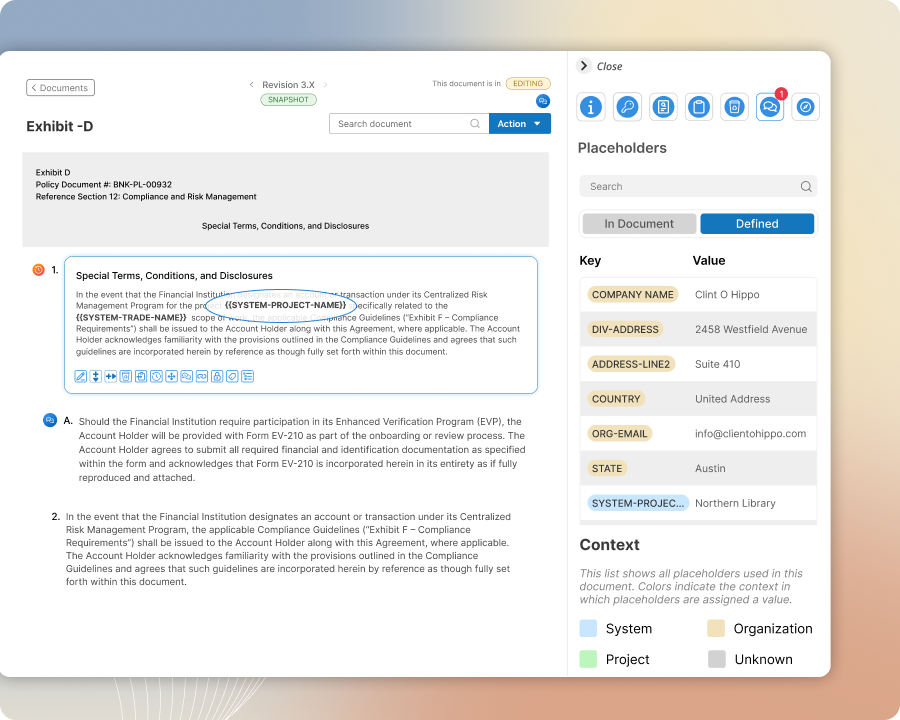
Add a placeholder to your template or document by simply typing its name where you want it. Speed up placement by choosing from a matching dropdown list that appears right where you are typing. If you do not know the name, copy it from a list of placeholders and paste it where needed.
Placeholder Tracking
Identify and locate placeholders and their values instantly as you edit or review an exhibit
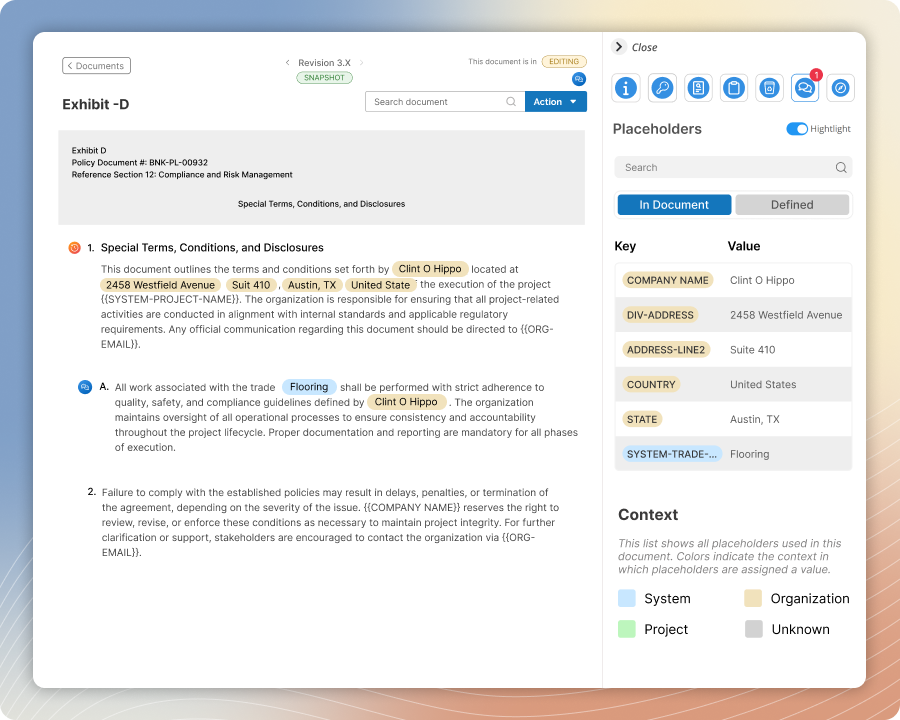
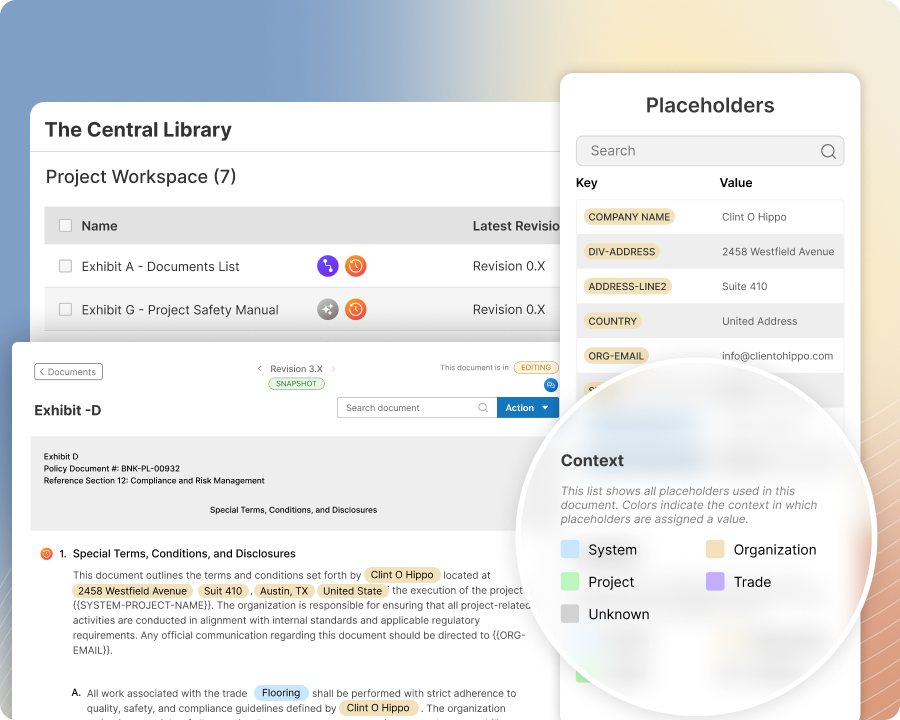
Do not miss a single placeholder as you edit or review an exhibit. Clearly see and identify placeholders or their replaced values in the exhibit as you edit or review, or use the document’s placeholder list in the information panel to locate them in the exhibit
Value Assignment
Assign placeholder values once and update the right documents automatically
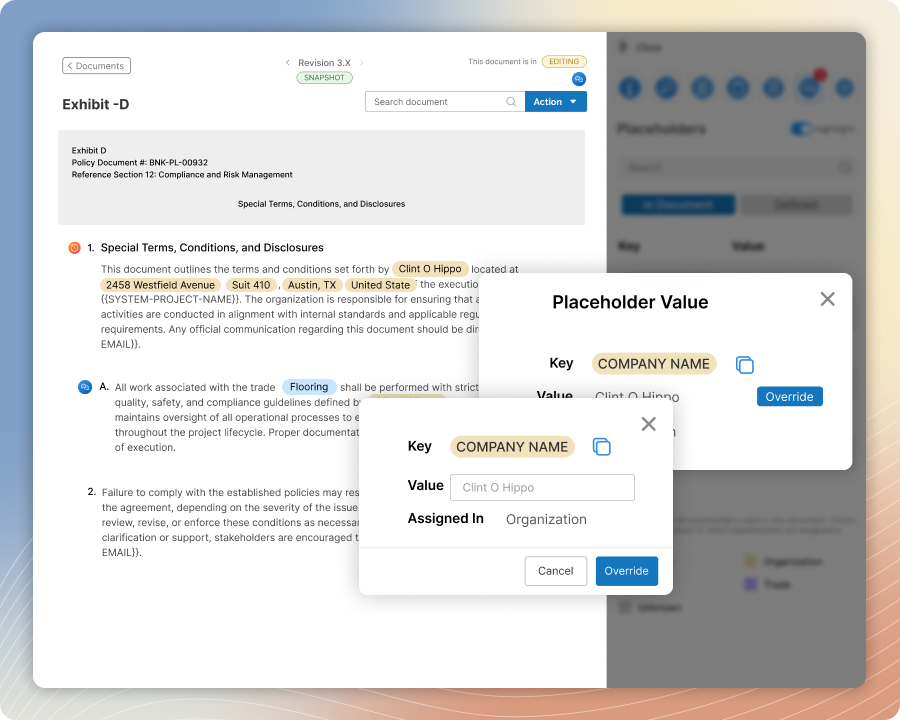
Open the placeholder panel to view placeholders and their values in the context of your workspace. Pick any placeholder from the list and update its value with very little effort. Every document within the context of that assignment will use the new value.
Placeholder Value Context
Keep placeholder values uniform while giving projects and trades flexibility
Define placeholder values at the organization, project, or trade level and let SmartScope follow that hierarchy when deciding which value applies. Use broader values as the default, then override them at the project or trade level when narrower work contexts need something different.
System Placeholders
Skip creating common placeholders and let SmartScope handle them automatically
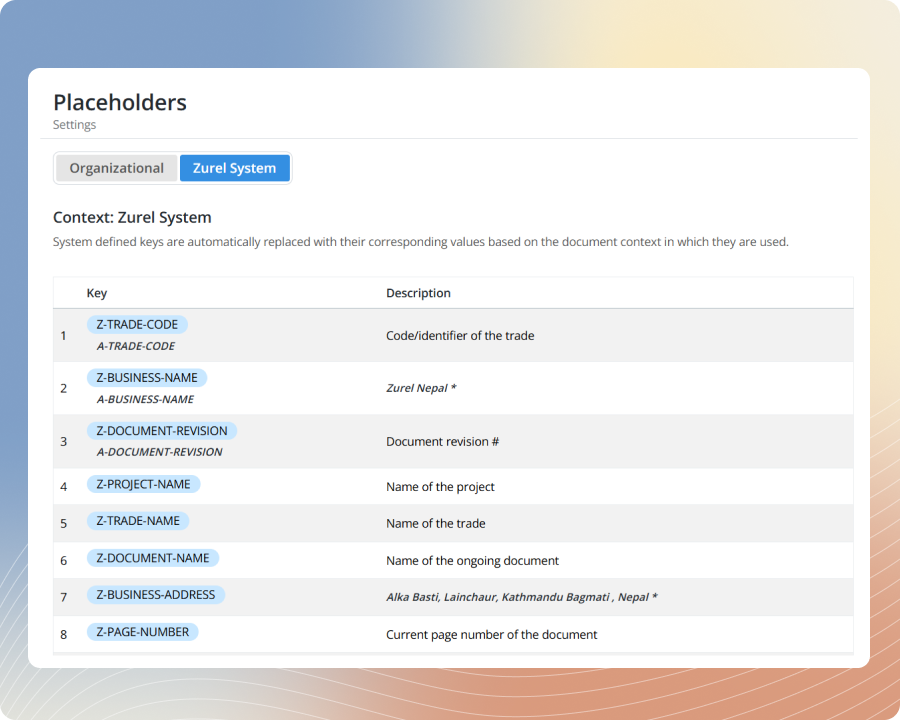
Use built-in system placeholders for commonly needed values instead of creating them from scratch. Let SmartScope assign and update those values automatically based on the right document and project context, so your team can move faster and keep documents more consistent.
Alerts and Flags
Stay on top of placeholders and catch anything that gets missed
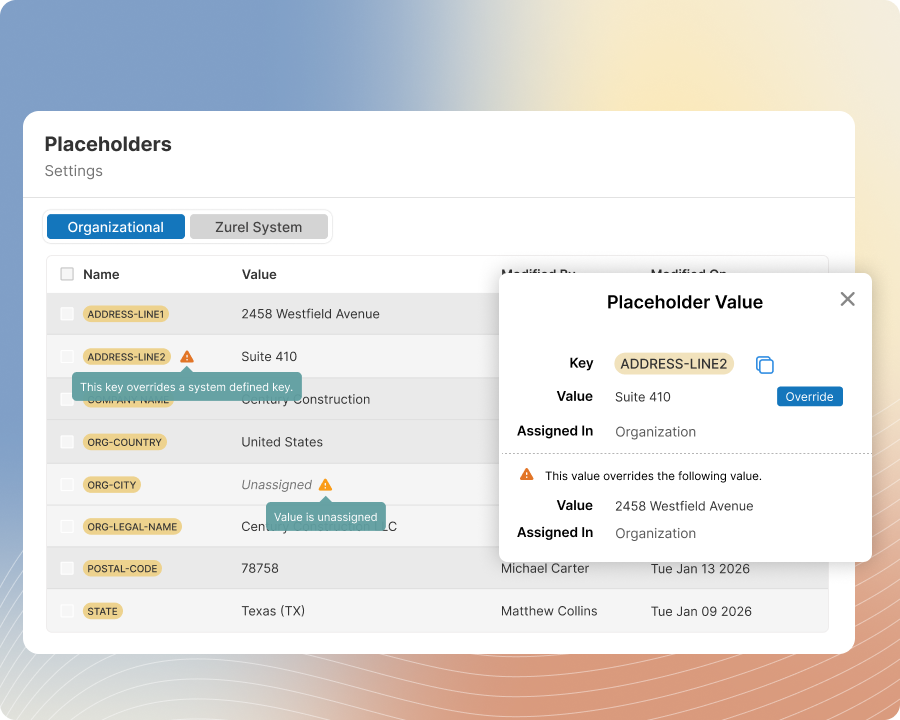
Spot placeholders that still need attention and see which values have been overridden. Use color coding of the value to understand the context of its definition, and get alerted when exporting or completing a document that still contains a placeholder without a value.