ScopeMaker
Standardize Trade Categories So Teams Efficiently Organize Bid Packages With More Consistency and Clarity
Set up standard trade categories in ScopeMaker so teams can bring more consistency to how bid packages are organized across projects. Standardize names and codes, add guidance, associate the right Smart Templates, and keep the flexibility teams need for each project.
How can you use ScopeMaker’s Trade Categories to organize bid packages and scopes of work more consistently?
Standardize Trade Categories
Set up standard trade categories in ScopeMaker with consistent names and codes so teams can organize bid packages and scopes more consistently.
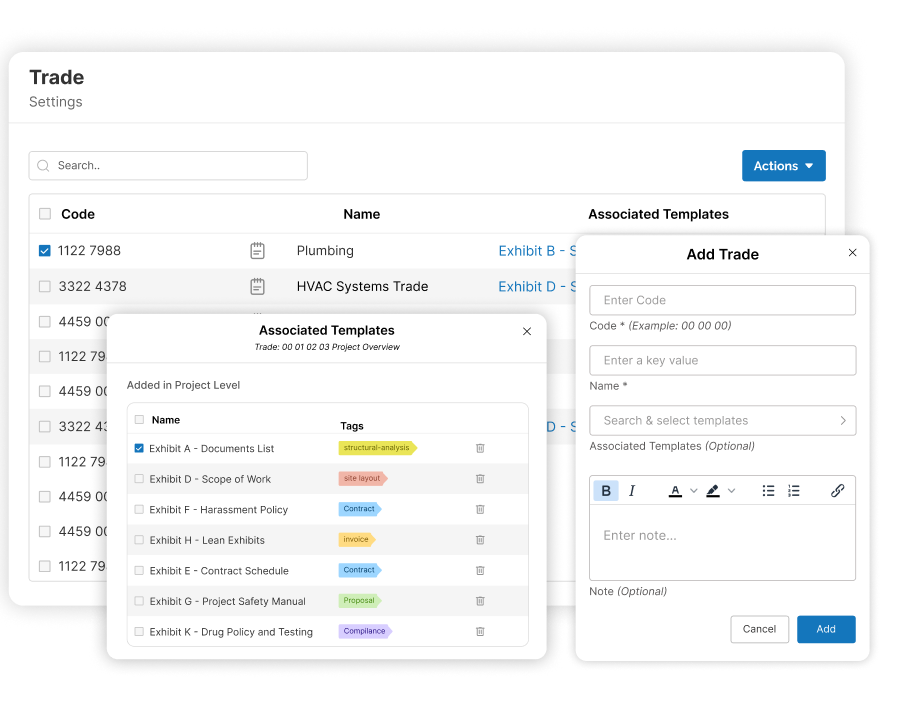
Associate Templates
Associate Smart Templates with the right trade category so teams can start trade-specific exhibits quickly and with more precision.
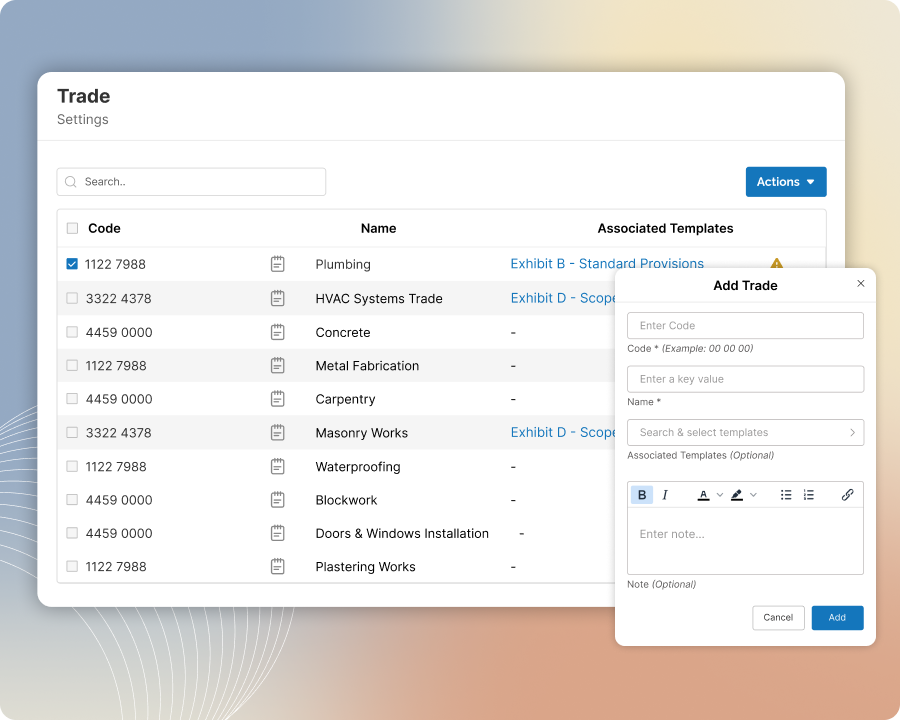
Standardize Trade Categories
Standardize how teams organize scopes of work across projects
Set up standard trade categories in ScopeMaker with consistent names and codes so teams can organize bid packages and scopes more consistently across projects. Give everyone an easy-to-set-up structure that is easy to follow, reduces setup time, and makes project organization clearer from the start.
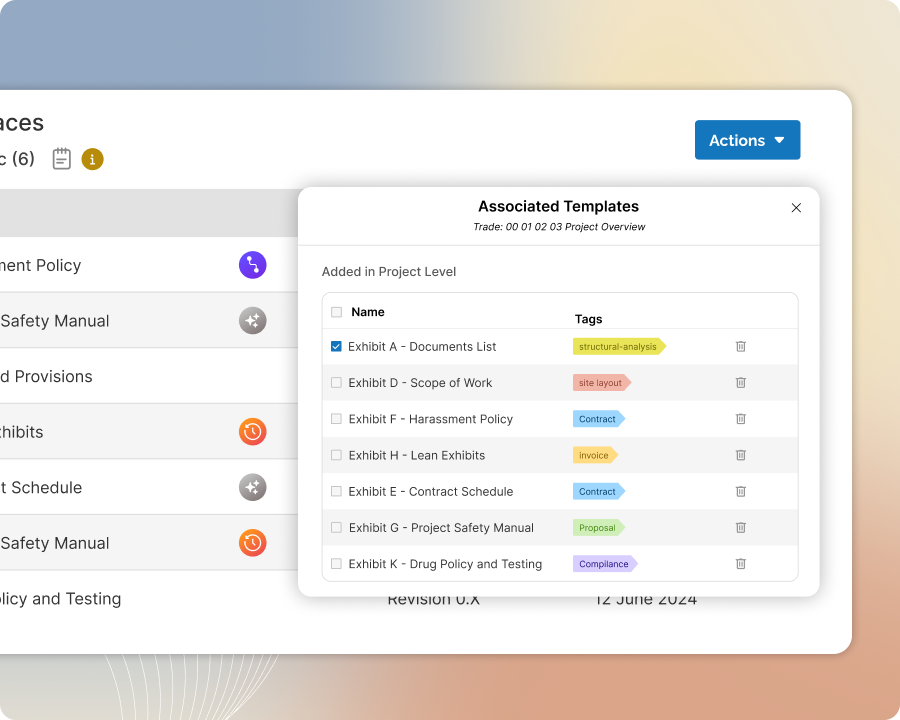
Associate Templates
Associate templates with trades and help teams start quickly and with precision
Create Smart Templates with trade-specific content, such as inclusions and exclusions, and associate them with the right trade category in ScopeMaker. Make manual exhibit setup faster by making the right template easy to find. Better yet, let ScopeMaker’s Auto-Insertion build the right starting point for each trade automatically
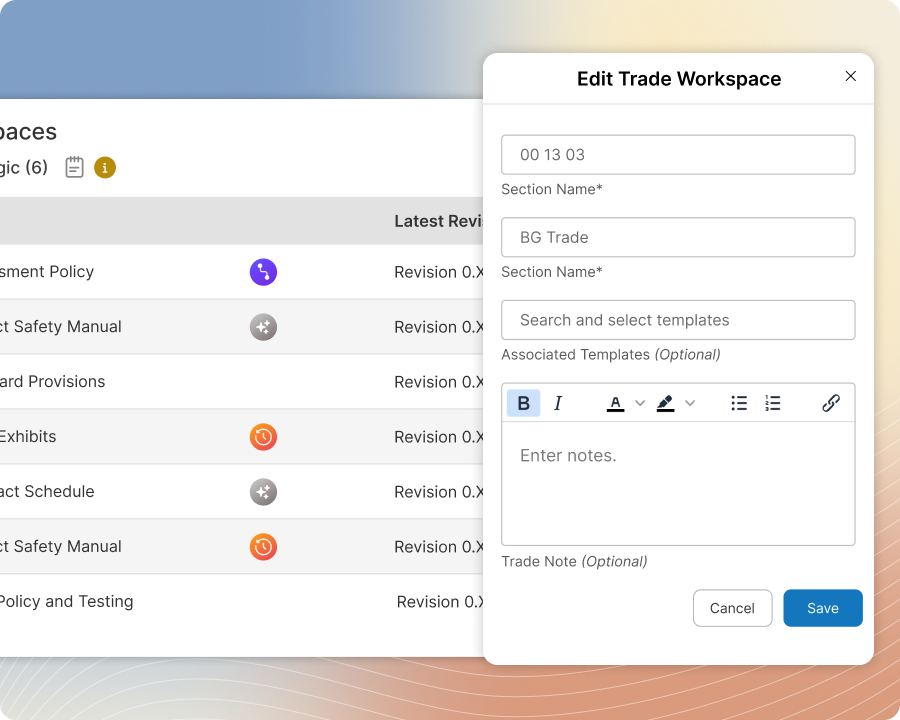
Include Guide and Instruction
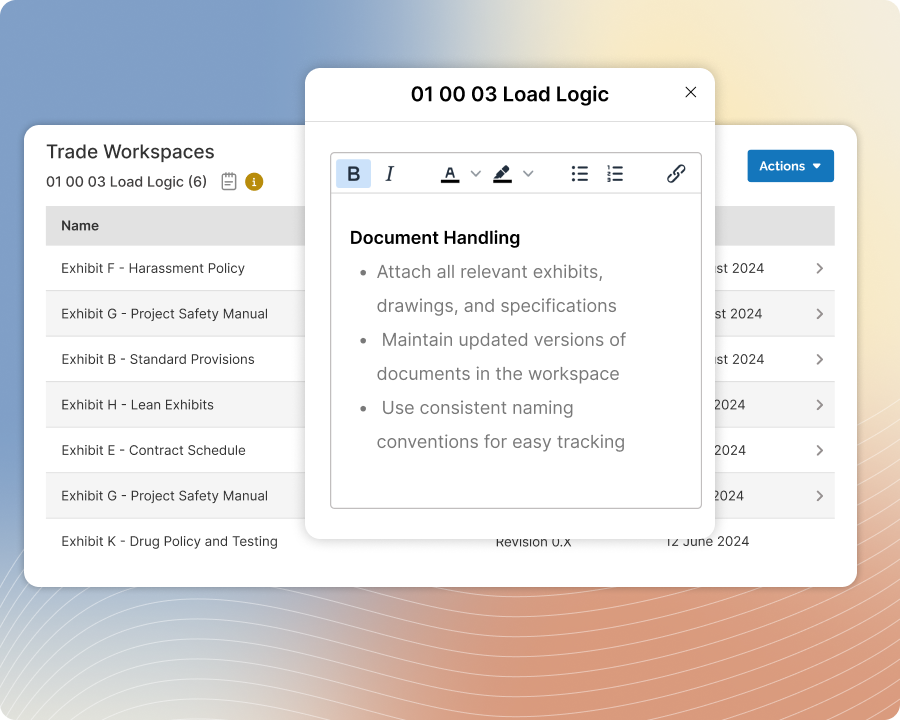
Add trade-specific guidance so teams know how to handle each category more consistently
Add a guide for each trade category in ScopeMaker, including trade-specific instructions such as trade splits or mergers. The guide gets copied when teams create workspaces for that trade category in a project, so they know how to handle it with more consistency and less guesswork.
Support Project Flexibility
Keep the flexibility to organize trades the way each project needs
Despite standardized trade categories in ScopeMaker, teams can adjust them for each project by changing names and codes, merging or splitting trades, and using the templates that fit the job. Standardization does not mean losing the flexibility teams need.