

ScopeMaker
Start Preconstruction With The Right Templates And Content For Each Project And Trade
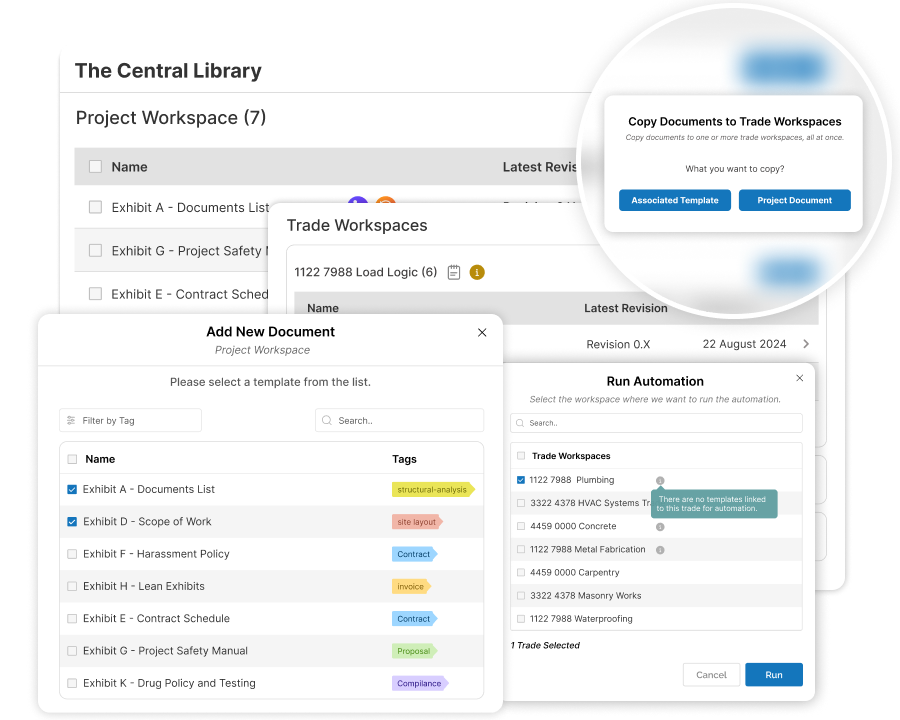
Copy the right templates into Common and Trade Folders, reuse project-specific exhibits across trades, and use Auto-Insertion to place trade-specific terms where they belong so your team can start faster with the right templates and content in the right place.
How does ScopeMaker help you organize exhibits across your project workspaces?
Copy Templates to Common Folder
Copy the right templates into the project’s Common Folder to create a stronger shared starting point.
Auto-Copy Trade Templates
Automatically copy the right trade templates into the right Trade Folders for one or more trades.
Copy Templates to Trade Folders
Easily copy trade-specific templates into Trade Folders when auto-copy does not cover everything.
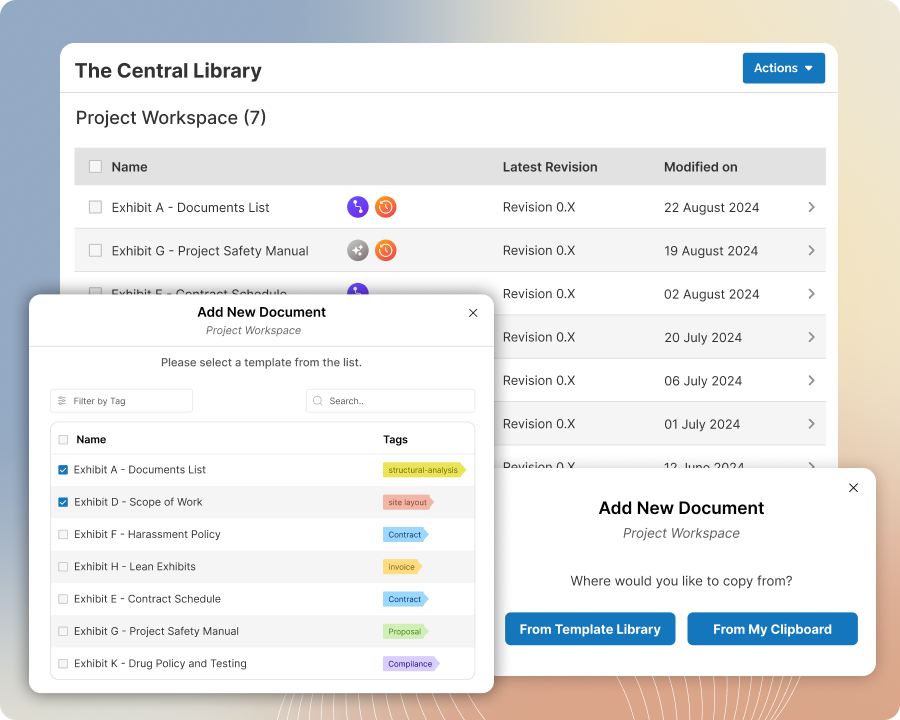
Copy Templates to Common Folder
Build a stronger project starting point by copying the right exhibits into the project’s Common Folder
Find the right templates in the Template Library, then copy one or more exhibits into the project’s Common Folder all at once. Set up shared project exhibits faster, reduce repetitive setup work, and start each project with a cleaner, more organized foundation.
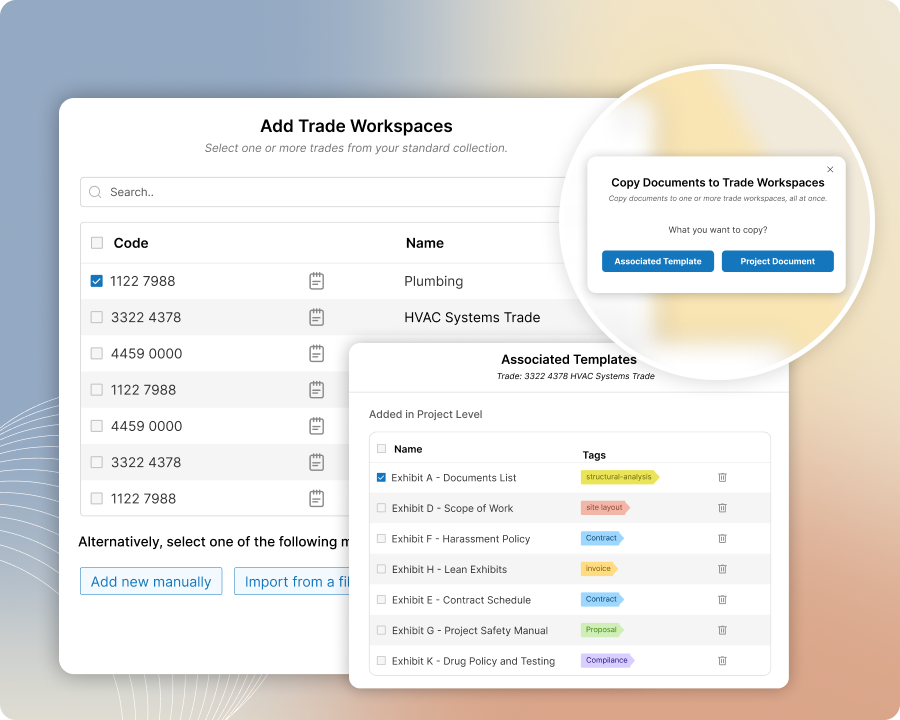
Auto-Copy Trade Templates
Give each Trade Folder a stronger starting point by automatically copying the right trade templates
Select one or more trades, then automatically copy the templates associated with those trades into the right Trade Folder. Set up startup exhibits gradually or all at once, reduce repetitive setup work, and help each Trade Folder start with the right documents already in place.
Copy Templates to Trade Folders
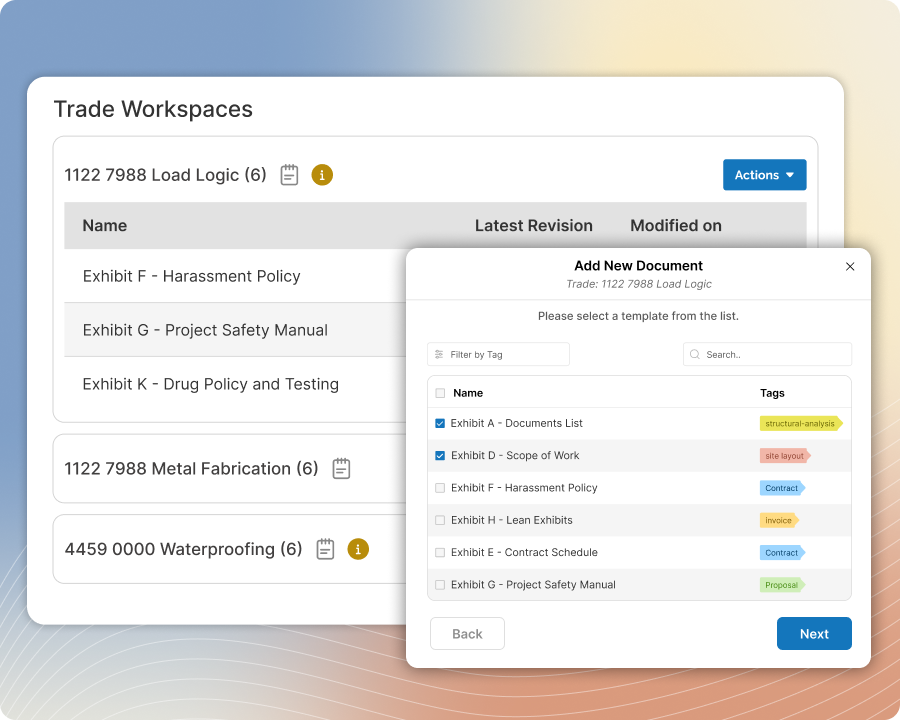
Fill the gaps with quick copy when auto-copy is not enough
Find the right trade-specific templates in the Template Library, then copy one or more exhibits into the appropriate Trade Folder. Fill gaps left by auto-copy, tailor each Trade Folder to the project’s needs, and give your team the right exhibits to start editing.
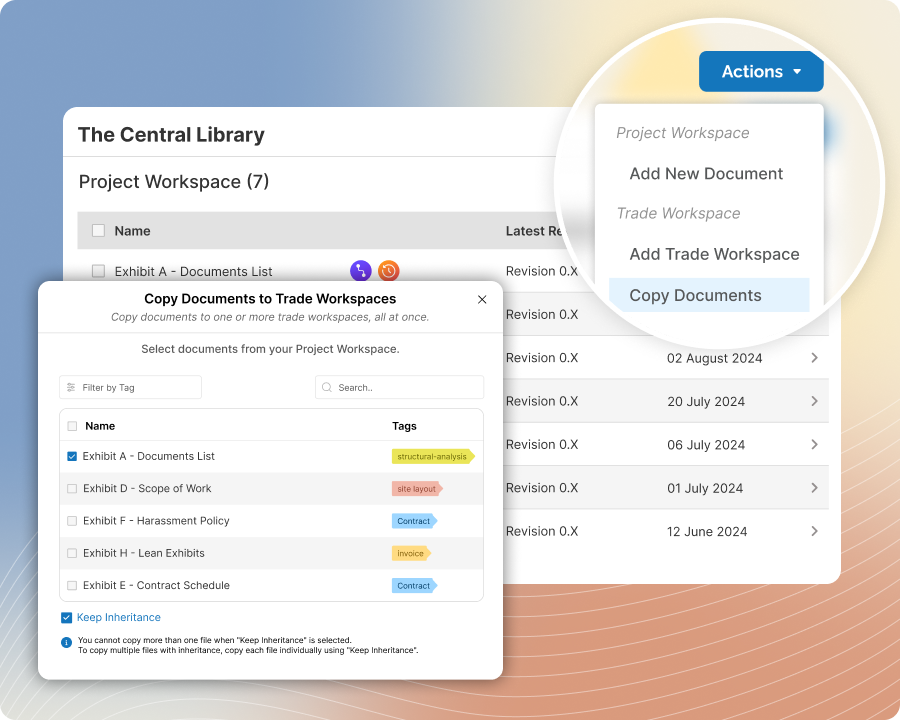
Copy Common Exhibits to Trade Folders
Set up trade-specific exhibits with project language faster in each Trade Folder
Copy exhibits from the project’s Common Folder into one or many Trade Folders with just a few clicks. Use this for project-specific exhibits that apply across trades but still need trade-level edits, such as a scope of work exhibit. Choose a regular copy or Document Inheritance depending on how you want updates managed.
Auto-Insertion
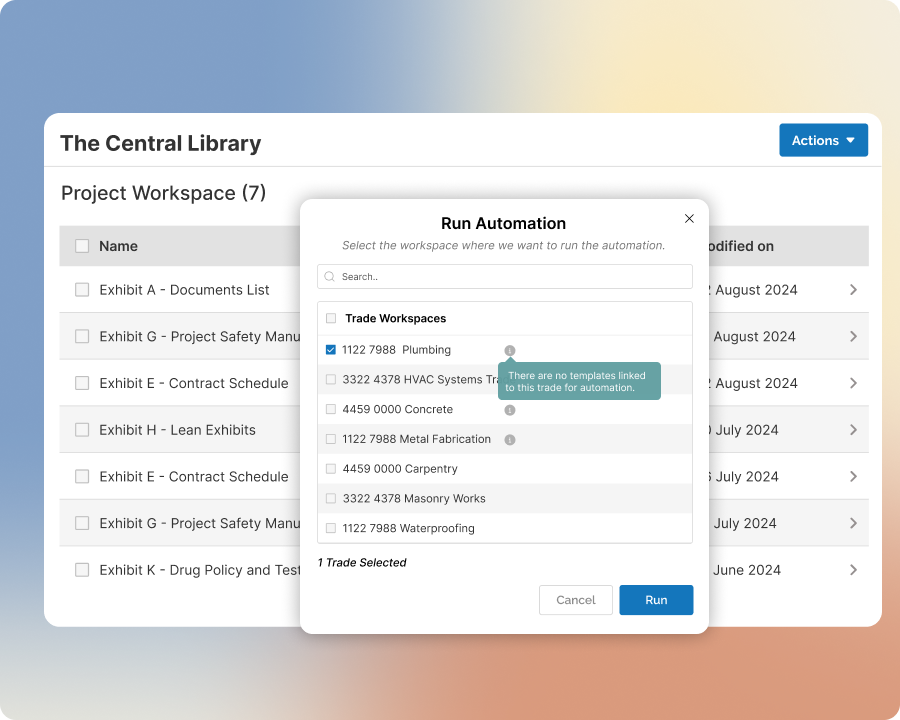
Start exhibits with the right trade-specific terms already in place
Use Auto-Insertion to insert content from templates into exhibits in one Trade Folder at a time or across all Trade Folders in the project. Completely eliminate manual setup of trade-specific exhibits, along with the inefficiency and risk of errors that come with it.