ScopeMaker
Keep Bid Package Exhibits Organized in Project and Trade Folders During Preconstruction
Create the folders your project needs, organize common and trade-specific exhibits, and adjust the structure as your project evolves. Give your team a clearer place to find, tailor, and manage bid package documents throughout preconstruction.
How does ScopeMaker help you organize exhibits across your project workspaces?
Create Folders
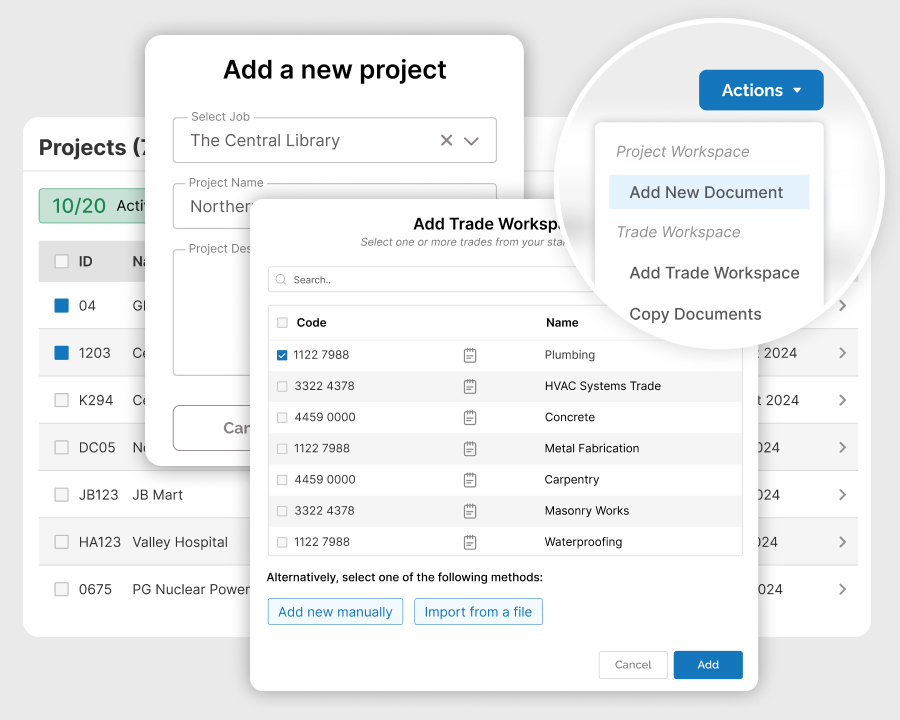
Effortlessly create all the folders your project needs, all at once at the start or gradually over time.
Organize Project Exhibits
Organize exhibits with project-specific terms and prepare scope exhibits before trade-level tailoring.
Create Folders
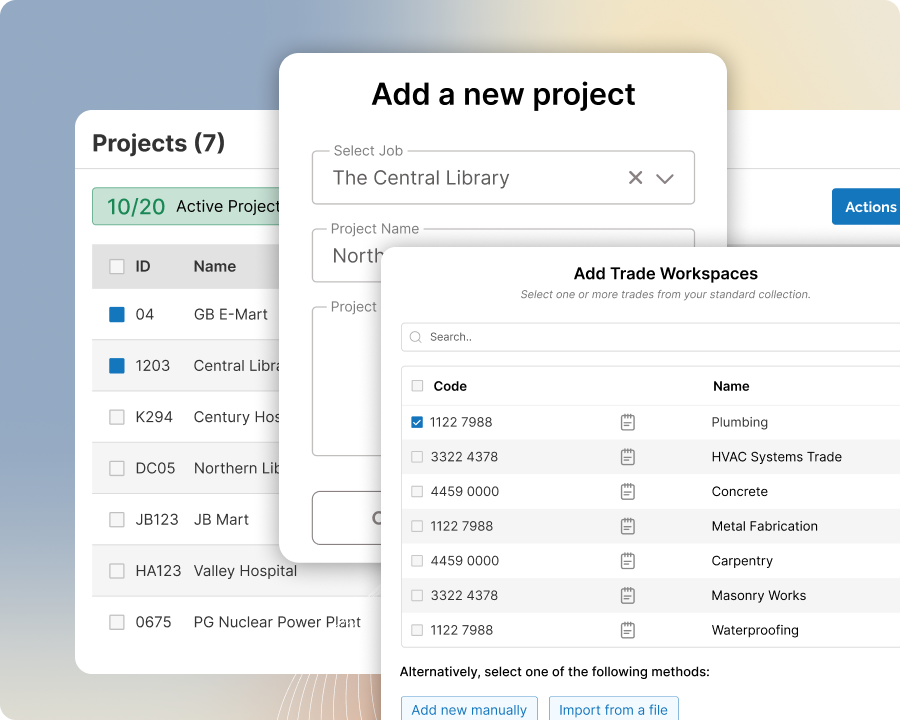
Effortlessly create the folders you need to organize exhibits in your project workspace
Create all your project folders at once at the start of the project in just a few steps. Use the imported division codes and project setup to build the right folder structure, then adjust the organization as needed so your team can start organizing exhibits right away.
Organize Project Exhibits
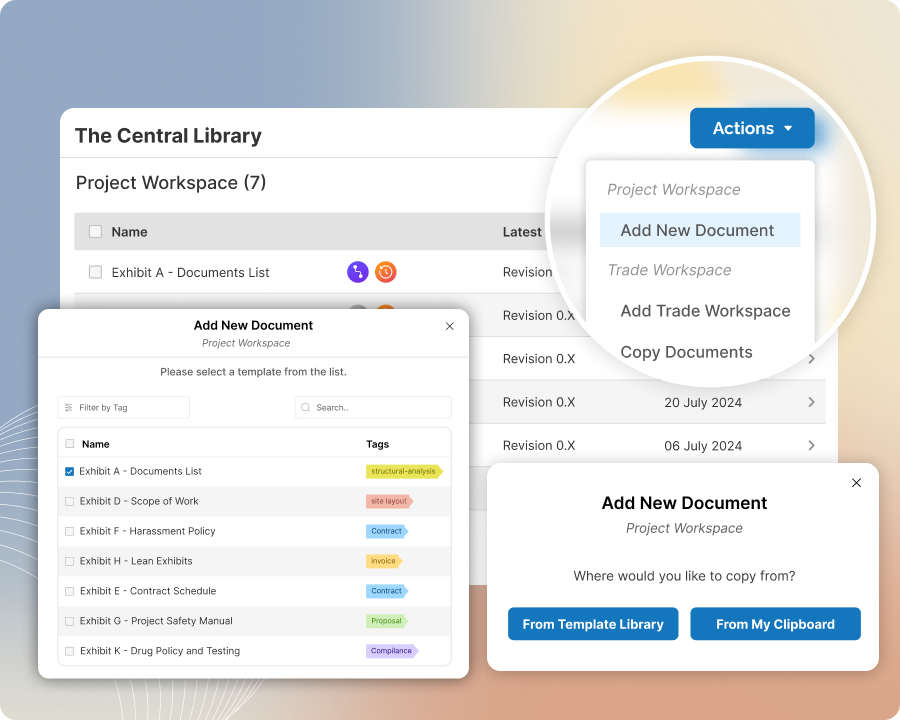
Organize common exhibits and trade-specific scope templates in one place
Use the Common Folder for exhibits with project-specific terms that stay the same for all trades. Use it also to tailor project-specific terms in scope exhibits before they get copied or inherited into Trade Folders for trade-level scope items and revisions.
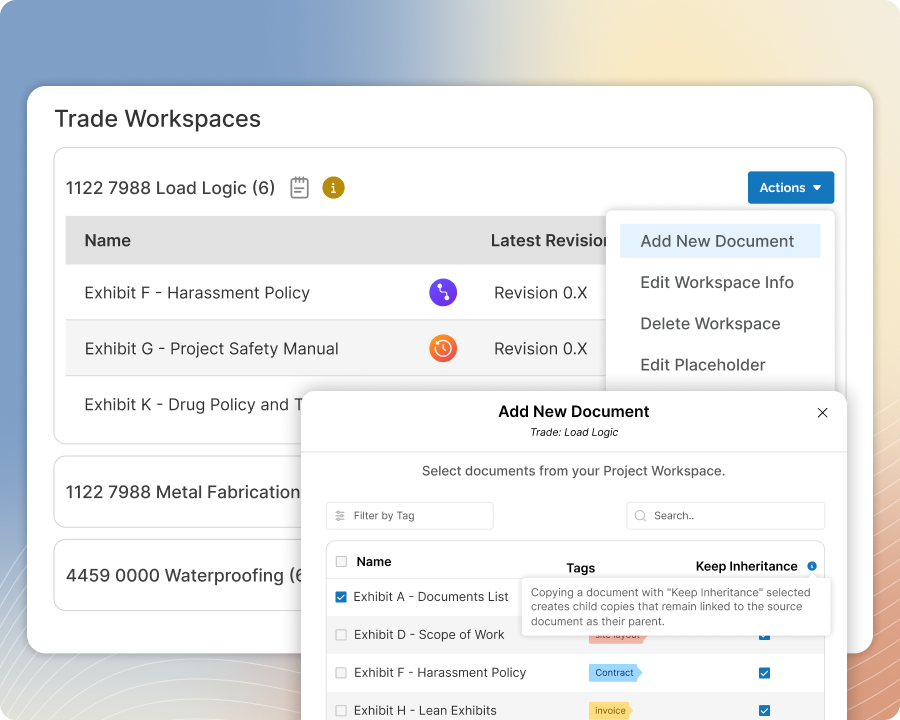
Organize Trade Exhibits
Organize trade-specific scope exhibits and related project exhibits by trade
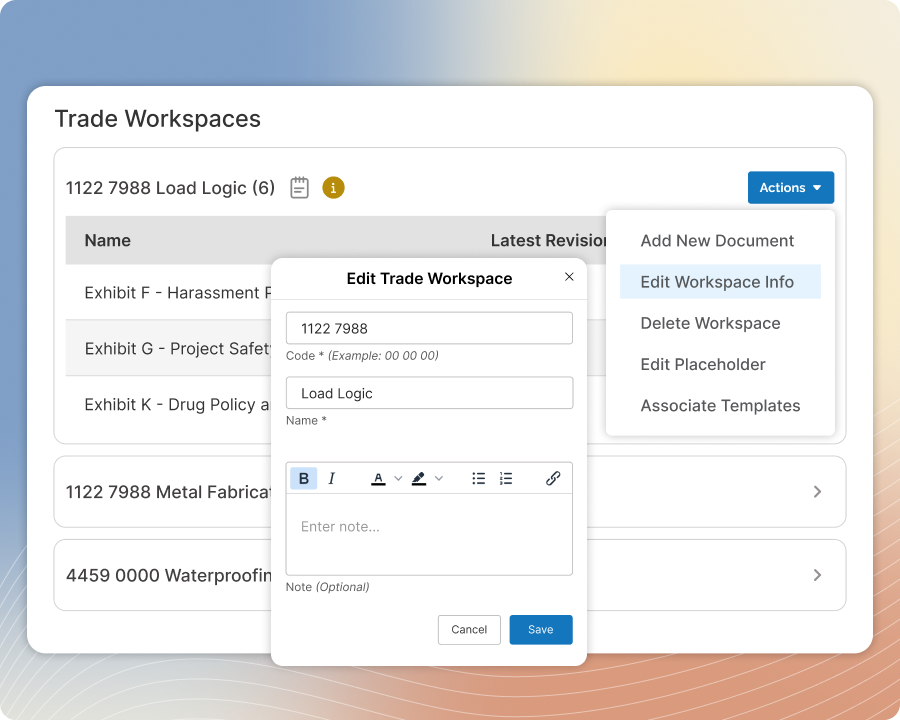
Use Trade Folders for trade-specific scope of work exhibits, whether they are created as standalone exhibits or inherited from the Common Folder. Extend their utility to other project-specific exhibits for that trade when needed to keep each trade’s documents complete and together.
Reorganize Trade Folders
Reorganize trade folders as your trade setup changes
Add new Trade Folders, delete ones you no longer need, or reorganize them as trade categories are merged, split, or adjusted for the project. Move exhibits from one folder to another more seamlessly so your document structure can keep up with changes in scope and trade organization.