ScopeMaker
Make Preconstruction More Efficient and Your Bid Packages More Consistent with Smart Templates
Turn your existing templates, including PDFs, into reusable Smart Templates in ScopeMaker. Build bid package exhibits faster, reduce repetitive editing, and help your teams work from more consistent, controlled starting points across every project.
How can ScopeMaker’s Smart Templates help you create bid package exhibits with less effort and more consistency?
Template Builder
Build Smart Templates for your exhibits with ease—start from scratch or convert your existing PDF templates.
Magic Placeholders
Eliminate mundane, error-prone find-and-replace with Magic Placeholders in your templates.
Template Builder
Build your templates easily—start from scratch or by converting existing PDFs into ScopeMaker templates
Start by importing your existing PDF templates and turning them into reusable ScopeMaker templates. Or, if you prefer, build your Smart Templates from scratch or by combining content from one or more PDFs or ScopeMaker documents. Build tailored templates faster, whether you’re starting fresh or working from documents you already use.
Magic Placeholders
Eliminate mundane, error-prone find-and-replace by using Magic Placeholders in templates
Add placeholders to your Smart Templates for information that changes from one exhibit to another, such as project name, trade, bid date, or location. Let ScopeMaker fill them in automatically so your team can reduce repetitive edits, move faster, and keep exhibits aligned with project context.
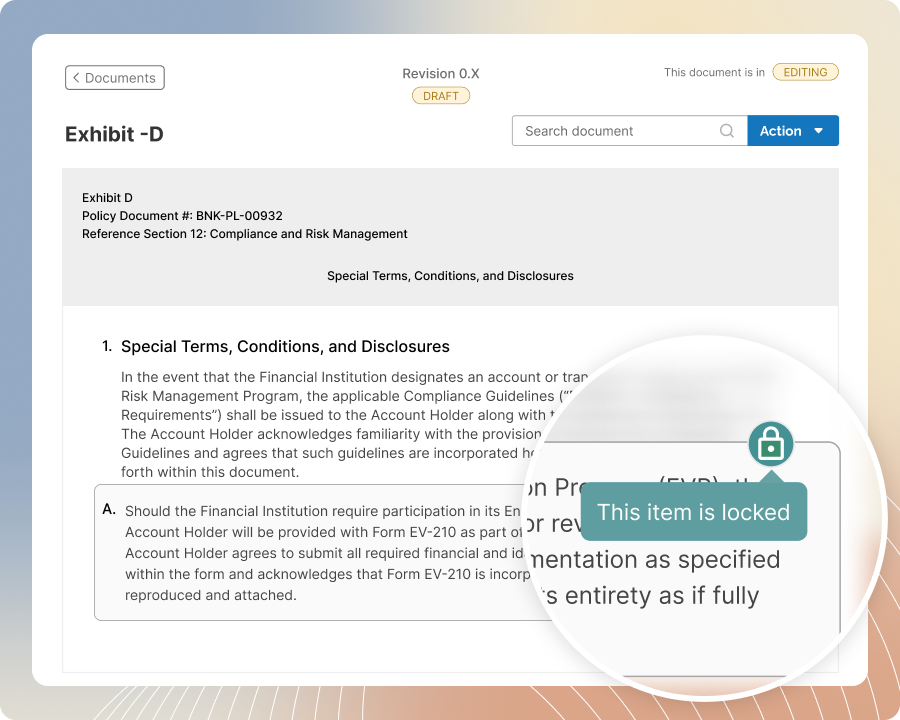
Content Protection
Protect standard exhibit language with content protection in your templates.
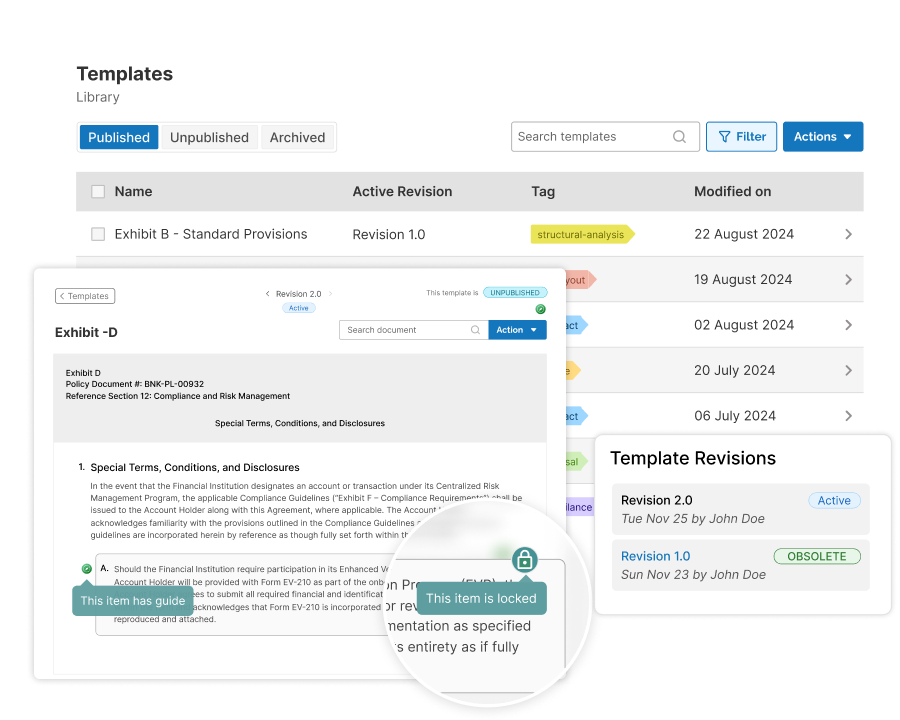
Protect standard terms and approved language by locking template line items, then carry that protection into every exhibit generated from them. Allow authorized changes without accidental edits or last-minute drift. Get flagged when a locked item is unlocked and edited in the exhibit, so nothing slips quietly.
Guides & Instructions
Give your teams clear guidance as they build exhibits from your template
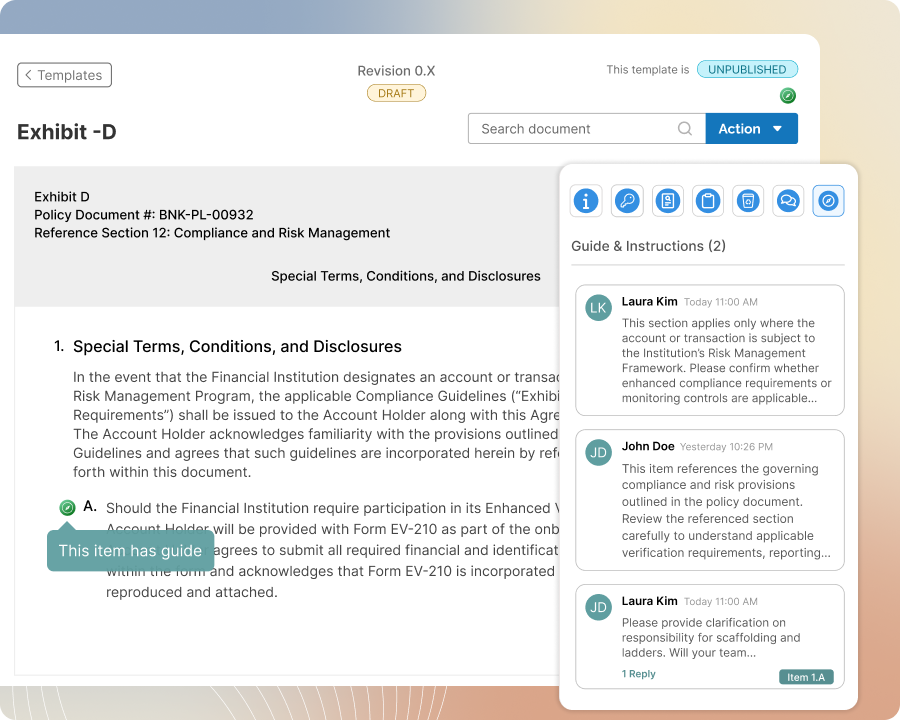
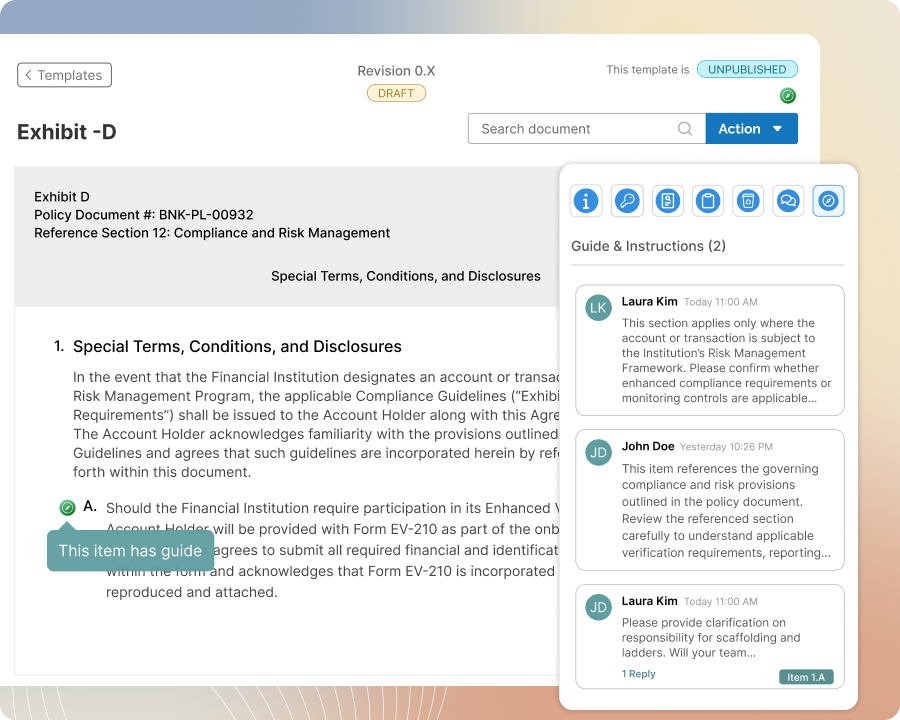
Add guidance to the entire template or to specific line items that need special attention, so that guidance stays with every exhibit created from the template. Reduce back-and-forth with instructions, examples, and do/don’t notes so template users keep scope language more consistent across authors and projects.
Revision Control
Avoid revision ambiguity and keep your teams working from the latest approved template revision
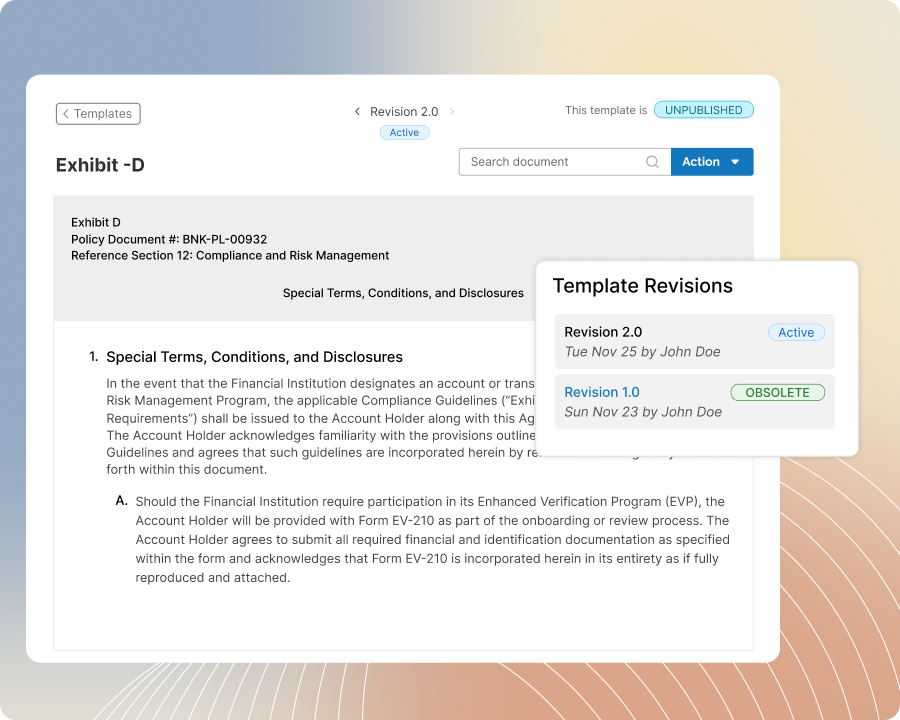
Publish template updates with revision control so your teams can build exhibits from the latest approved revisions without confusion about which version to use. Manage older revisions and in-progress changes behind the scenes, while template users stay focused on the right template for the job.
Template Management
Make it easy for your team to find and use the right templates in each project
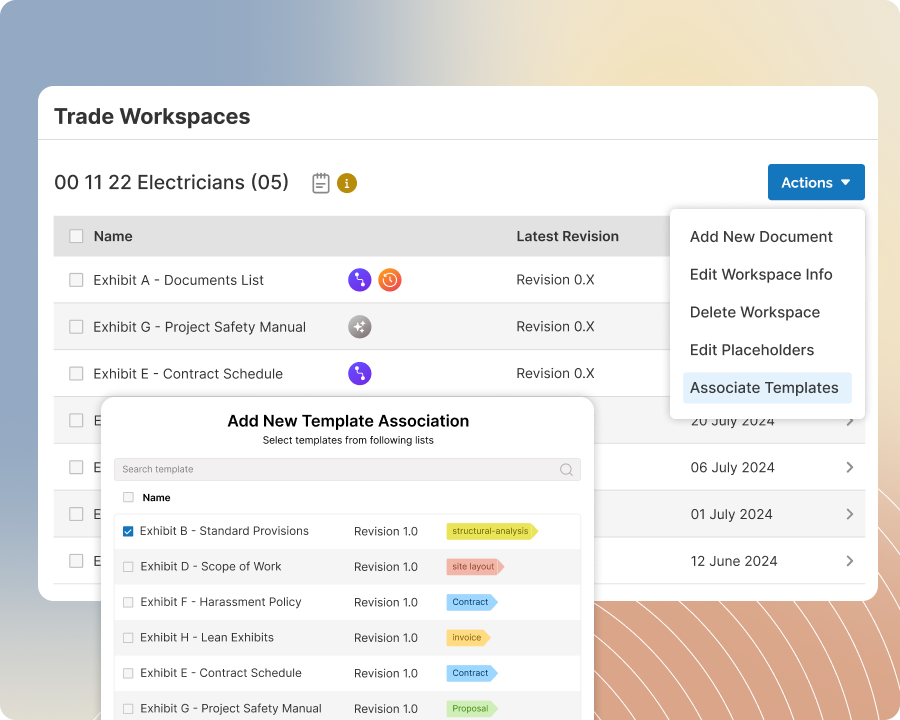
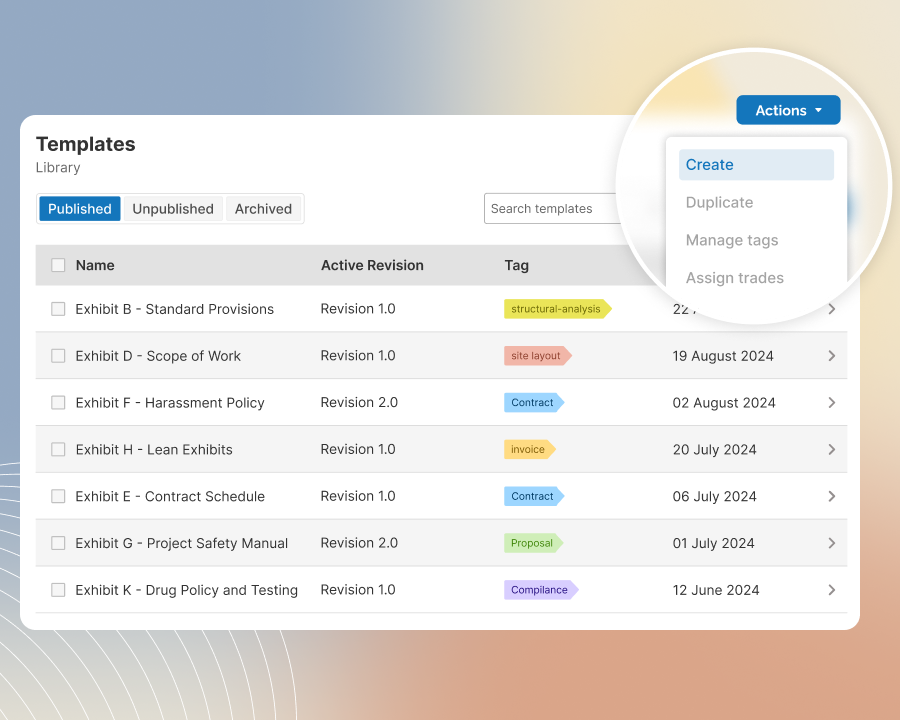
Organize your templates by tags and trades or divisions so your team can quickly find the right ones for each project. Teams can browse the library, copy what they need to their clipboards, or access templates directly from their project workspace. Effortlessly keep the library clean and clutter-free with ScopeMaker’s seamless template management.