

ScopeMaker
Track and Restore Every Exhibit Edit With Precision
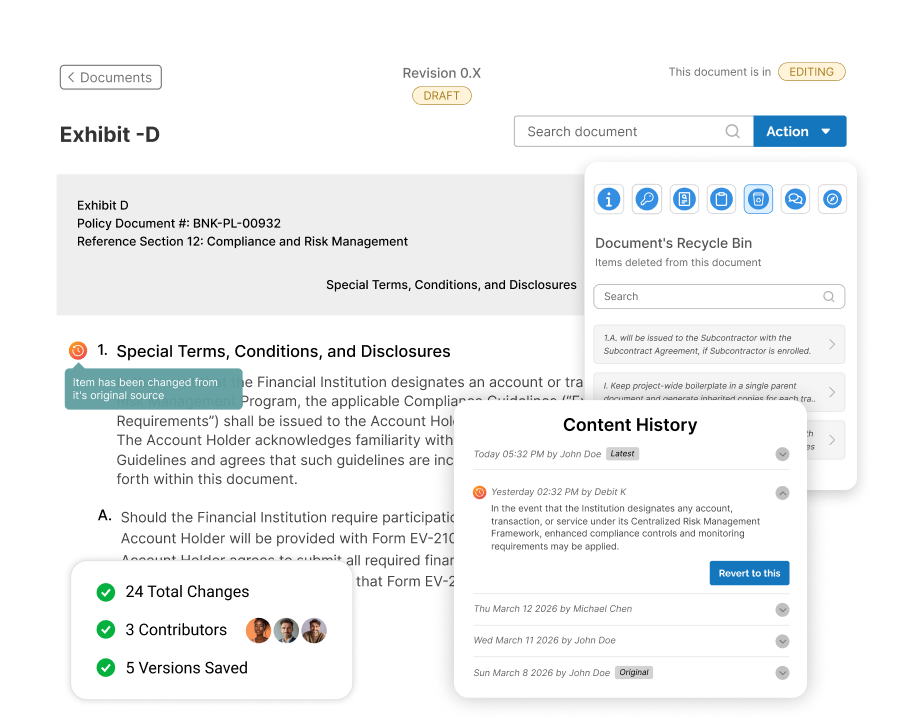
Edit your Bid Package Exhibits confidently, knowing ScopeMaker automatically saves every revision of each line item.
See at a glance which line items have changed, review their complete history, and restore any saved snapshot with precision without affecting other line items. Collaborate confidently with your team, knowing every change can be tracked and every line item can be restored when needed.
How Does ScopeMaker Help You Track Every Exhibit Edit and Restore With Precision?
Automatic History
Automatically preserve the previous version of a line item whenever someone edits and saves it.
Snapshot Timeline
View every saved snapshot with its date, time, and user details in a chronological feed.
Granular Reversion
Revert individual line items while the rest of the document keeps its latest content.
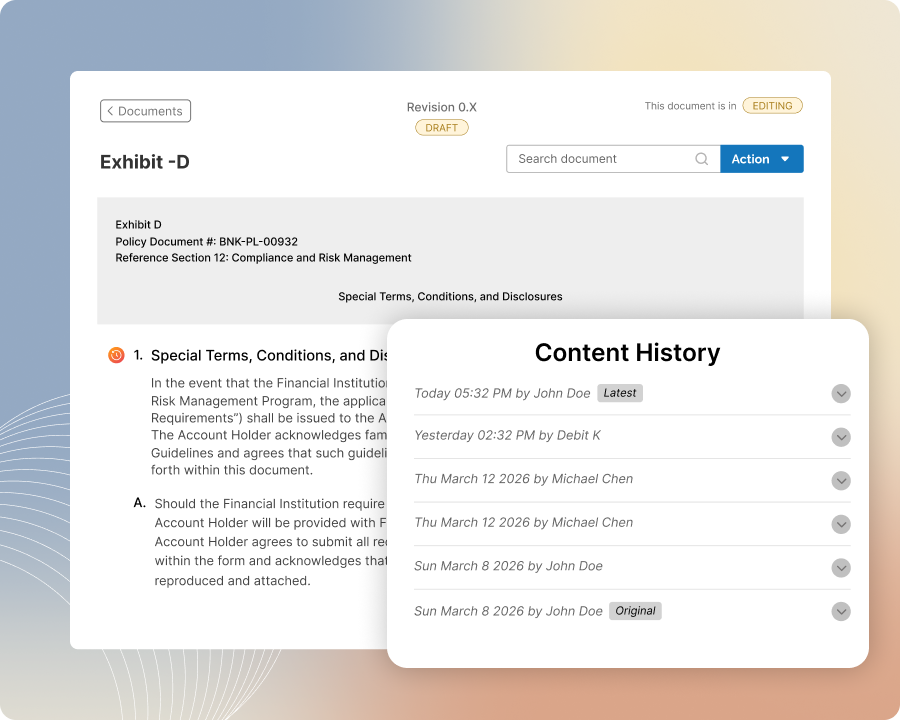
Automatic History
Preserve Every Previous Version
Edit and save line items as usual while ScopeMaker automatically preserves the previous content, date and time, and user details as a snapshot.
Build a complete history without creating manual backups or changing how your team works. Every saved edit remains traceable, no matter how many times the line item changes, so important content is never permanently overwritten.
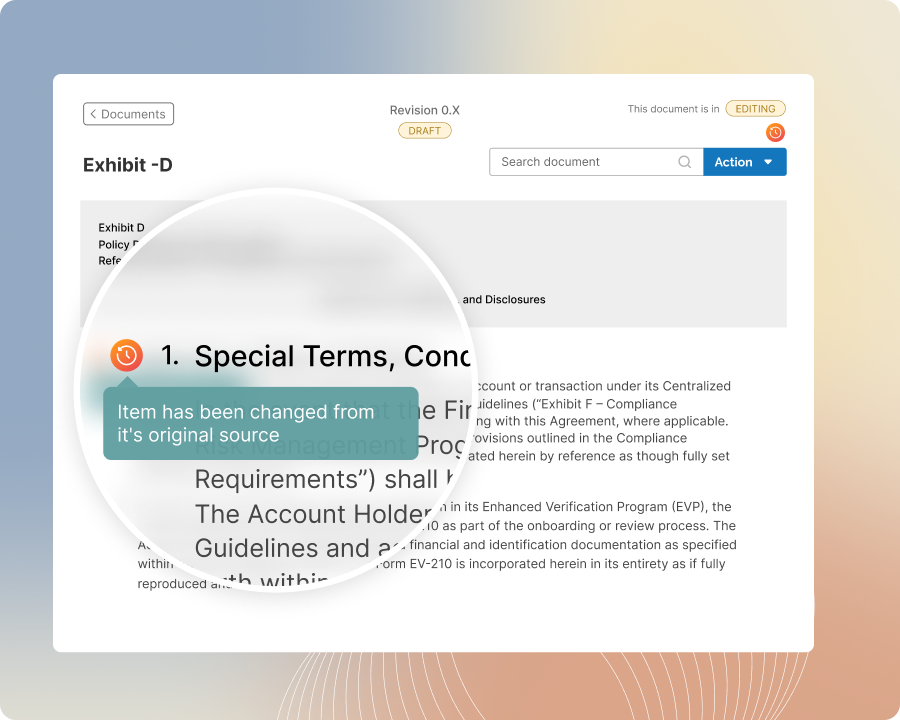
Change Visibility
Identify Changed Line Items Instantly
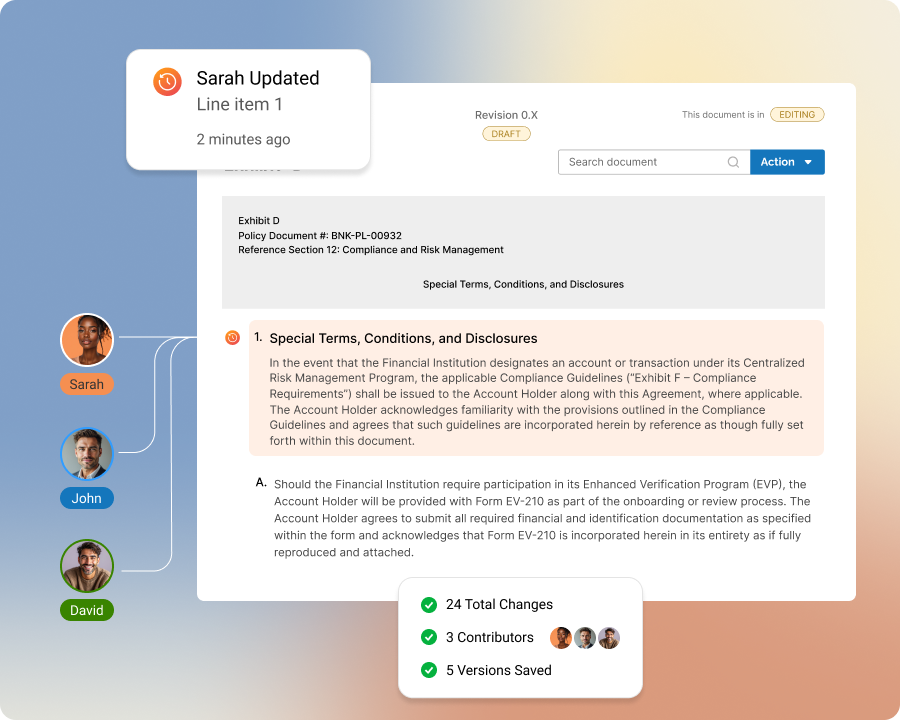
Review documents and instantly spot line items with saved snapshots using a clear history flag displayed at the top level.
Focus your attention on content that has changed without opening every line item or searching through the document. The visual indicator makes it easier to identify updates, investigate changes, and understand where revisions have occurred since the document was first created.
Snapshot Timeline
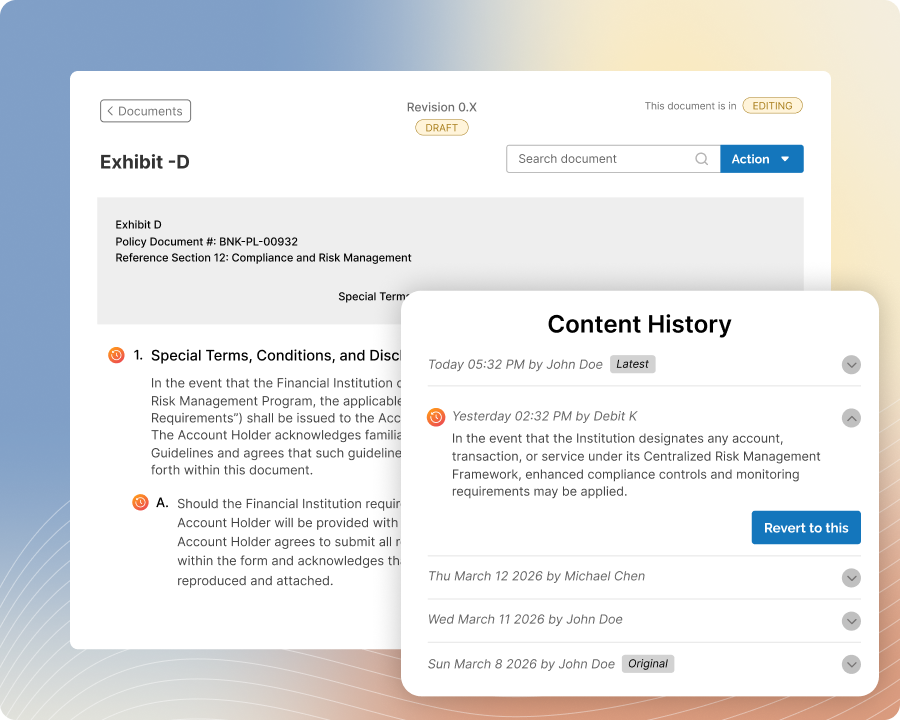
Trace Every Content Change
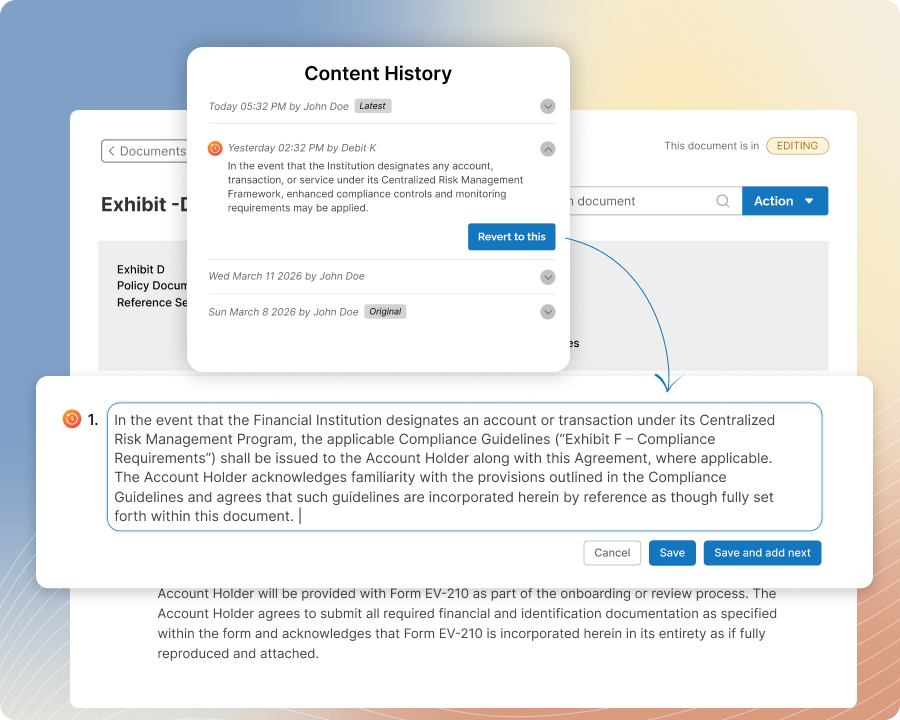
Open a line item’s history and view every saved snapshot in a chronological feed with the date, time, and user information attached.
Expand any snapshot to review its full content and quickly understand how the line item has evolved. Instead of comparing scattered copies or relying on memory, your team can trace changes and find the exact version they need in one place.
Quick Restoration
Restore the Right Content Quickly
Select the snapshot you need and restore the line item to that saved version with just a few clicks.
Return to accurate content without losing the rest of the line item’s history. Every earlier and later snapshot remains available after restoration, giving your team the freedom to correct unwanted edits while maintaining a complete and continuous record of how the content changed.
Granular Reversion
Restore Only What Needs Changing
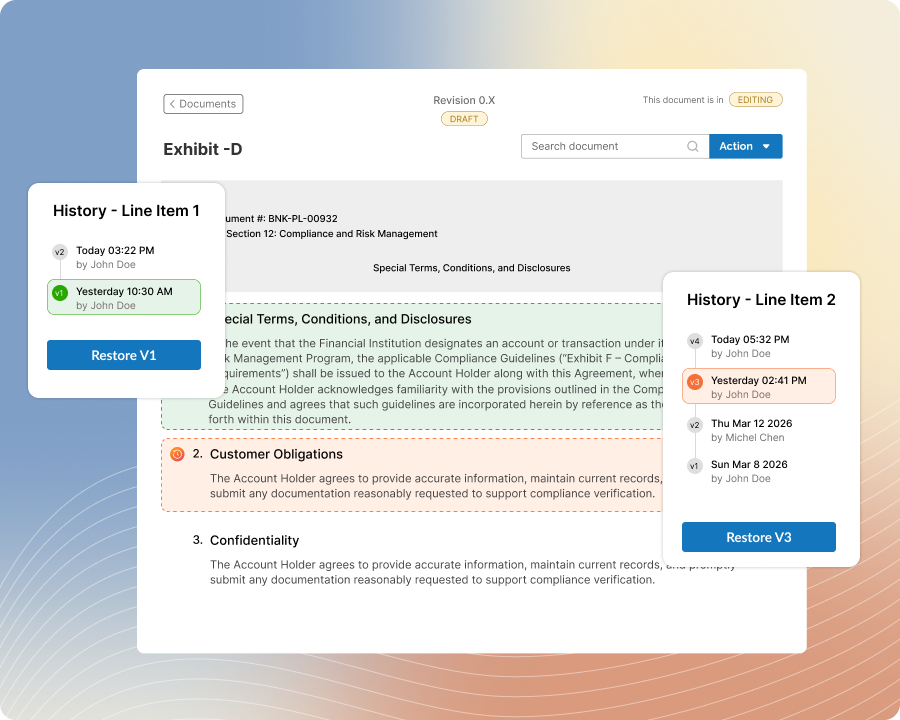
Restore only the line items that need correction while every other line item continues using its latest content.
Make precise updates without rolling back the entire document or undoing valid work completed elsewhere.
This granular approach gives your team greater control than document-level restoration, allowing individual sections to return to the right version without disrupting the rest of the document.
Confident Collaboration
Collaborate Without Losing Content
Collaborate on shared documents knowing that every saved line item change can be reviewed, traced, and restored when needed.
See who created each snapshot, when the change occurred, and what the previous content contained. Your team can edit more confidently without worrying that an incorrect update will permanently replace important information or leave everyone uncertain about how and why the content changed.
Complete Recovery
Recover Deleted Items With Their History
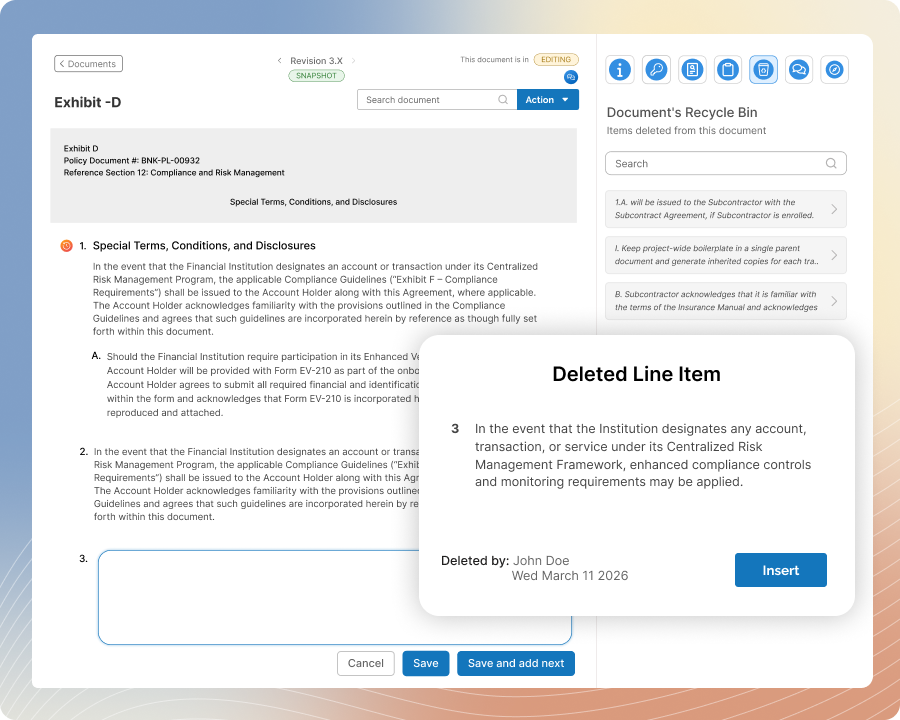
Delete outdated line items knowing that their content and complete snapshot history remain preserved in the document’s Recycle Bin.
Restore the line item later with every previous version still attached, rather than recovering only its latest content. Your team can clean up documents with confidence while retaining a reliable path to recover deleted information and continue reviewing its full history.