

ScopeMaker
Seamlessly Reuse Proven Content in Your Scope of Work and Bid Package Exhibits
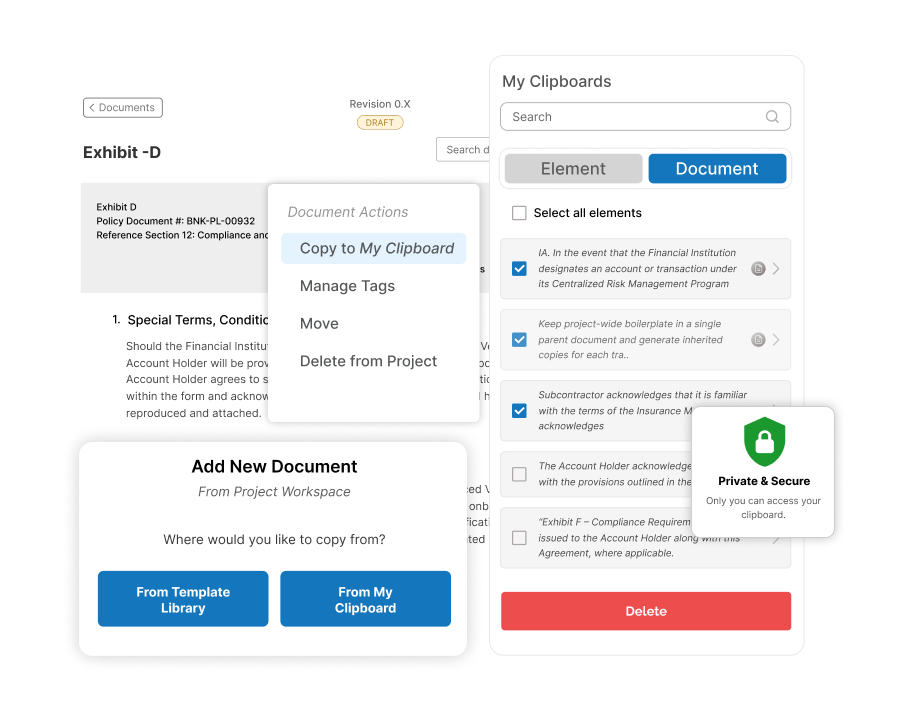
Repurposing proven content helps teams reduce risk, maintain consistency, and prepare Scope of Work documents more efficiently.
My Clipboard—your personal space in Zurel ScopeMaker—lets you gather, organize, preview, and reuse line items, sections, and complete documents with exceptional ease.
How Does My Clipboard Make Reusing Proven Content Seamless?
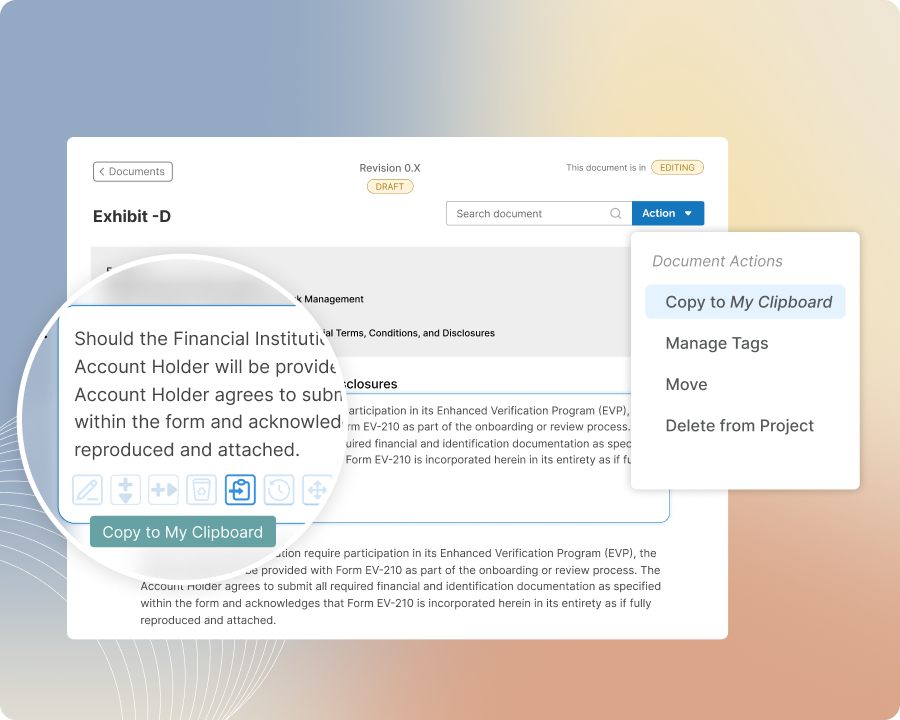
Content Gathering
Seamlessly Gather Content for Your Project
Writing Scope of Work documents and other exhibits often means gathering useful content from similar projects. ScopeMaker makes gathering it seamless.
Browse for useful content in the Template Library, copies of past exhibits, or other projects in progress. When you find it—whether it is a single line item, a group of line items, or an entire document—copy it to My Clipboard with one click.
Content Access
Keep Collected Content Easy to Access
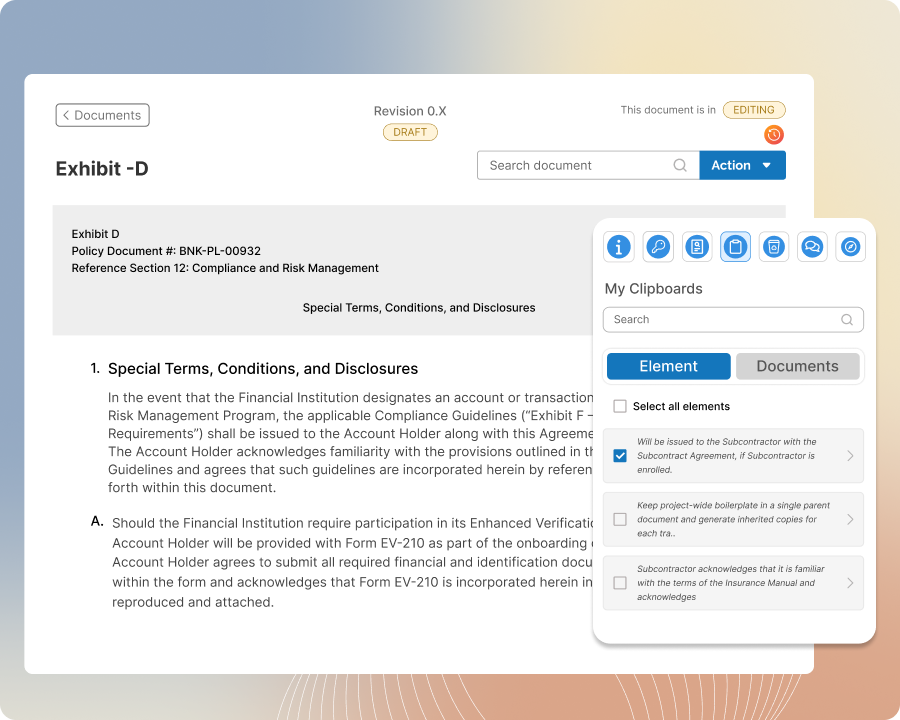
Gather as much project content as you need in your clipboard, where it remains organized, easy to find, and ready to use.
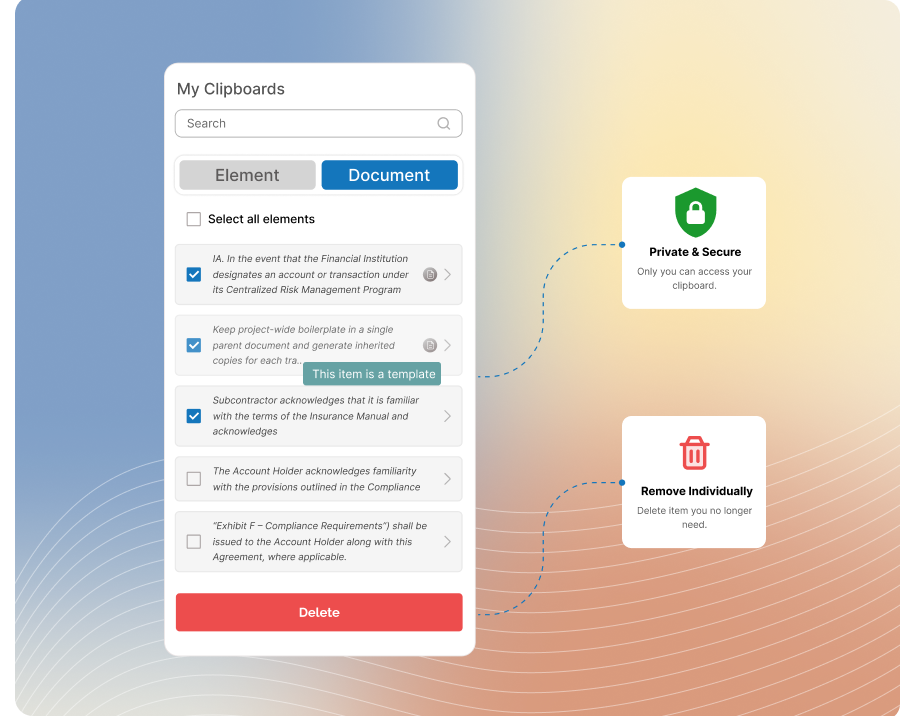
Open My Clipboard from your workspace to search line items and documents, preview content, filter complete documents by tags, and remove items you no longer need. Keep everything for the current project together in one place, then clear your clipboard when the work is complete.
Content Preview
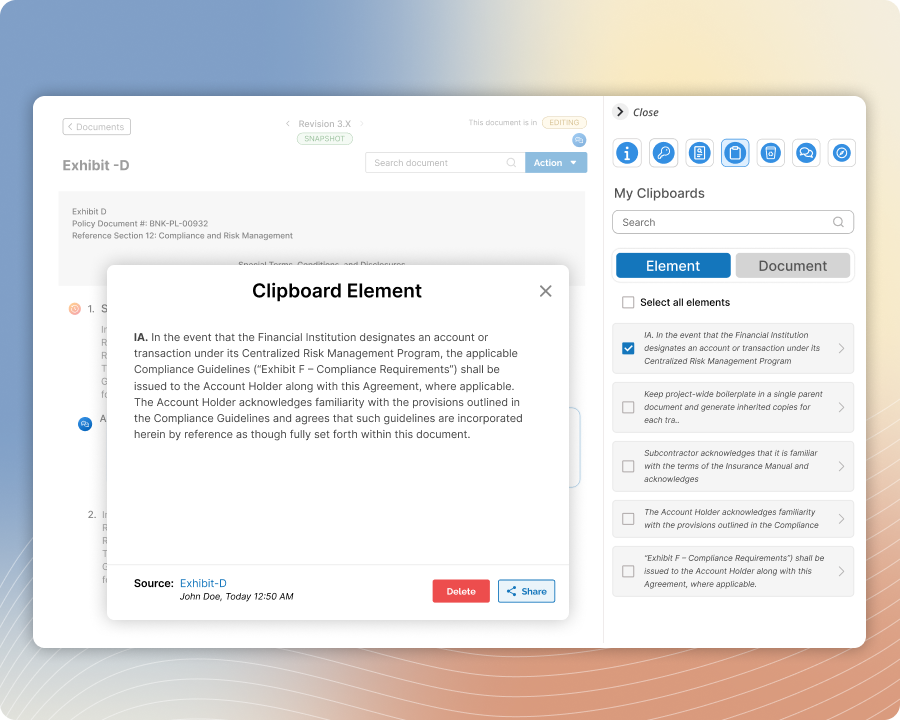
Preview Clipboard Content Before Using It
Preview every complete document in detail and use its source link to open the original document in the library, exhibit, or project where it resides.
Preview each content element—whether a single line item or a group—in full or within the context of its source. Use the source link to open the original template, past exhibit, or project in progress whenever you need surrounding details before reusing the content.
Personal Control
Keep Full Control of Your Clipboard
Use your clipboard as a private workspace that only you can access.
Collect any ScopeMaker content you find useful, keep it for as long as it supports your work, and manage it on your own terms. Remove individual items whenever they are no longer needed, or clear the entire clipboard in one step when you are ready to start fresh.
Document Creation
Create New Project Documents From Your Clipboard
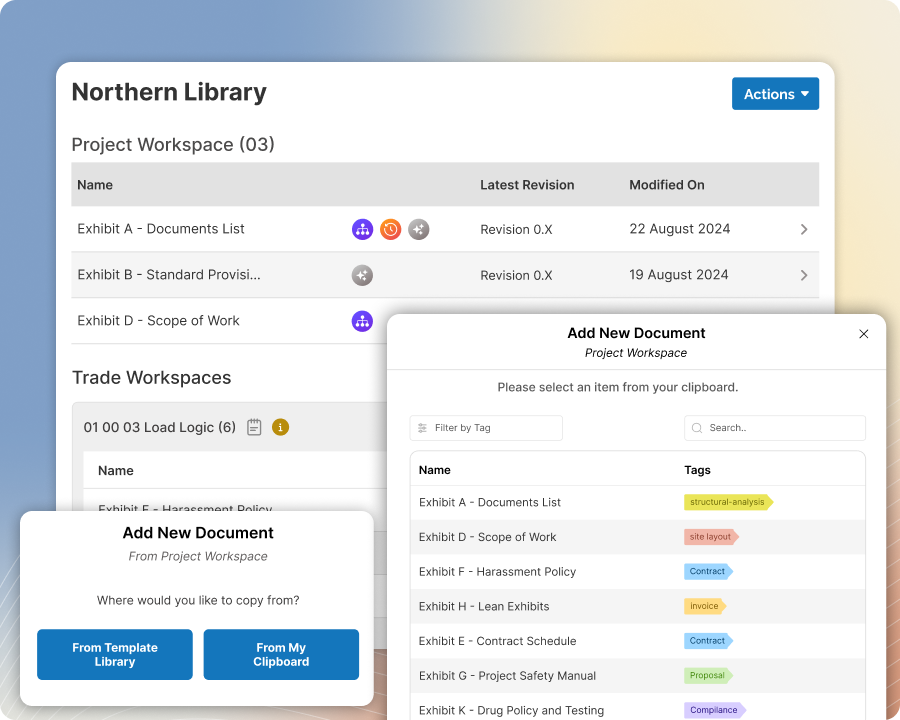
Create a new working document in your project’s workspace from any document in your clipboard.
Choose the source document, preview it, and use checkboxes to deselect any sections or line items you do not want to copy. ScopeMaker creates the new document using only your selected content, giving you a faster, more precise starting point for the current project.
Content Insertion
Insert Clipboard Content Anywhere in Your Working Document
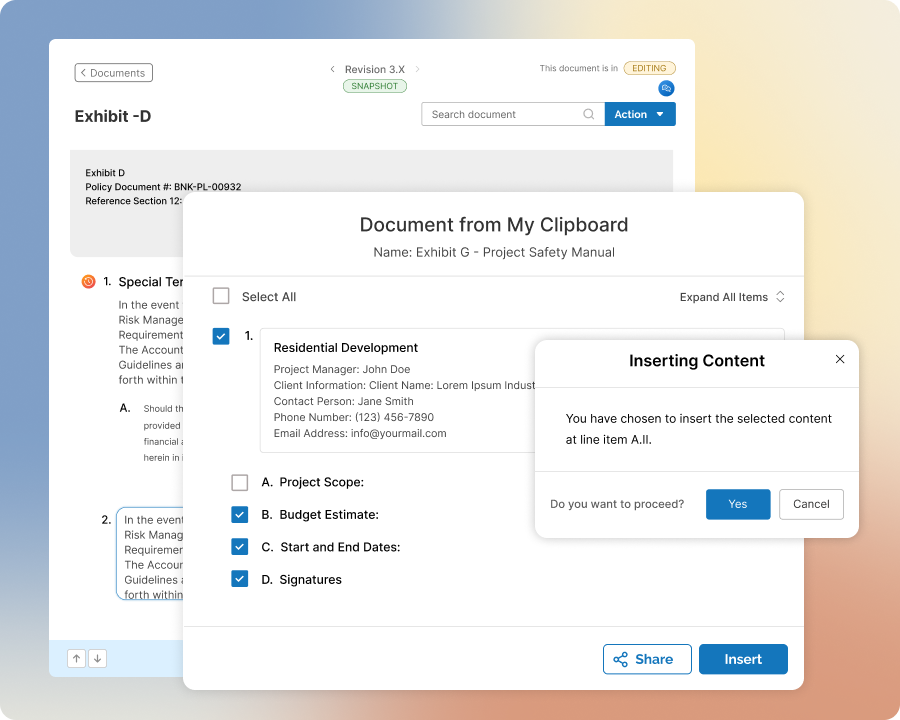
Seamlessly insert content from your clipboard at any location in your working document. Add a single line item, a group of line items, a document section, or an entire document with just a few clicks.
Select exactly what you need and place it precisely where you want. Don’t worry about formatting or renumbering—ScopeMaker automatically keeps the document properly structured.
Content Sharing
Share Collected Content Directly With Teammates
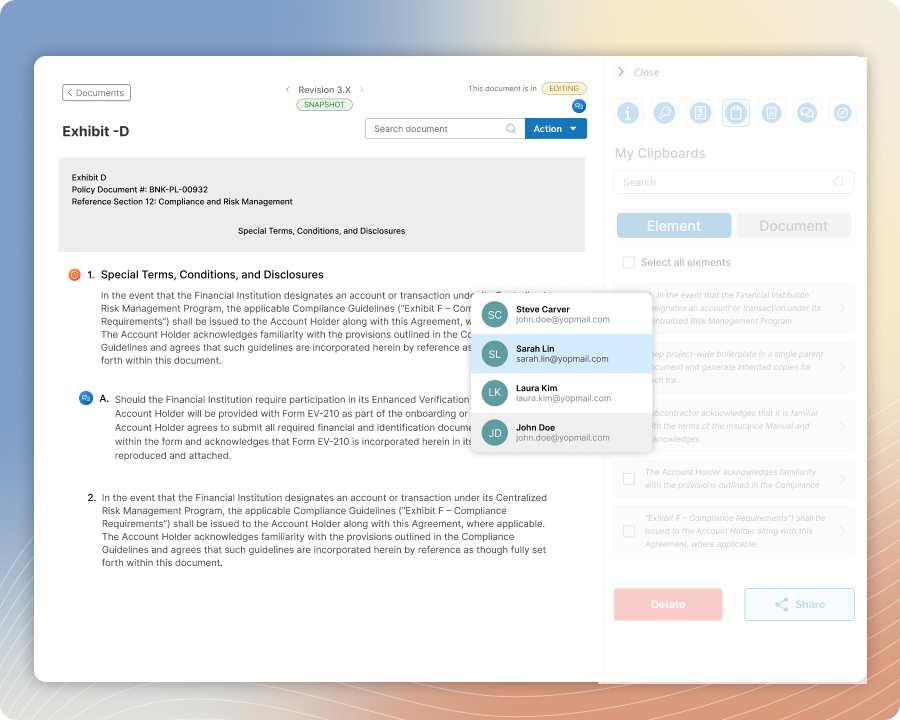
Send one or more items from your personal clipboard directly to a teammate’s clipboard.
Recipients receive full access to the content, just as if they had found and collected it themselves. Each item also shows who shared it and when. The shared copy remains in their clipboard even if you later remove the original from yours, giving them independent access whenever needed.