

ScopeMaker
Collaborate Seamlessly and Confidently During Preconstruction to Build and Review Bid Package Exhibits Faster
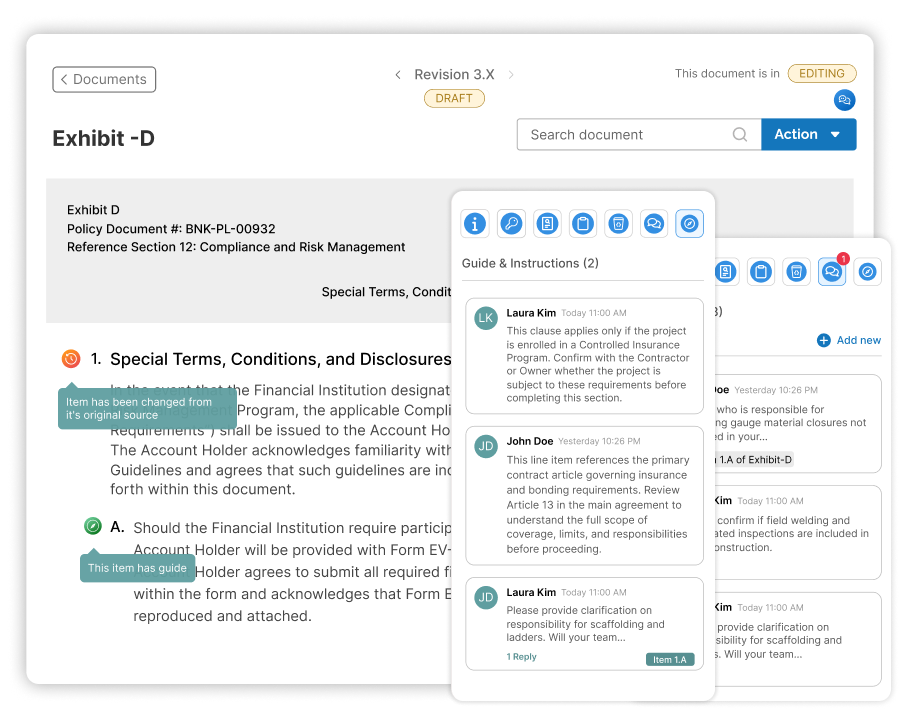
Collaborate with your preconstruction team directly inside ScopeMaker—add line-item guidance, discuss scope in context, spot edits instantly, and revert any change with precision—so your team collaborates in one place, with clear context and confidence.
Preconstruction runs on collaboration, but today’s tools don’t inspire confidence or control. Zurel ScopeMaker changes that.
In bid package exhibits, consistency and accuracy are paramount. For collaboration to work, it can’t just be seamless—your team needs confidence and control over what changed, what didn’t, and how to recover when someone makes a mistake. Traditional collaboration across email, PDFs, and copied files is cumbersome, loses context, and doesn’t inspire confidence.
ScopeMaker keeps guidance, conversations, and edit visibility in one place at the line-item level. Teams can spot edits quickly, recover deleted content, and control who can change what, so collaboration stays seamless—and confident—throughout preconstruction
Use ScopeMaker collaboration tools to review bid package exhibits with clearer decisions and fewer missed edits.
Guides & Instructions
Add built-in guidance to template line items so every working copy starts with clear direction.
Comments & Conversations
Provide specific guidance or discuss scope in context, right down to the exhibit line item.
Line Item History
Track line-item edits so reviewers can restore the right content without rolling back the whole exhibit.
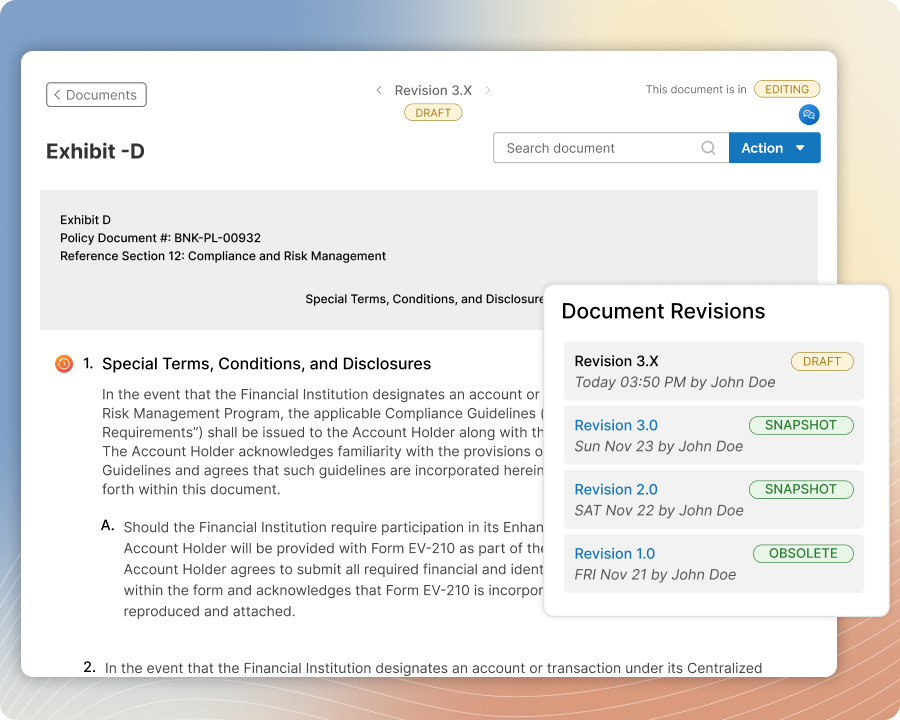
Revision Control
Automate exhibit revisions and freeze edits during review so everyone stays on the right version.
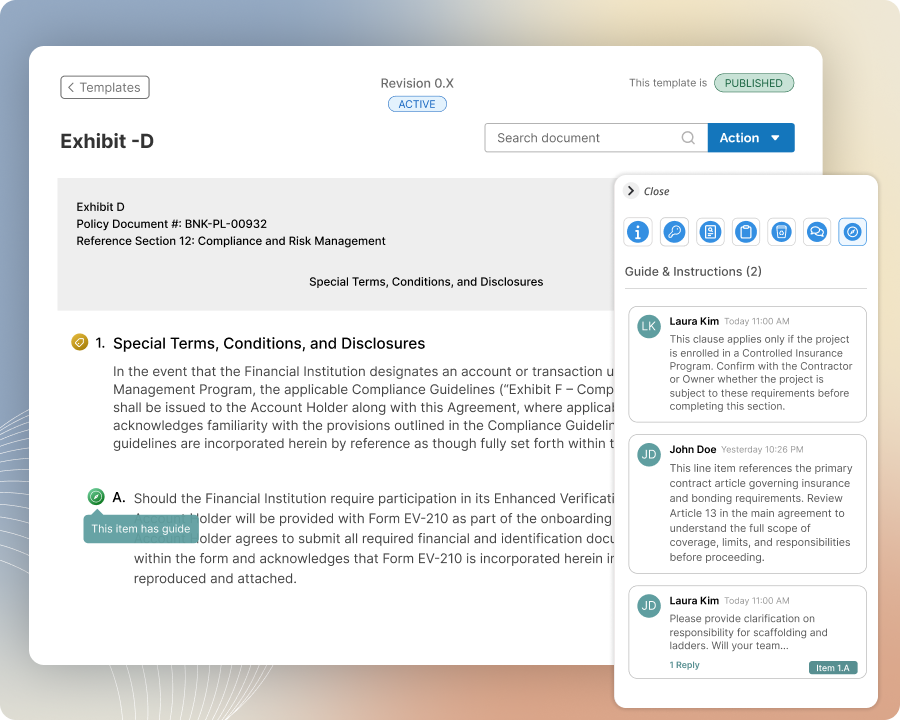
Guides & Instructions
Add guides to any line item in your exhibit template so every working copy starts with the same built-in instructions.
For any line item that needs special handling in your exhibit template, include a guide for your team. When they create an exhibit from the template, those guides carry into the working copy and stay easy to find. The guidance stays available throughout the workflow instead of being deleted and lost like traditional in-line notes.
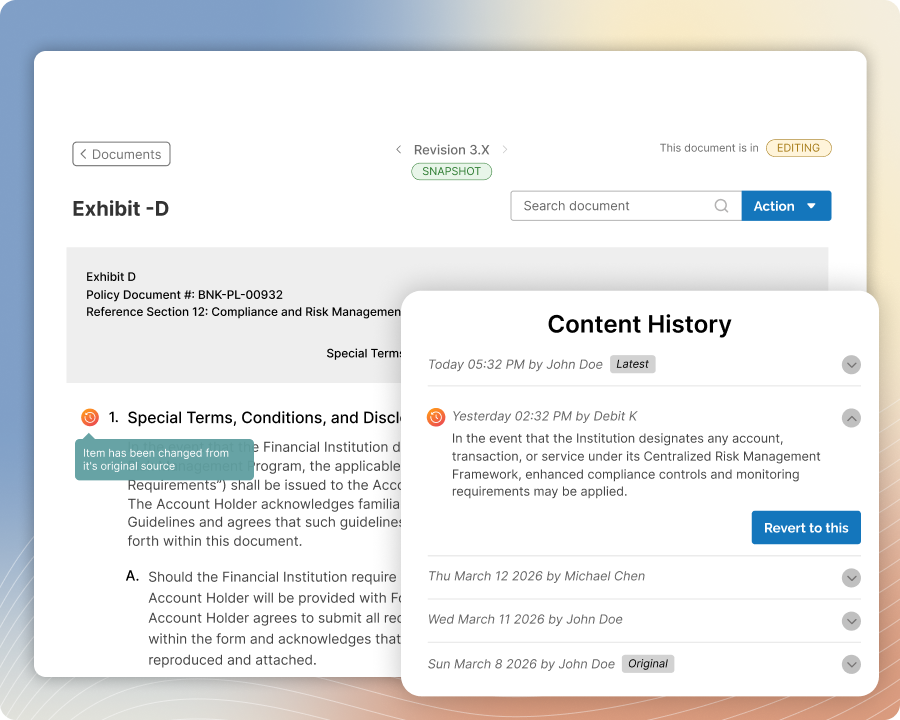
Line Item History
Track changes across your exhibit so your team can review edits quickly and restore prior content when needed
See exactly what changed at the line-item level, understand who made the update, and focus reviews on edits instead of rereading the whole exhibit. Restore a specific line item (or section) without rolling back the entire exhibit, so you can undo the wrong change and keep the rest of the work intact.
Revision Control
Work in the right exhibit revision every time and freeze edits during review so the team stays aligned
Automatically manage exhibit revisions so everyone knows which version they’re working on and what’s ready to review. Temporarily freeze an exhibit during review cycles to prevent inadvertent edits, then reopen it when it’s time to update and issue.
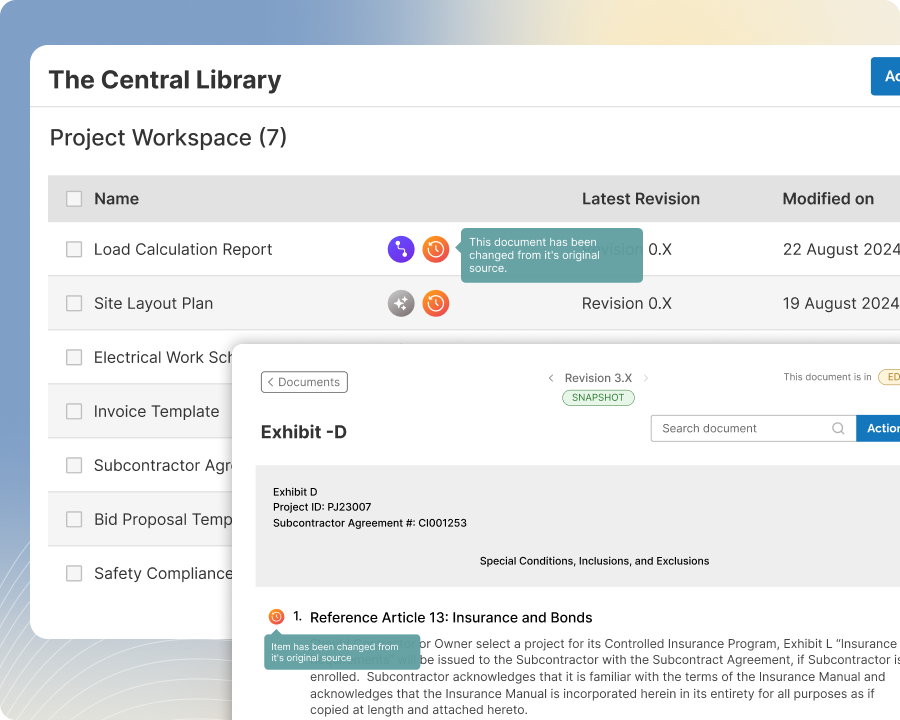
Change Flags
Identify meaningful edits in your exhibit so your team can spot what changed and where it changed.
Automatically flag key updates—line item edits, deviations from the parent document, and newly added line items that weren’t in the template or parent. Pair flags with the Recycle Bin to quickly confirm whether the exhibit changed and jump straight to the impacted areas, so collaboration stays focused and fast.
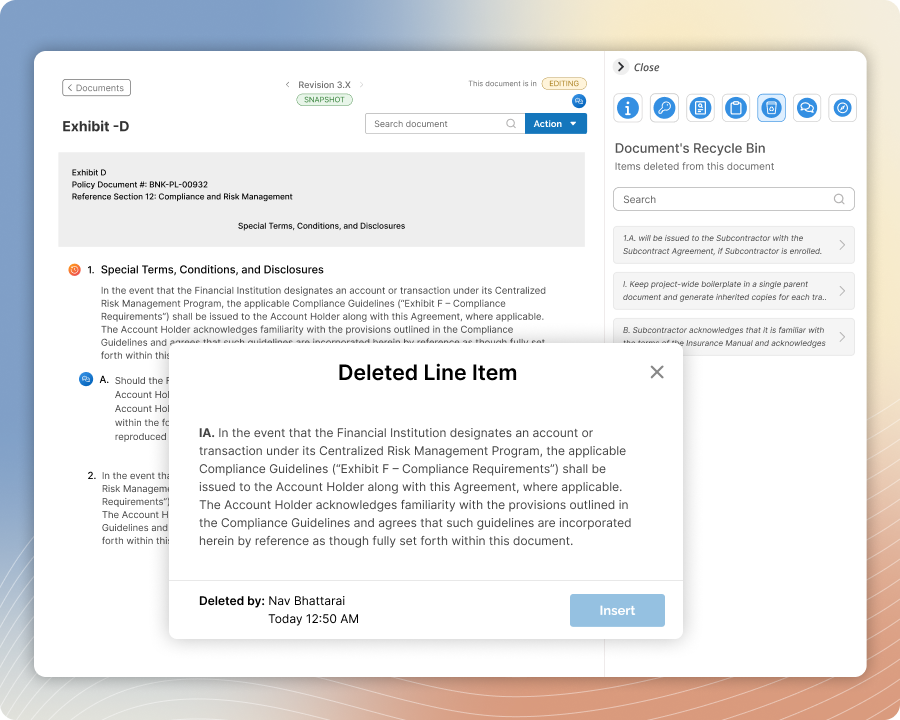
Recycle Bins
See the full context behind deletions and recover deleted line items or documents without rework.
View what was deleted, who deleted it, and when it happened so your team understands the context before restoring anything. Recover a deleted line item or document with just a few clicks, without digging through old copies or asking someone to recreate the content.
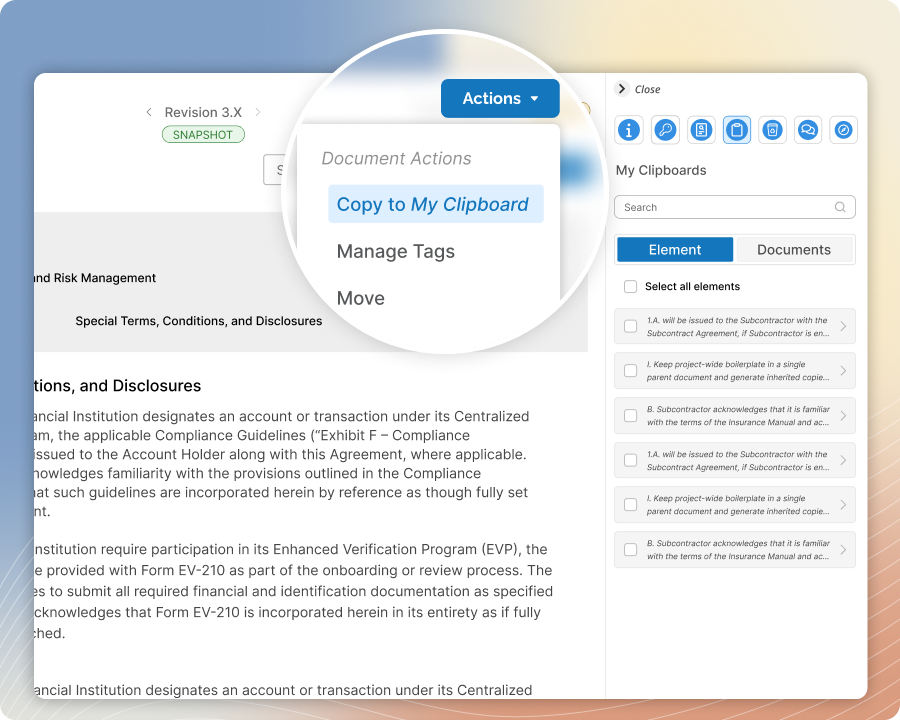
User Clipboards
Share line items or entire exhibits from your clipboard to another user so collaboration stays fast and consistent
Copy a line item or document to your clipboard, then share it to a teammate so it appears on their clipboard right away. Reuse the exact content without emailing snippets or pasting into chat, reduce transcription errors, and keep exhibits moving without hunting for the right version.
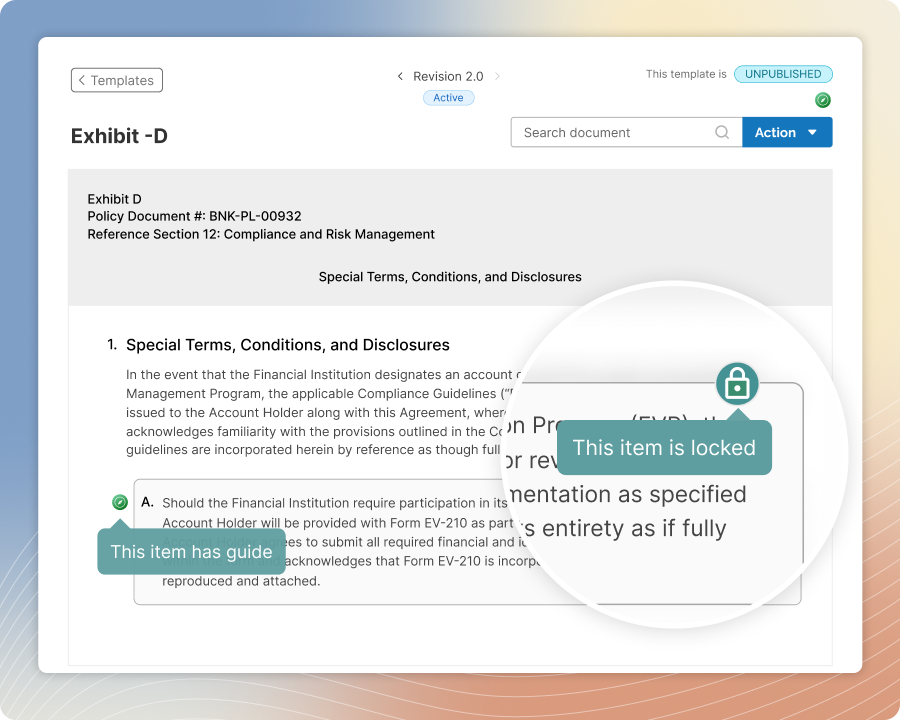
Line Item Lock
Lock line items at the template or exhibit level so standard language and finalized content stays protected
Lock line items in a template to protect standard wording you don’t want edited in every working copy. Lock line items in an exhibit to protect finalized scope during review and issuing. Allow a user with the right privileges to unlock items when an intentional change is needed.
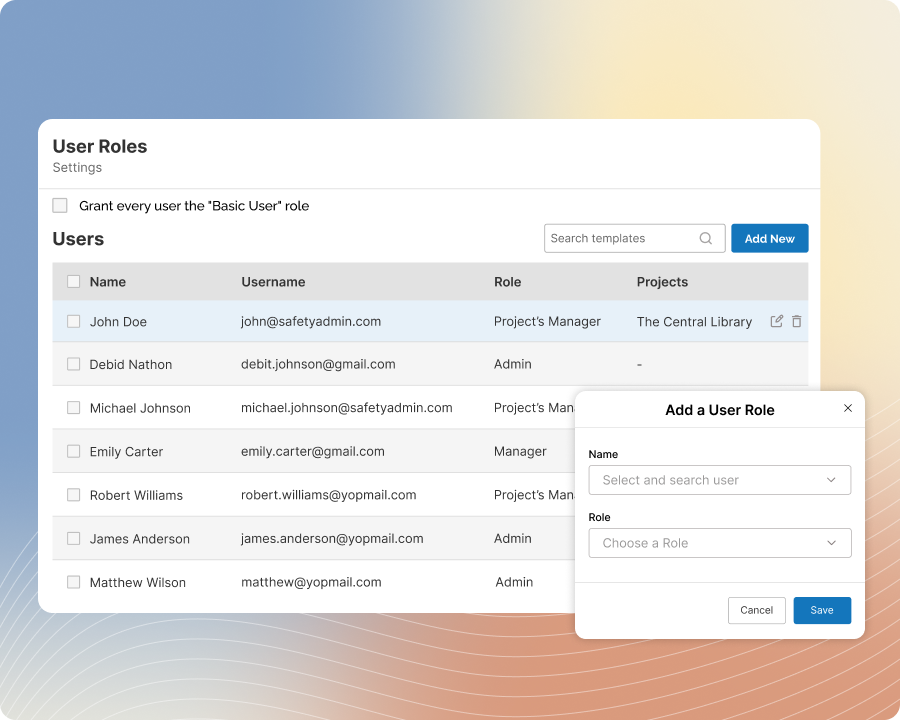
User Roles
Assign roles and privileges so each user can access the right projects and work with the right level of control
Set permissions for administration tasks, template management, and project access so teams collaborate without stepping on each other’s responsibilities. Control who can edit exhibits, edit and publish templates, and issue bid package exhibits based on role.
Comments & Conversations
Provide specific guidance, or have contextual conversations, right down to the exhibit line item
Add comments as lightweight guidance on the exact line items your team is editing, then start a thread when you need discussion. Tag the right teammates and resolve the conversation when a decision is made. Keep questions, clarifications, and approvals attached to the exhibit so the context is easy to reference later.