

T&M Tickets
Keep T&M Ticket Approvals Moving Forward

Stay on top of unapproved T&M Tickets with timely notifications, manual or automatic reminders, and flexible approval-request options.
Review previous outreach, follow up with the right client contact, and respond promptly when approval is completed. Keep pending requests visible, avoid inconsistent follow-up, and move approved tickets into the next workflow step sooner.
How Approval Reminders Help Keep T&M Ticket Approvals Moving
Identify Waiting Tickets
Get notified when a T&M ticket has remained unapproved for a specified period and bring delayed requests back to your team’s attention.
Send Approval Reminders
Follow up automatically or manually to prompt clients to review outstanding T&M Tickets and maintain a more consistent approval process.
Update Approval Recipients
Resend the original approval request or direct a new request to another contact when the first recipient does not respond.
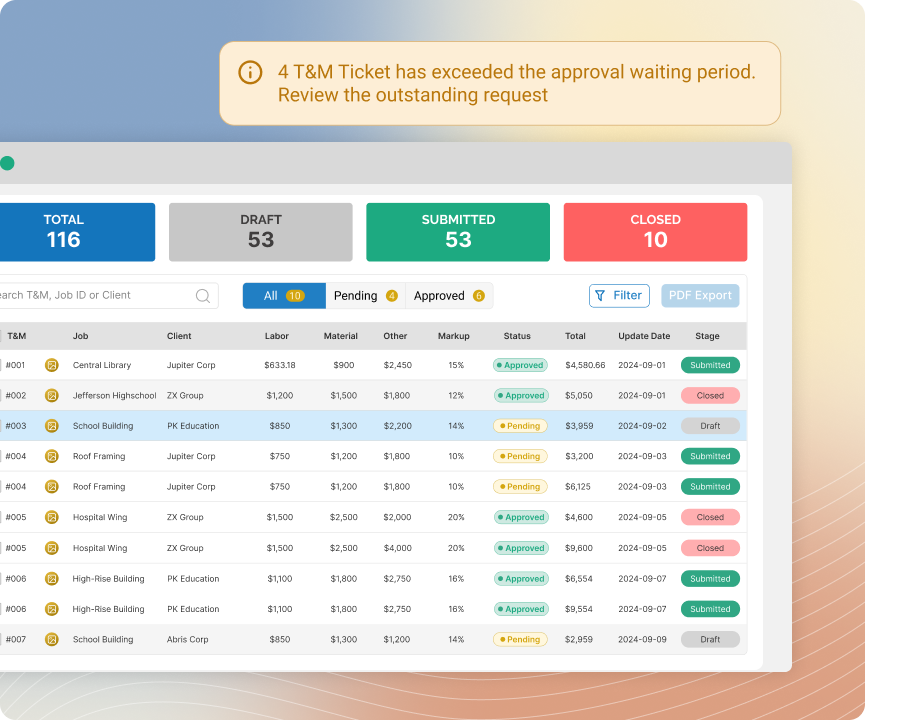
Identify Waiting Tickets
Find T&M Tickets That Need Your Attention
Get notified when a T&M ticket has remained waiting for approval for a specified period, then review the ticket and determine whether client follow-up is needed.
Keep outstanding approvals visible without repeatedly checking every ticket. Your team can identify delayed requests sooner, take timely action, and prevent unapproved T&M Tickets from remaining unnoticed and slowing the next stage of the workflow.
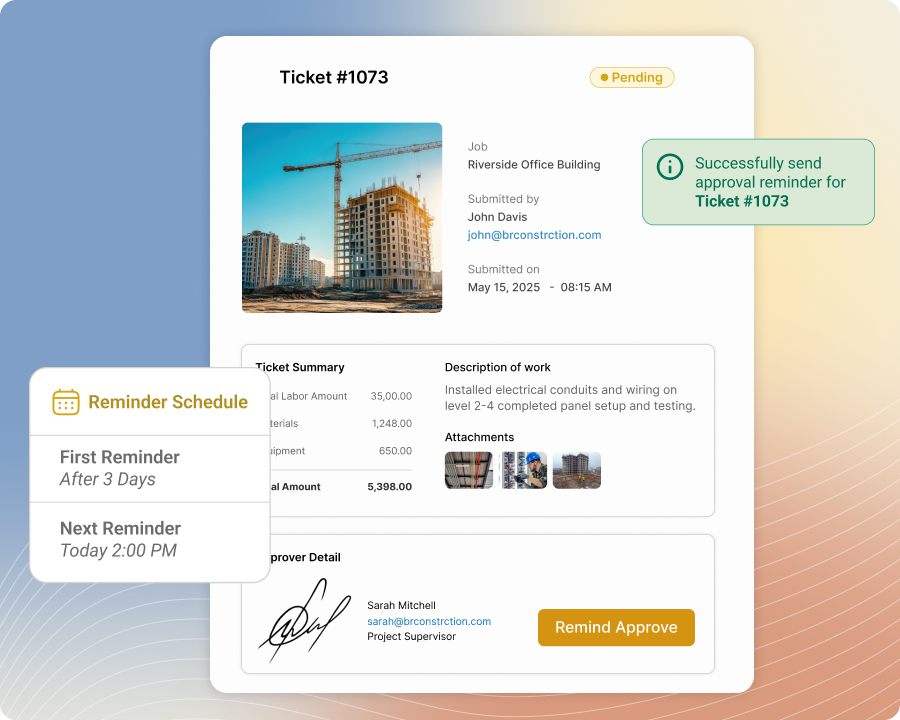
Send Approval Reminders
Follow Up With Clients at the Right Time
Send approval reminders manually when a ticket requires immediate attention, or use automatic reminders to follow up according to the established reminder process.
Maintain more consistent client outreach without relying on team members to remember every pending request. You can encourage clients to review outstanding T&M Tickets while reducing the manual effort required to identify, manage, and follow up on each approval individually.
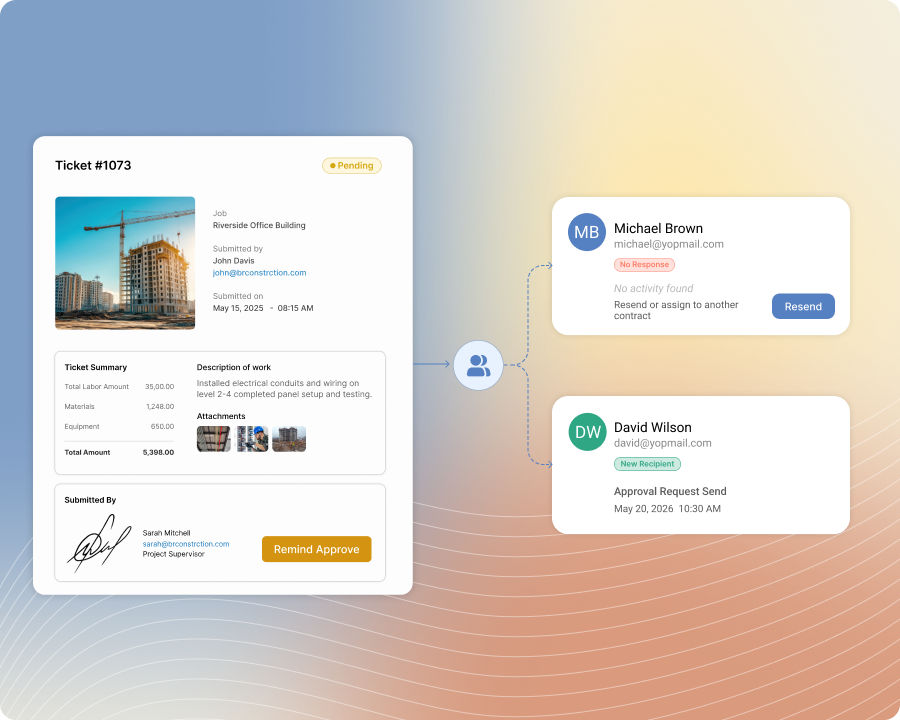
Update Approval Recipients
Keep the Request Moving When Contacts Change
Resend an approval request to the original recipient or send a new request to another client contact when the first individual does not respond or is not the appropriate approver.
Continue the approval process without recreating the T&M ticket or starting the request over. Your team can adjust client outreach as responsibilities change and keep the approval moving when the original recipient is unavailable, misses the request, or cannot approve the work.
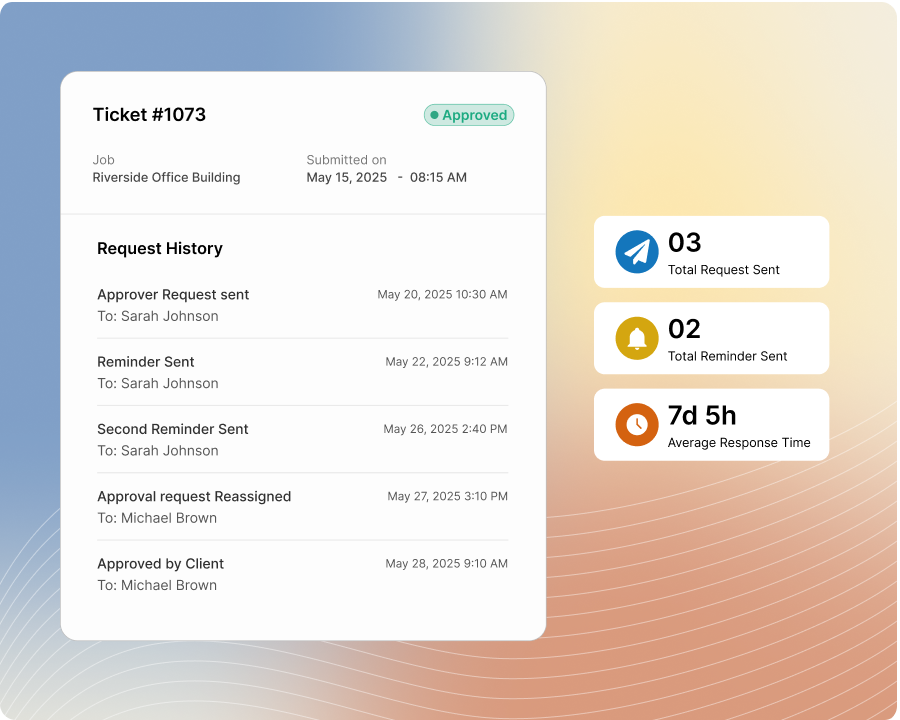
Review Request History
Make Better-Informed Follow-Up Decisions
Review the approval requests and reminders previously sent for each T&M ticket to see when the client was contacted and how many requests have already been issued.
Use the complete outreach history to decide whether another reminder is appropriate. Your team can follow up with greater context, avoid sending too many requests within a short period, and prevent outstanding approvals from receiving too little attention.
Respond to Approvals
Begin the Next Step Without Unnecessary Status Checks
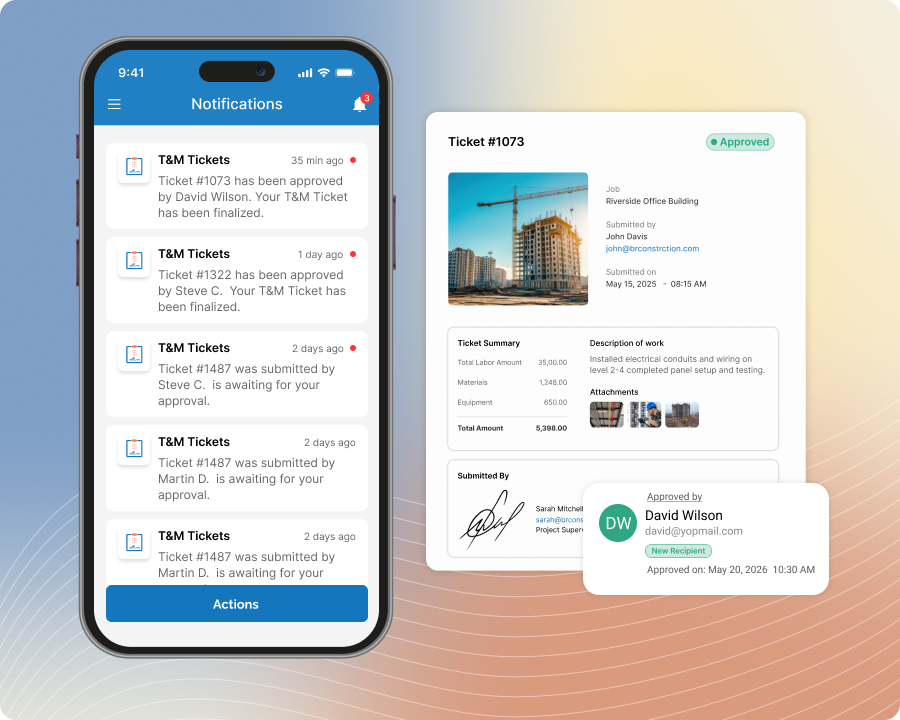
Get notified when a client approves a T&M ticket so the responsible team member can respond promptly and begin the next established operational or billing step.
Keep completed approvals from sitting unnoticed without requiring your team to repeatedly check ticket statuses. Approval notifications provide timely visibility so approved records can continue through the workflow and the work that depends on client approval can move forward sooner.