

T&M Tickets
Create Clearer, More Complete T&M Ticket Records With Photos
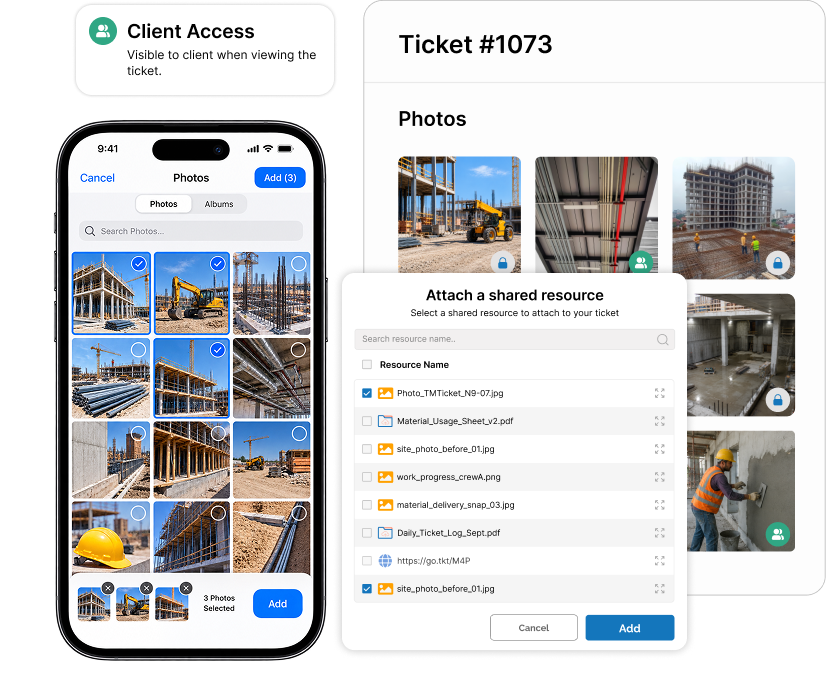
Capture multiple photos from your smartphone, use existing mobile images, upload files from your desktop, and annotate important details within your T&M Tickets.
Control which photos clients can access, keep untagged images internal, include selected photos in ticket PDFs, and reuse job photos through Zurel JobDocs.
How Photo Attachments Strengthen T&M Ticket Documentation
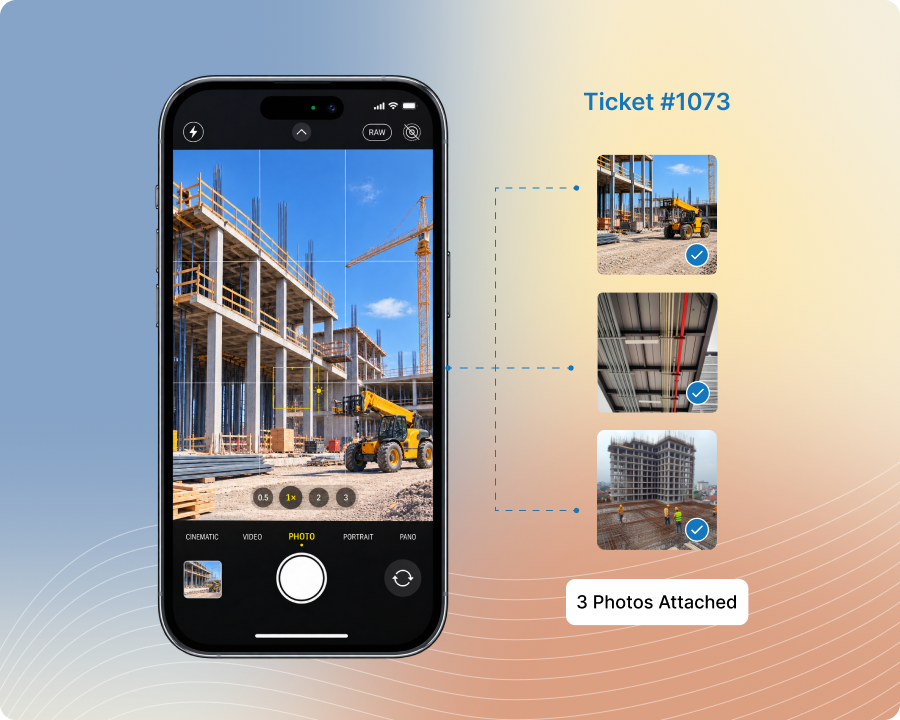
Capture Multiple Photos
Take a sequence of smartphone photos and attach them to the same T&M ticket to document different views, stages, or site conditions.
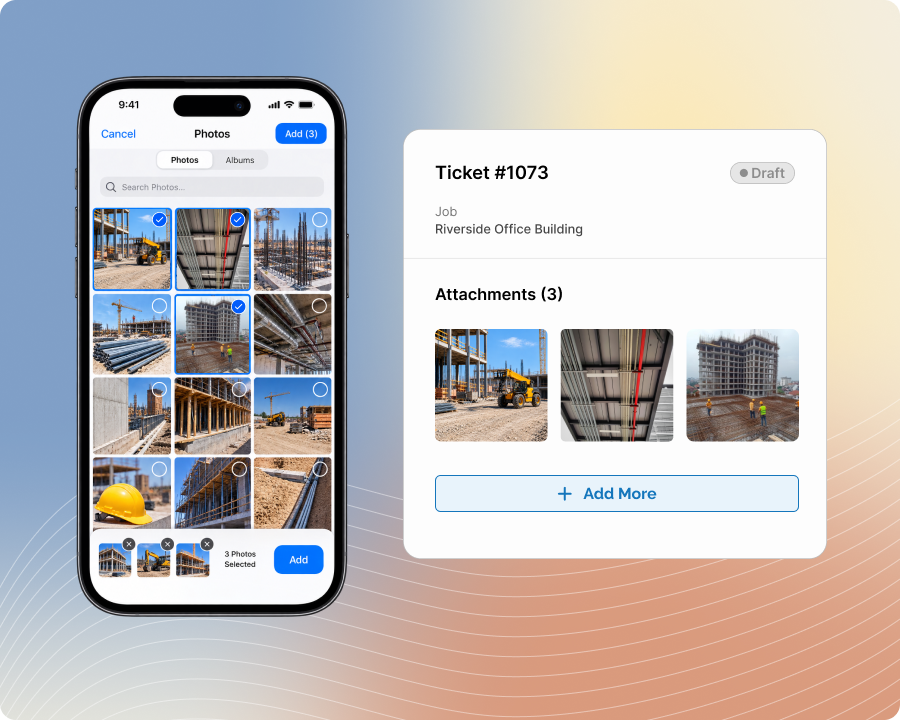
Use Existing Photos
Select relevant images already saved on a smartphone and add them to the ticket without retaking or transferring them first.
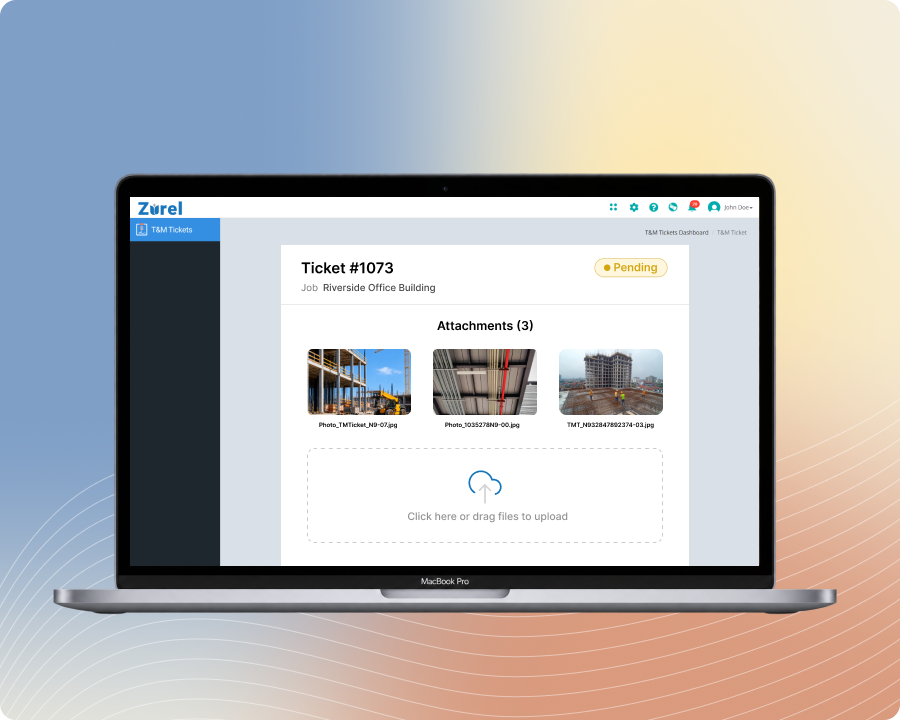
Upload From Desktop
Add photos stored on a desktop computer to complete the visual documentation associated with a T&M ticket.
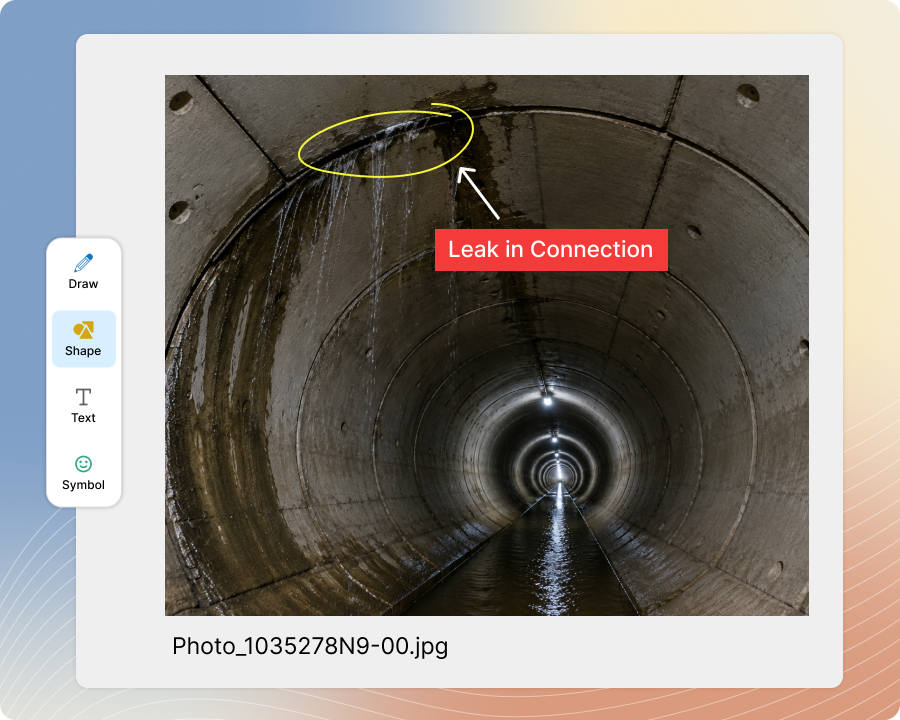
Annotate Photo Details
Add highlights and annotations to direct attention to specific conditions, locations, or work details within an attached photo.
Connect With Zurel JobDocs
Make T&M ticket photos available in Zurel JobDocs and add existing JobDocs photos to a T&M ticket when needed.
Capture Multiple Photos
Document the Work From Every Relevant Angle
Take several photos in sequence from a smartphone and attach them to the same T&M ticket while documenting the work, surrounding conditions, or different stages of completion.
Capture a more complete visual record without stopping to upload each image separately. Field teams can document several views while the details are still fresh and keep the full photo sequence connected to the related ticket.
Use Existing Photos
Add Field Photos Without Capturing Them Again
Select relevant photos already saved on a smartphone and attach them to the appropriate T&M ticket instead of taking duplicate images or transferring them to another device.
Reuse documentation captured before or during the work and keep it connected to the ticket it supports. Teams can add existing visual evidence while completing the record and avoid leaving important photos separated in personal device libraries.
Upload From Desktop
Complete Photo Documentation From the Office
Upload images stored on a desktop computer and attach them to the relevant T&M ticket when additional documentation is available outside the field user’s smartphone.
Add photos received from other team members or stored in office files without creating a separate record. Office teams can complete the ticket’s visual documentation and keep supporting images organized with the work details they explain.
Annotate Photo Details
Show Viewers Exactly Where to Look
Add annotations and highlights to attached photos to identify the specific condition, location, completed activity, or area that requires attention.
Make the purpose of each image easier to understand without relying entirely on written descriptions. Clients and internal teams can quickly locate the relevant detail within a larger photo and review the visual documentation with clearer context.
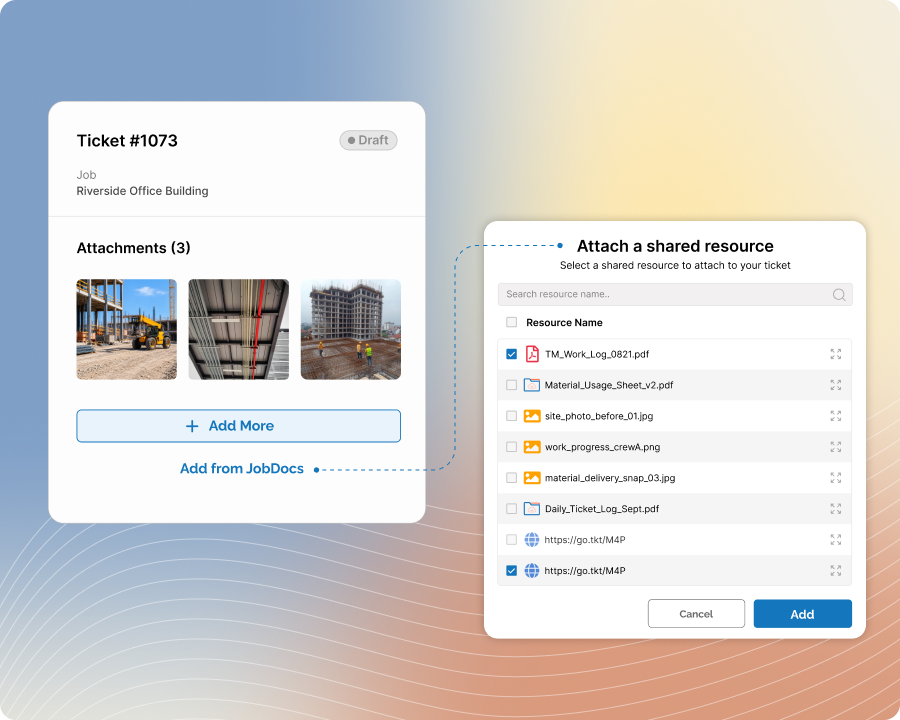
Connect With Zurel JobDocs
Reuse Job Photos Across Connected Zurel Records
Make photos attached to T&M Tickets automatically available in Zurel JobDocs, and select existing JobDocs photos when additional images need to be added to a ticket.
Reduce duplicate uploads and keep related job documentation easier to locate across Zurel. Teams can reuse photos already associated with the job while maintaining a clearer connection between the visual record and the T&M ticket it supports.
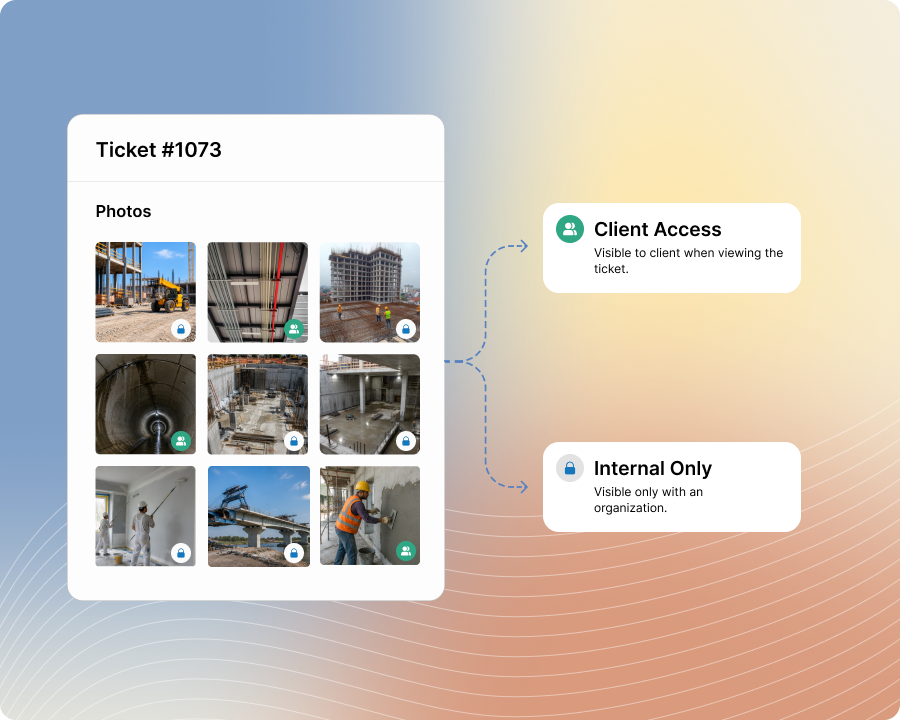
Control Client Access
Share the Right Photos With Each Audience
Tag selected photos for client access so they appear when the client views the T&M ticket, while marking other images as internal to keep them within your organization.
Maintain one organized photo record without exposing every image externally. Teams can provide clients with relevant visual documentation while preserving additional photos for internal coordination, reference, or review.
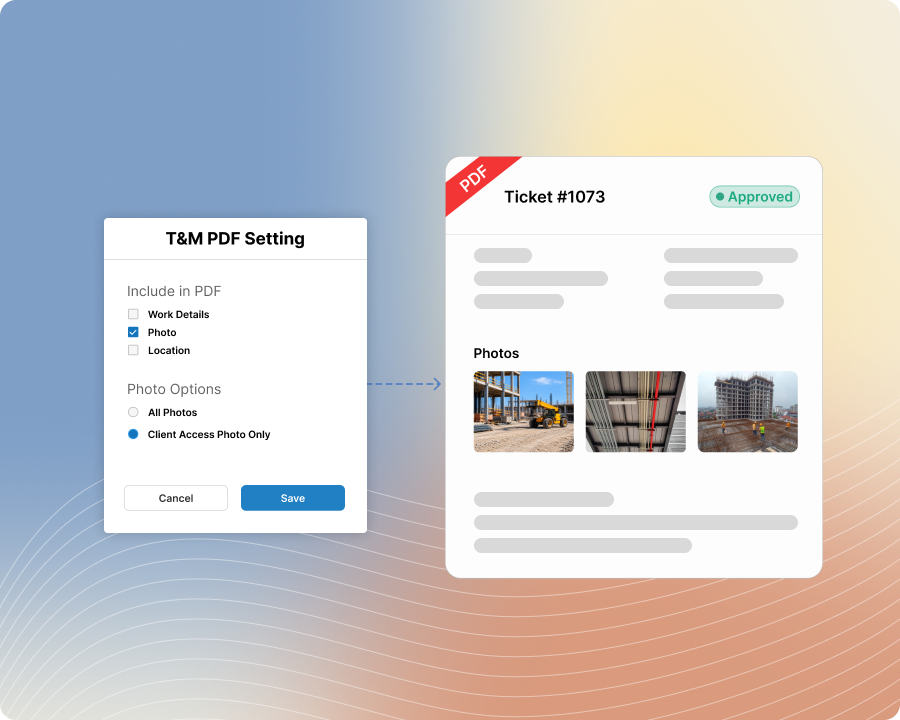
Include Photos in PDF
Prepare PDF Records With the Detail You Need
Choose whether attached photos are included when creating a PDF copy of the T&M ticket, based on the document’s intended purpose or recipient.
Create a more complete portable record when visual evidence is useful, or leave photos out when a simpler ticket PDF is more appropriate. Teams can prepare exported documentation without maintaining separate photo files alongside the ticket.