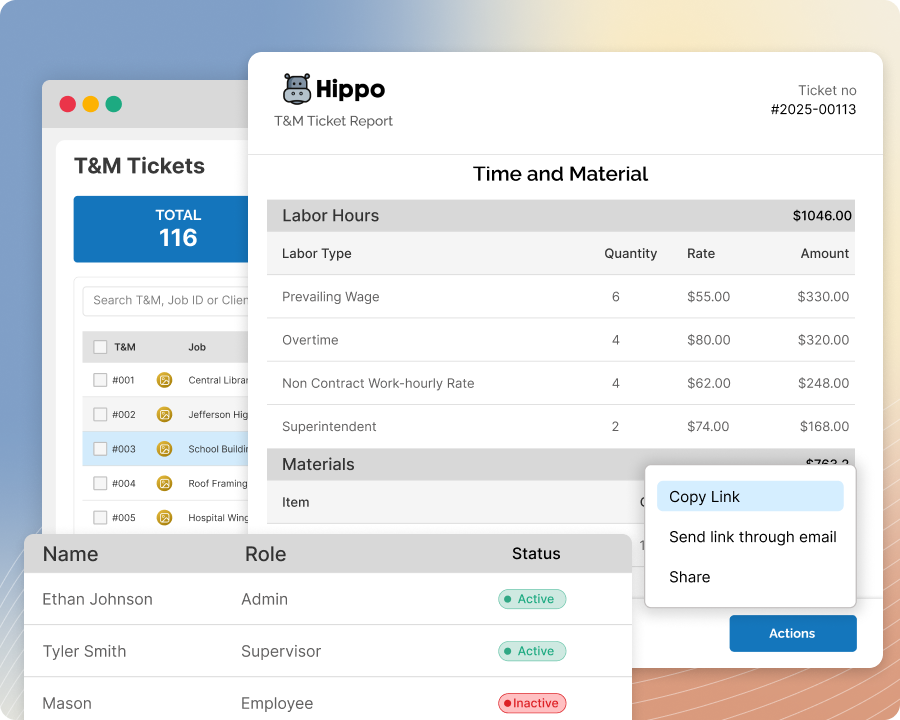
T&M Tickets
Manage T&M Tickets Better And Accelerate Billing At Scale
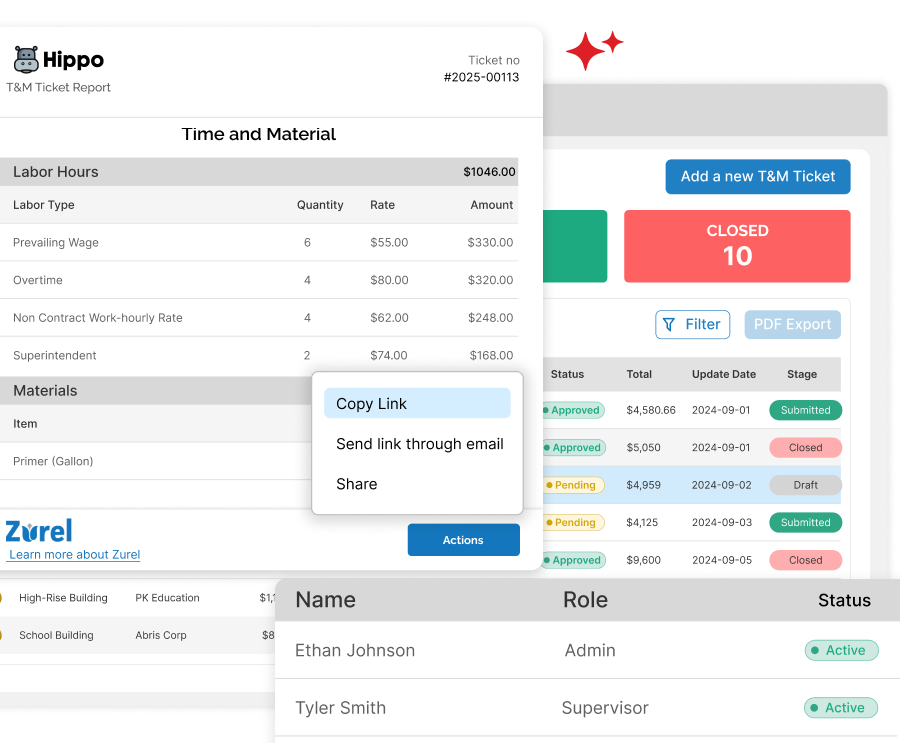
Track high-volume T&M Tickets in one place, spot what’s stuck, and move work forward with fewer manual steps. Control who can view and update tickets, reduce avoidable errors, and accelerate billing with a shared real-time view from creation through handoff.
The Bottlenecks In High-Volume T&M Tickets Processing
Processing large volumes of T&M Tickets each week breaks down fast without the right controls. One-off exports and manual downloads waste time, rekeying ticket data for billing increases errors, inconsistent numbering creates confusion, and limited visibility makes it hard to spot what’s stuck or missing across projects.
With these management challenges at the forefront, Zurel provides proven tools to manage high-volume T&M tickets seamlessly.
The Tools That Help Teams Manage T&M Tickets End-To-End

Auto-T&M Number
Auto-Number T&M Tickets To Stop Duplicates And Gaps
Automatically assign a unique T&M ticket number when a ticket is created, so every team references the same record. Keep numbering consistent across jobs and crews to avoid duplicates, gaps, and mismatched ticket IDs.
Mobile Dashboards
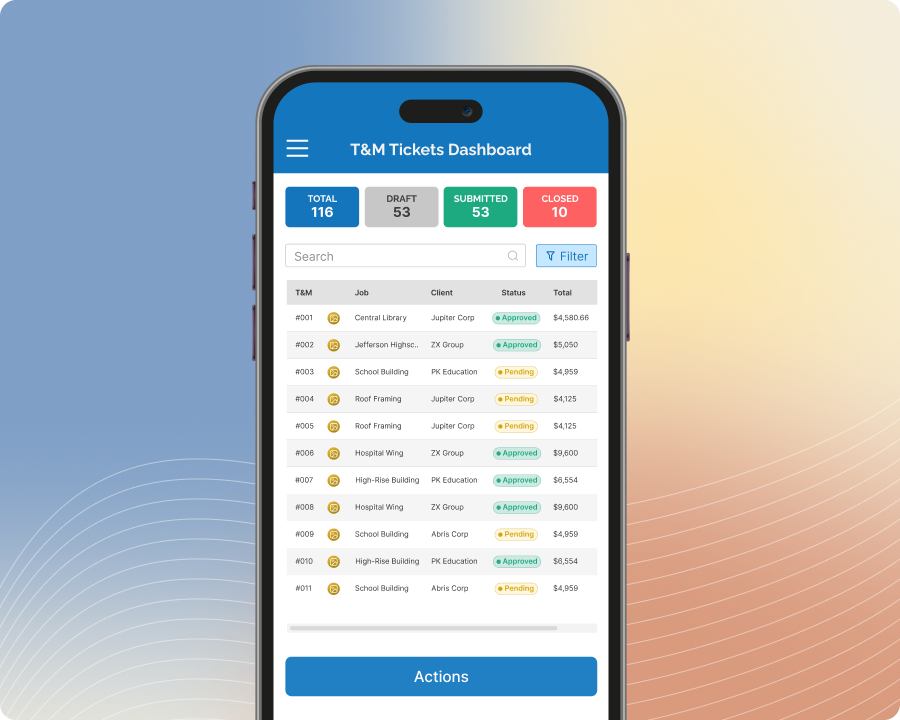
Track T&M Tickets Fast With Mobile Dashboards In The Field
View T&M ticket status, aging, alerts, and exceptions from your phone so crews know what’s pending and what needs attention. Filter by job, date, or status to find the right ticket quickly and keep field and office aligned.
Desktop Dashboards
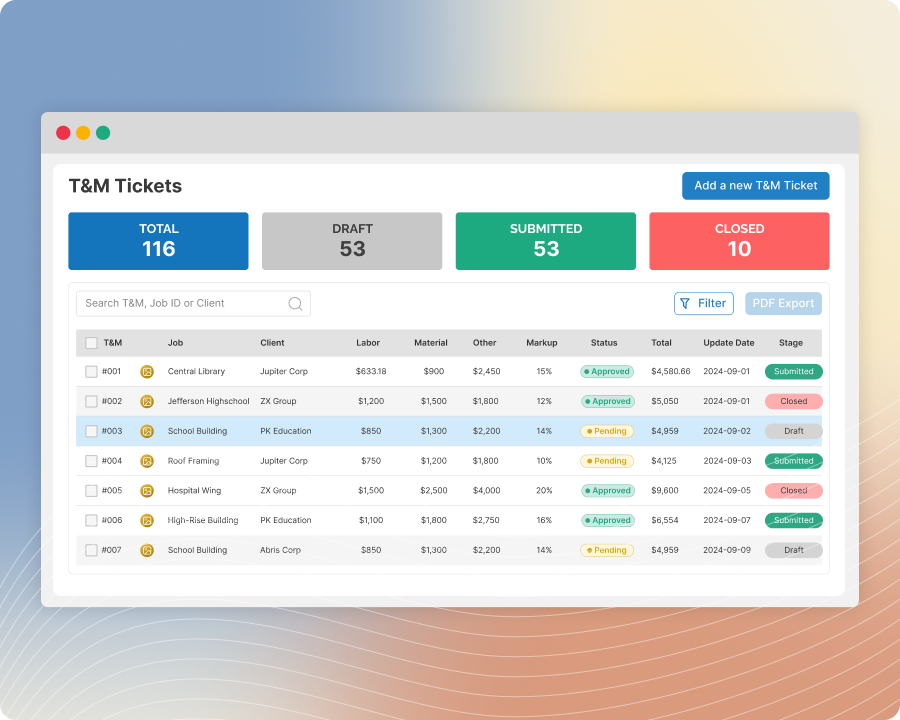
Manage All Your T&M Tickets Using Comprehensive Dashboards
Get a comprehensive view of T&M ticket volume, status, alerts, and aging across projects in one desktop dashboard. Filter by job, customer, owner, or date to spot bottlenecks early and keep tickets moving to approval and billing
Batch PDF Export
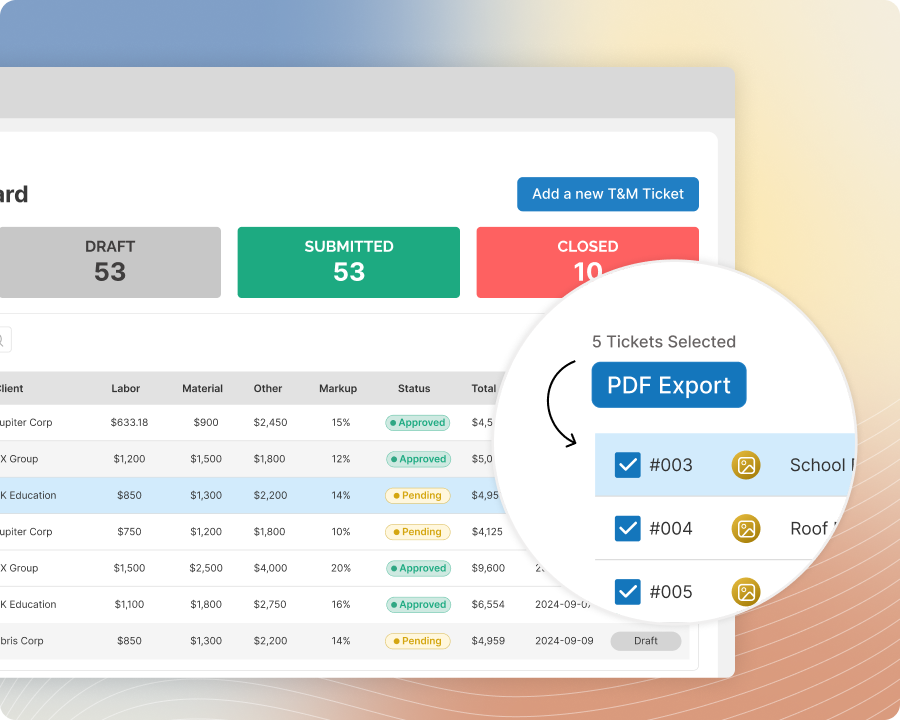
Export Multiple T&M Tickets As One ZIP PDF Packet
Select a filtered set of T&M tickets—like all tickets for a specific client—and export them as a single ZIP with multiple PDFs. Avoid exporting one PDF at a time—save time and reduce the mistakes that come with repetitive manual downloads.

T&M Data Export
Export T&M Tickets Data For Billing And Accounting Imports
Filter T&M tickets by job, client, date, or status, then export the data for import into your billing and/or accounting software. Reduce manual re-entry and move high-volume ticket data downstream faster with fewer errors.
Role Management
Control Who Can View, Create, Edit, And Approve T&M Tickets
Assign role-based access so each user sees the right T&M tickets and actions for their job. Limit edits, approvals, and exports to the right roles to reduce mistakes, protect ticket integrity, and keep workflows moving.