ScopeMaker
Stay Informed About Your Exhibits Throughout Preconstruction and Construction While on the Go
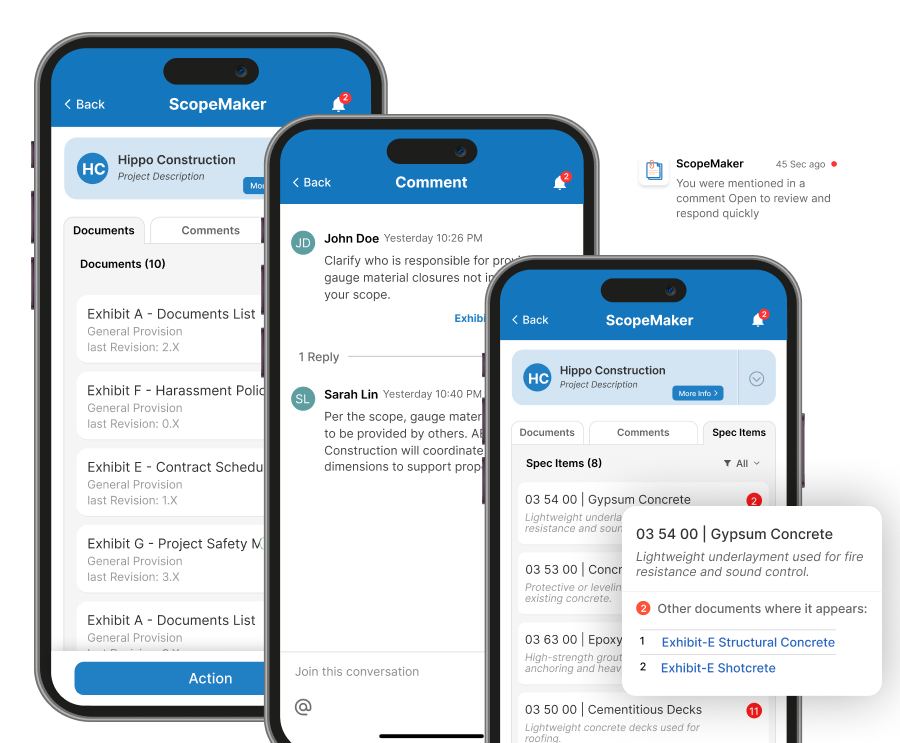
Use the Zurel mobile app to keep bid package exhibits, spec item buyout status, comments, and notifications accessible on mobile during both preconstruction and construction so you can stay connected to the work, the context, and the communication wherever work takes you.
Preconstruction should not have to wait when you are away from your desk — with Zurel ScopeMaker, it does not have to.
Preconstruction teams still need exhibit access after they leave the office. They may need to review documents, check spec item buyout status, follow conversations, and respond to updates while traveling, walking a jobsite, or moving between meetings. That same need continues during construction, when teams still rely on the original exhibit context.
Zurel brings exhibits, spec item tracking, comments, and notifications into the mobile experience so teams can stay informed during both preconstruction and construction. Instead of waiting to get back to a desktop, they can access the context they need and keep work moving while on the go.
Document Access
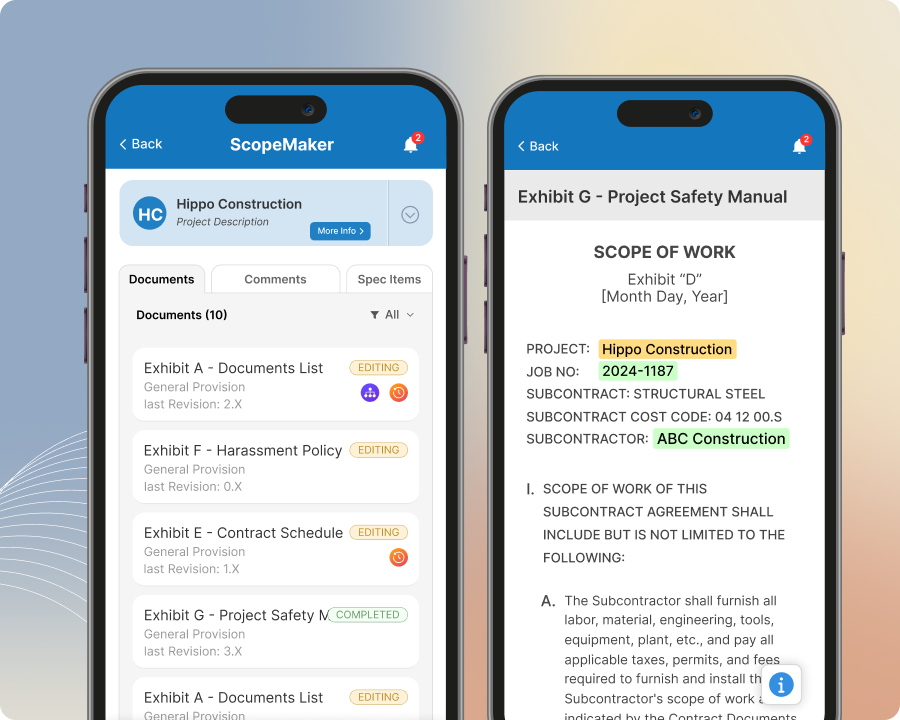
Keep bid package exhibits at your fingertips and access them anywhere on your mobile device.
Open bid package exhibits from the mobile app while on the go so you can review a revision, confirm final language before issuing a contract, or respond when your team is waiting on an answer. Review both active and completed exhibit content so you can stay connected to the work during preconstruction and still reference it later during construction.
Spec Item Tracking
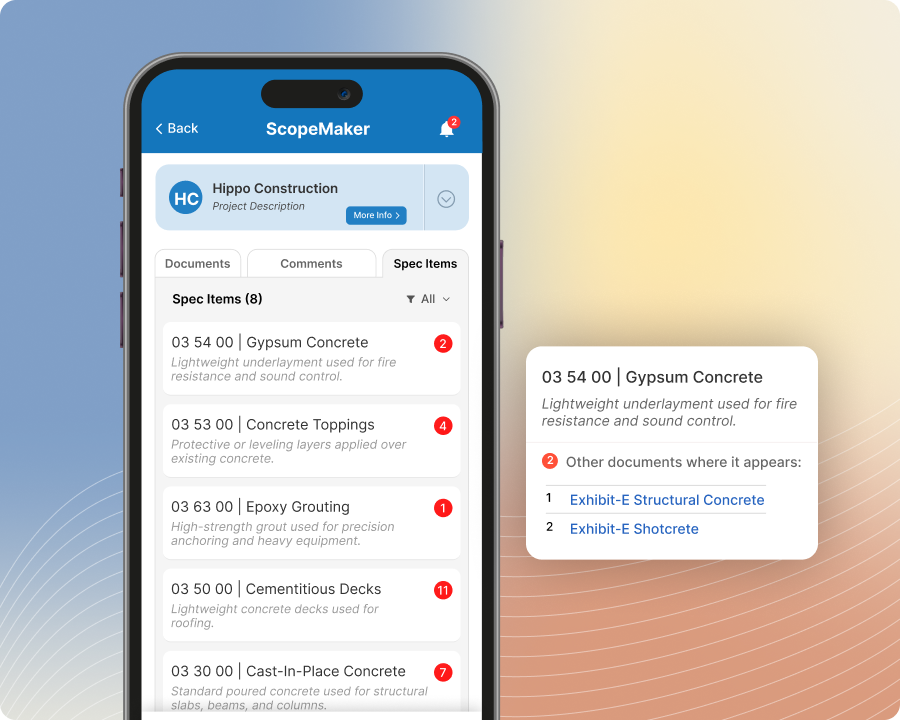
Monitor spec item buyout status and track buyout progress while on the go.
Review spec items while on the go so you can see what has been bought out, what remains, and which trade exhibit carries each item. With just a tap, open the related trade exhibit and jump straight to the exact location of that item so you can review the language during preconstruction and quickly reference the same buyout context later during construction.
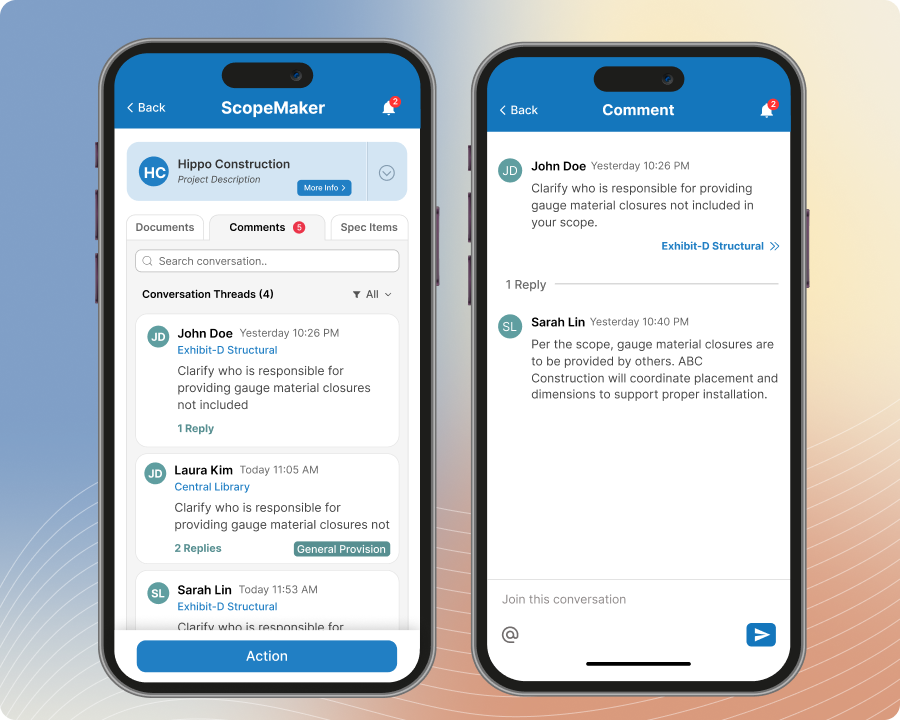
Comment & Conversation
Communicate with your team in the context of the exhibit from the convenience of your mobile device.
Read and add comments from the mobile app while on the go so you can discuss exhibit content, clarify scope, and keep conversations tied to the exact place in the document. Stay connected to the discussion in context so your team can communicate more clearly during preconstruction and still reference those conversations later during construction.
Mobile Notifications
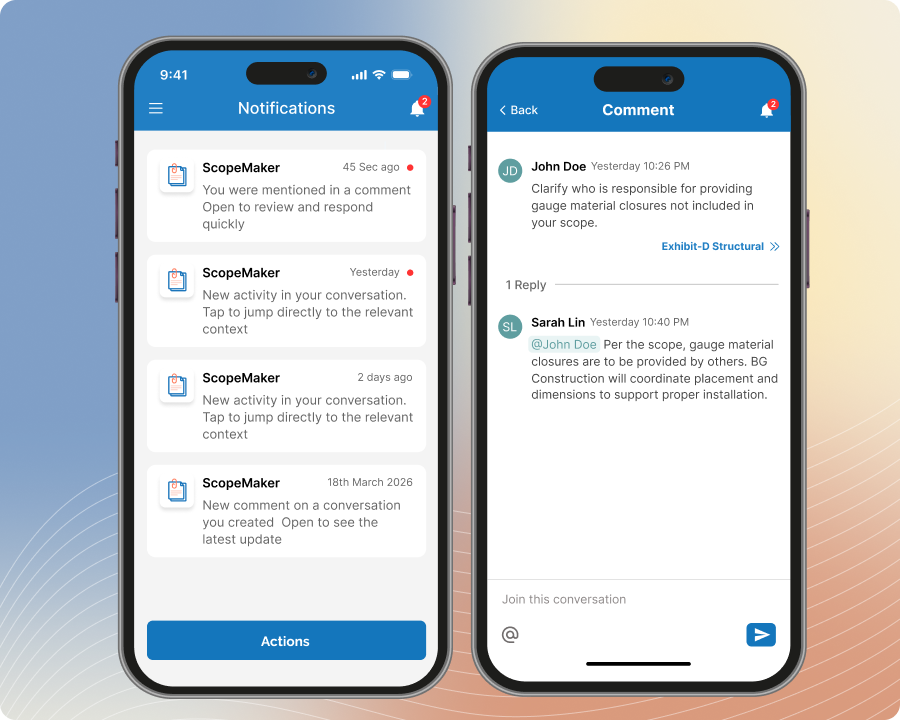
Get notified about comments, mentions, and exhibit activity as they happen
Receive notifications when someone comments on a conversation you created or joined, or when someone mentions you in a comment. Mention team members to notify them when their input is needed, review your past notifications in one list, and tap any notification to jump straight to the exact location of that context in the exhibit.