Series note: This post is part of our series on building better scope exhibits in a bid package—faster, more consistent, and with less risk.
One Fix, 27 Edits, Too Many Misses
If you’re producing scope exhibits in a bid package, you’ve lived this: one phrasing fix becomes 27 manual edits across trade copies. People copy, paste, tweak—and hope nothing slips. That’s where risk creeps in and time disappears.
There’s a better way: write once, inherit everywhere—override only with intent.
The Problem: Copies Drift, Errors Compound
Traditional document workflows multiply versions. Each trade exhibit becomes a near-duplicate that drifts over time. The effort scales linearly with the number of exhibits, but the risk scales faster—contradictions, late clarifications, RFI churn, and post‑award disputes.
The result? Teams spend hours chasing the same sentence across dozens of files, proofreading everything instead of only what changed.
The Core Idea: Inheritance
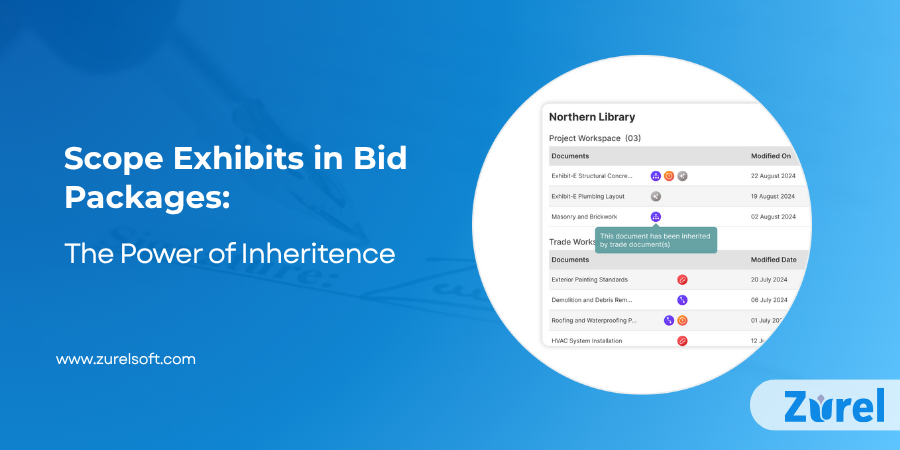
Inheritance reframes the work from editing files to managing relationships. Instead of dozens of independent documents, you work with a parent exhibit (your project‑level source of truth) and inherited copies (trade‑level exhibits) that stay linked to that parent.
Unit of inheritance = the line item. Each line item in a trade exhibit is either inherited (linked) or overridden (intentionally different). When you edit a child line item, you create an override for that line item only; the rest of the exhibit remains safely linked. When the parent changes, only the child line items that are still inherited update automatically.
Link, override, re‑link. If you make a trade‑specific change and later decide it should match the parent after all, you can revert the line item to the inherited version (re‑link). This makes overrides reversible and auditable, not permanent forks.
Locks and control. Locks freeze language at either the parent or child level after review/approval, so a future update won’t accidentally alter approved text. Access control separates who can change the parent (global impact) and who can edit child overrides (local impact).
Child-only additions. Trade exhibits can add new line items unique to that trade; these do not affect the parent or other trades. You can later re‑link them if they become standard.
Why this matters conceptually: You’re no longer pushing the same sentence through 27 copies. You’re updating a single authoritative source and letting linked children follow—while preserving the few places that must differ.
Quick Glossary (plain‑language)
Parent exhibit (project‑level): The authoritative source of shared project language.
Trade exhibit / child exhibit: A trade‑specific copy that starts fully linked to the parent. (“Child” is a software term for the relationship; if you prefer, use trade exhibit.)
Inherited line item: A line item in a trade exhibit that still follows the parent. It auto‑updates when the parent line item changes.
Override: A line item intentionally edited in a trade exhibit. It stops inheriting and stays different until re‑linked.
Re‑link (revert to inherit): Replace an override with the current parent version and restore the link.
Lock: Freeze a line item or section (parent or trade) after approval so it can’t change without an intentional unlock.
Diverge history: A record of when/where a trade exhibit departed from the parent at the line item level—and why.
Callout — Inherit vs. Override
Inherit: “All trades to follow ANSI Z359 fall protection.” → Trade exhibits auto-update when the parent line item changes.
Override: Drywall adds, “Include guardrails for mezzanine edges.” → That line item stops inheriting until re‑linked.
Why It Matters
Inheritance delivers practical benefits across risk, speed, flexibility, and review quality. Here’s the quick view:
- Reduce risk: One authoritative source eliminates contradictory language across exhibits.
- Move faster: Update once at the parent; unchanged child line items refresh instantly.
- Stay flexible: Apply surgical overrides only where a trade truly differs—or add trade-only line items.
- Review with clarity: Reviewers focus on deltas, not entire documents.
How It Works (In Practice)
A lightweight workflow keeps everyone aligned. At a glance:
- Create the parent exhibit – a project‑level scope baseline that captures all shared requirements.
- Generate inherited copies – one for each trade/bid package. They begin fully linked.
- Override with intent — or add trade‑specific line items when needed; those additions remain local to that exhibit.
- Lock finalized line items – freeze approved language in parent and/or child to prevent drift.
- Update the parent – anytime the project baseline improves, all still‑inherited line items in child exhibits update automatically.
Example: Fall‑Protection Clarification
You refine a fall‑protection clause at the project level. Electrical, Mechanical, and Plumbing exhibits still inherit that clause, so they update instantly. Drywall had a trade nuance and previously overrode the line item—so it stays as‑is.
A reviewer now sees three auto‑updates and one intentional difference. No hunting, no guessing, no rework.
Guardrails That Keep You Safe
A few controls make inheritance reliable without slowing you down:
- Line‑item locks: Freeze language once legal or project stakeholders approve.
- Access control: Define who can change parent vs. child content.
- Change tracking & diverge history: Know when a child line item departed from the parent—and why.
Do This / Avoid This
Use these quick rules of thumb to keep your exhibits clean and consistent:
Do
- Keep common language at the parent level.
- Use overrides only for trade‑specific conditions, codes, or site constraints.
- Add trade-only line items at the child level when the need is specific and not broadly applicable.
- Lock when approved to protect decisions.
Avoid
- Duplicating the parent into standalone files.
- Editing the parent to solve a one‑off trade issue—override in the child instead.
- Leaving line items unlocked after approval.
What Changes for Your Team
With inheritance, the team’s effort shifts from low‑value editing to higher‑value control:
- From chasing documents to managing relationships between them.
- From find & replace to update the source, confirm effects.
- From proofreading everything to reviewing only true overrides.
Metrics That Prove It’s Working
Track a few simple indicators to confirm the impact and guide improvements:
- % inherited vs. overridden line items: Aim to keep most line items inherited; overrides should be deliberate.
- Time to propagate a global change: Measure before/after—minutes instead of hours.
- Post‑award clarifications tied to scope language: Track the trend down and note which clauses drove reductions.
Where Inheritance Fits
Inheritance sits between your standards and your project specifics:
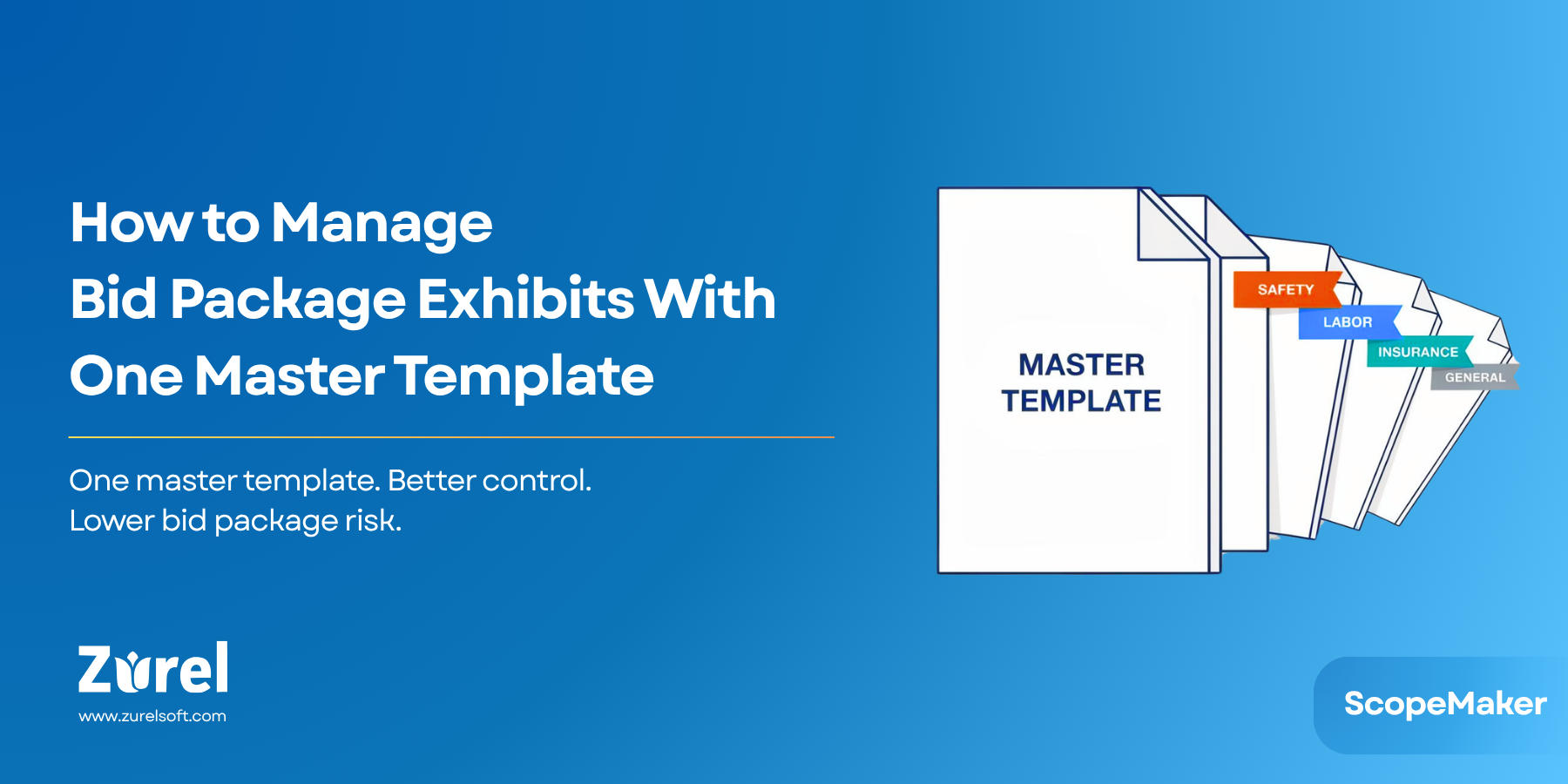
- Master Templates – your organization’s reusable, standard language.
- Project Templates – project‑adapted versions of those standards.
Inheritance – the mechanism that keeps project language in sync across all trade exhibits while allowing targeted differences.
Frequently Asked Question
Conclusion: Fewer Edits, Fewer Risks, Faster Bids
Inheritance turns scope‑exhibit production into a resilient system: write once, customize with intent, and update with confidence. Keep the parent as your source of truth, make trade‑level overrides only when needed (or add trade‑only line items), and lock approvals to prevent drift.
Try this pilot: pick one clause, apply it at the parent, generate five trade exhibits, and time how long it takes to update all five when you refine the clause once. Compare that to your current process—then scale.
About Author