

ScopeMaker
Tailor Preconstruction Bid Package Exhibits With Ease and Precision
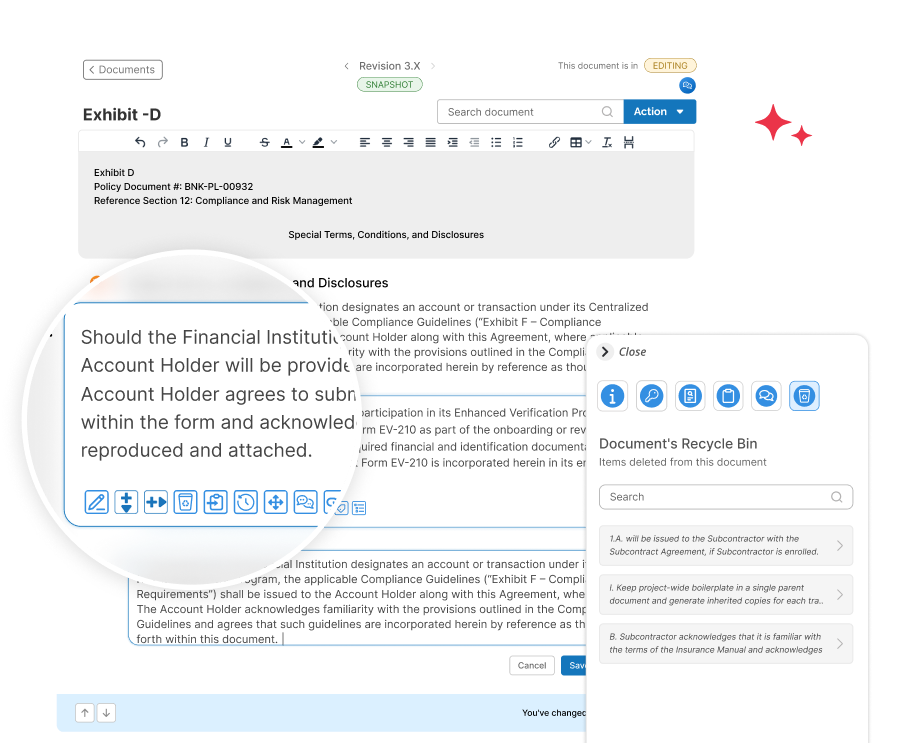
Say goodbye to the old way of editing scope exhibits. Tailor your bid package exhibits more efficiently, precisely, and accurately using an editor built for the way preconstruction teams edit scope exhibits
Key features for tailoring bid package exhibits with more speed, precision, and fewer errors
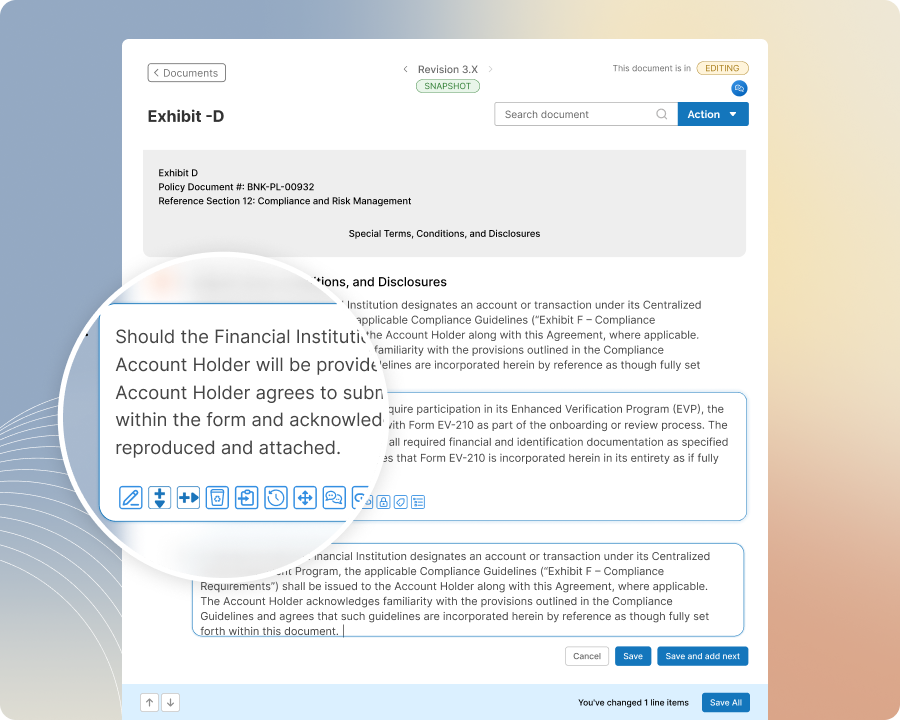
Enhanced Editor
Tailor exhibits faster with an editor that is both intuitive and innovative
Place content from other sources exactly where you need it within an exhibit without cumbersome manual editing. Whether the content is a line item, a group of line items, or an entire document, insert it where you want in your exhibit in just a few steps, so you can tailor exhibits faster with less manual effort.
Line Item History
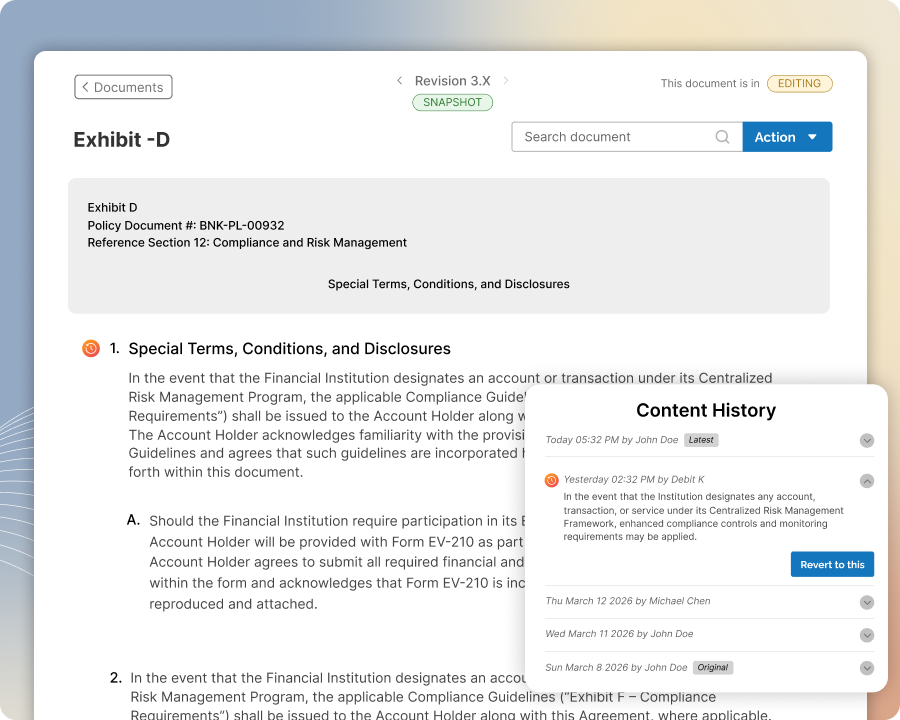
Edit line items with confidence, knowing you can track, review and revert changes with ease
Edit line items freely, knowing you can always revert the change. Identify edited line items at a glance, view the full history of each line item, including who made the change and when, and revert to any prior version without losing the history or rolling back the entire document.
Content Insertion
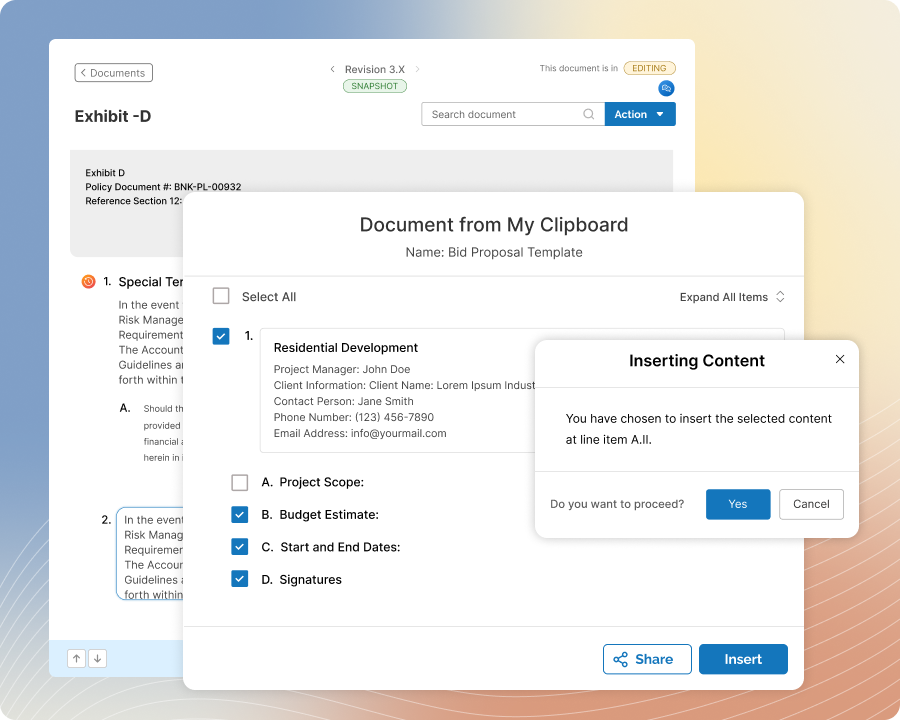
Tailor exhibits more efficiently by inserting content with ease and precision
Place content from other sources exactly where you need it within an exhibit without cumbersome manual editing. Whether the content is a line item, a group of line items, or an entire document, insert it where you want in your exhibit in just a few steps, so you can tailor exhibits faster with less manual effort.
User Clipboards
Use Proven Content From Across Zurel ScopeMaker to Tailor Exhibits More Efficiently
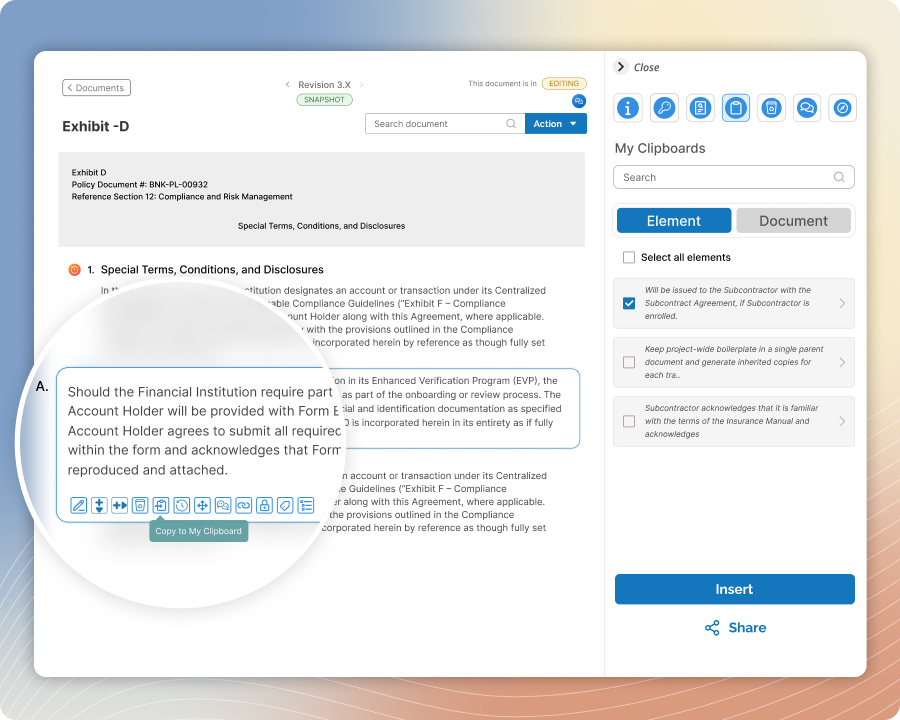
Use My Clipboard, your personal clipboard in Zurel ScopeMaker, to gather useful line items, groups of line items, and complete documents from anywhere in the platform. Preview collected content and its original source, then use it to create a new document or insert it precisely where needed in an exhibit already in progress.
Document’s Recycle Bin
Remove content freely from your exhibits and bring it back where and when you need it
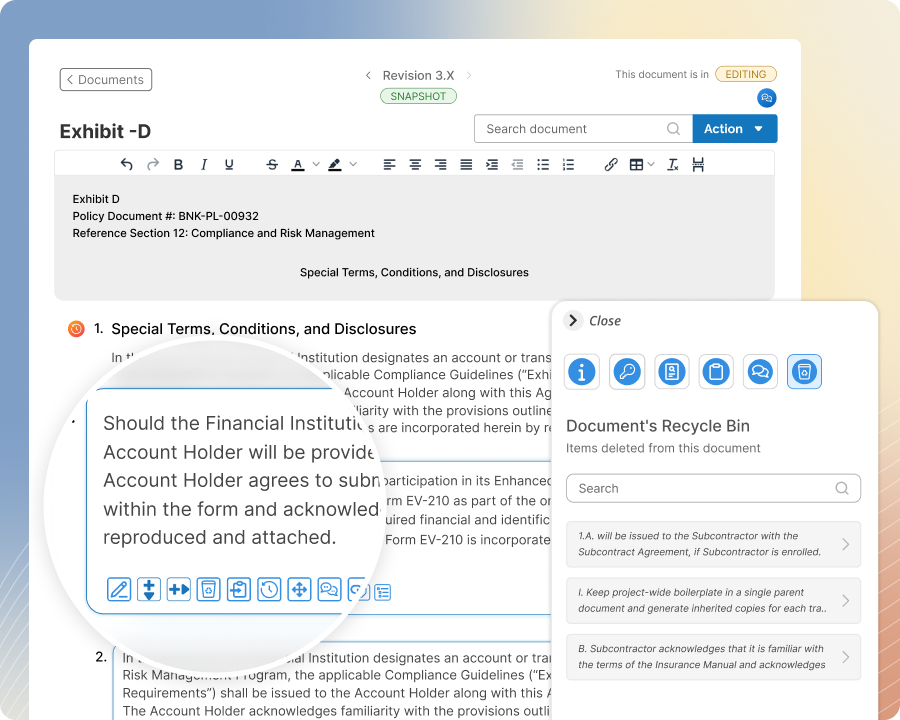
Delete line items or list items without worrying about losing them for good. Whether you do not need them, want to park them out of the way, or plan to move them elsewhere later, they remain in the document’s Recycle Bin so that you can bring them back to anywhere you want in your exhibit using Content Insertion.