

T&M Tickets
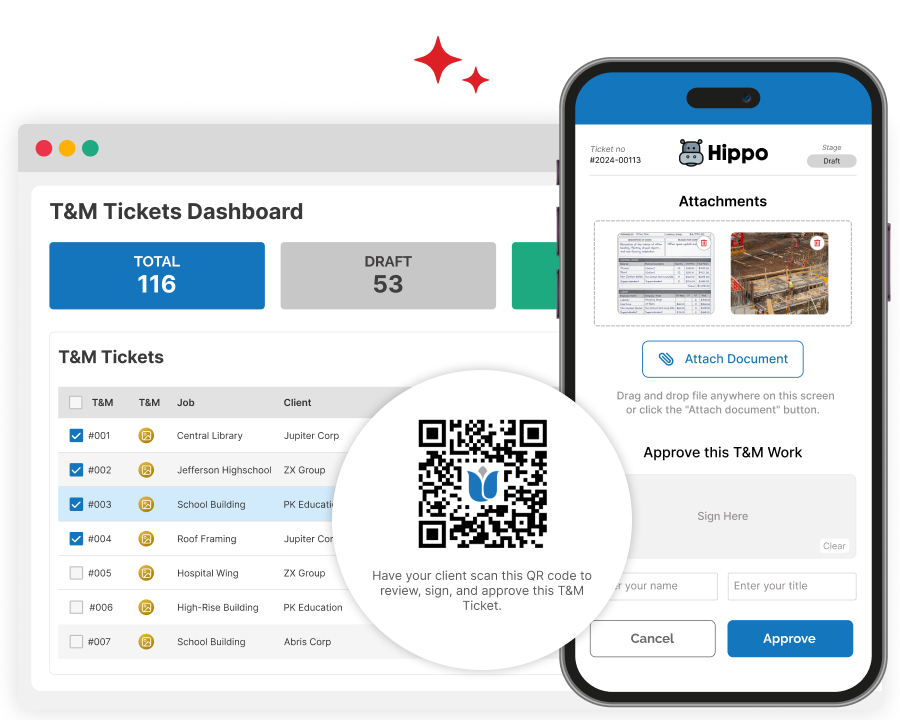
A tool that helps you protect margins on T&M work while keeping clients satisfied.
Capture every cost, get timely approvals, and keep clients happy with clear documentation of your T&M work.
T&M jobs are challenging—Zurel T&M Tickets is here to help.
If you do any T&M work, you probably know how easily paper tickets can end up missing key details, come back illegible, or—worse—get lost. Billable items get left out, costs get mispriced, and there isn’t enough documentation for your client to verify the work. That’s when billing slows down, disputes come up, and margins slip—while clients get frustrated by the back-and-forth.
With easy-to-use tools and new innovations, Zurel helps you overcome these challenges—and do things you simply couldn’t do with paper T&M Tickets
Create T&M Tickets With Ease
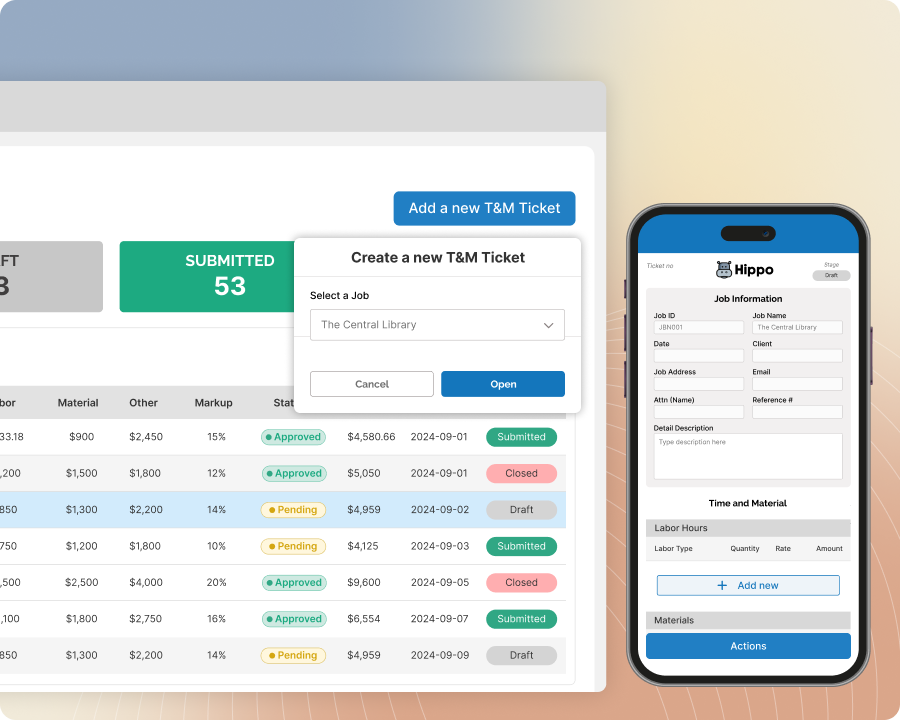
Create T&M tickets with ease from the field or the office using mobile apps or desktop browsers. Capture details quickly, collaborate as needed, and keep every ticket accurate, complete, and ready to bill.
Key Features:
T&M on Mobile
Create tickets from the field with a simple app built for the jobsite. Capture details on the spot so nothing gets missed.
T&M on Desktop
Create T&M tickets from the office with a convenient, all-in-one view. Review and complete tickets quickly before billing.
Share and Assign Tickets
Create a ticket in the office and assign it to the field—or the other way around—seamlessly. Hand off tickets without re-entry.
Scan T&M Paper
Snap a photo of your paper T&M ticket and attach it for jobs that still use paper. Keep the paper backup with the ticket.
Include Accurate Cost and Fee
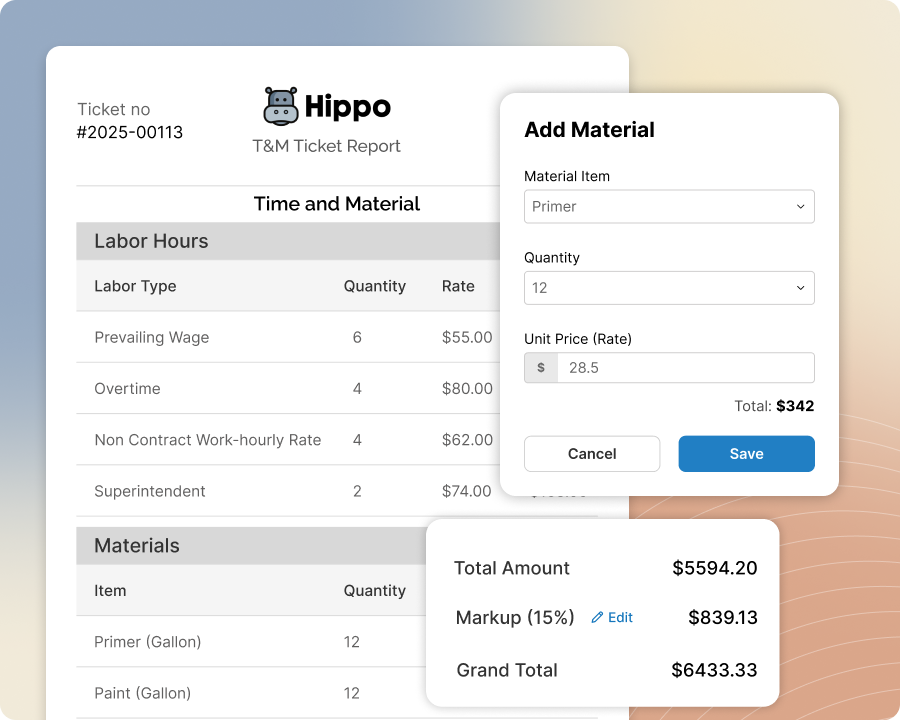
Set your standard rates once, then pull them into each ticket as you build it. Adjust rates and markup when the job calls for it, and let the app handle the calculations—so every ticket reflects accurate costs and fees with less effort and fewer mistakes.
Key Features:
Rate Tables
Give crews instant access to established rates for T&M Tickets.
Default Markup
Apply standard markup automatically to keep pricing consistent
Pricing Adjustments
Let crews adjust rates and markup as needed, with clear oversight.
Deviation Alerts
Flag rate and markup deviations to keep changes visible and accountable.
Document Every T&M Ticket with Confidence
Add clear descriptions, attach photos, and include supporting documents or links—then mark up images to highlight key details. Keep everything you and your client need to verify the work in one place—right on the ticket.

Key Features:
Work Descriptions
Add a clear description of the work performed so clients can quickly understand what was done and why it was needed.
Photo Attachments
Attach photos from the field show jobsite progress, completed work, or conditions that support the ticket.
Markup Photos
Mark up photos to highlight key areas and clearly show what changed, what was added, or what needs attention.
Document Attachments
Attach PDFs or link to emails and other online documents (files or customer portals) to keep backup with the ticket.
Make Approvals Fast and Easy
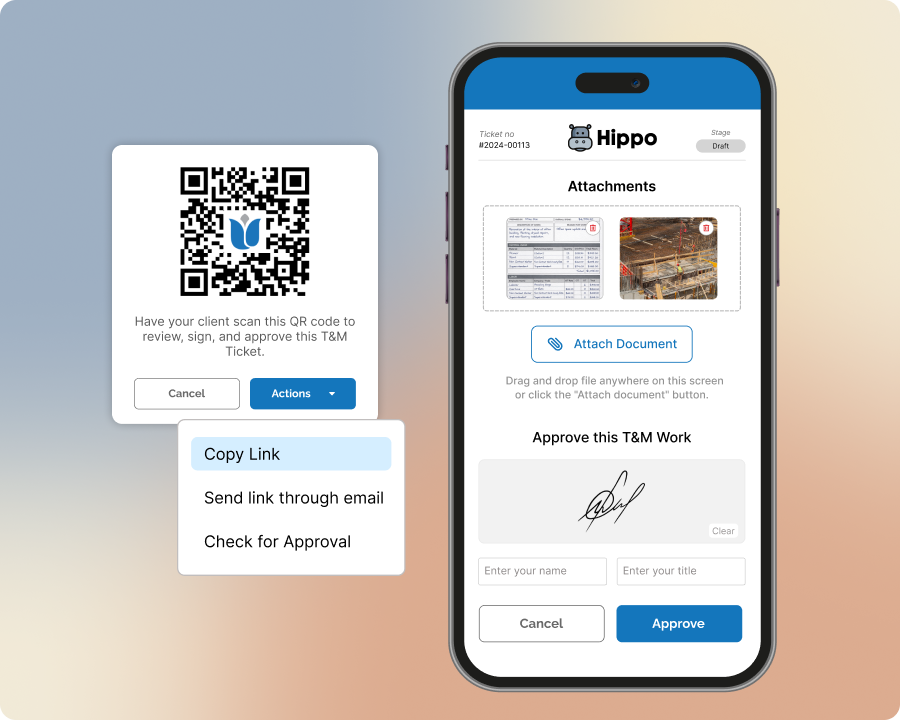
Send tickets for approval at the moment, make it easy for clients to review from any device, and nudge them when needed—so sign-offs happen faster and billing keeps moving.
Key Features:
On-Device Approval
Get approvals on the spot by having your client review and sign directly on your phone or tablet.
QR Code Approval
Share a QR code on your device so your client can open the ticket instantly and approve it from their own device.
Link-Based Approval
Send the ticket by email so your client can review and approve without logging in or downloading an app.
Approval Reminders
Send reminders automatically so approvals don’t get stuck or forgotten.
Manage T&M Tickets in One Place
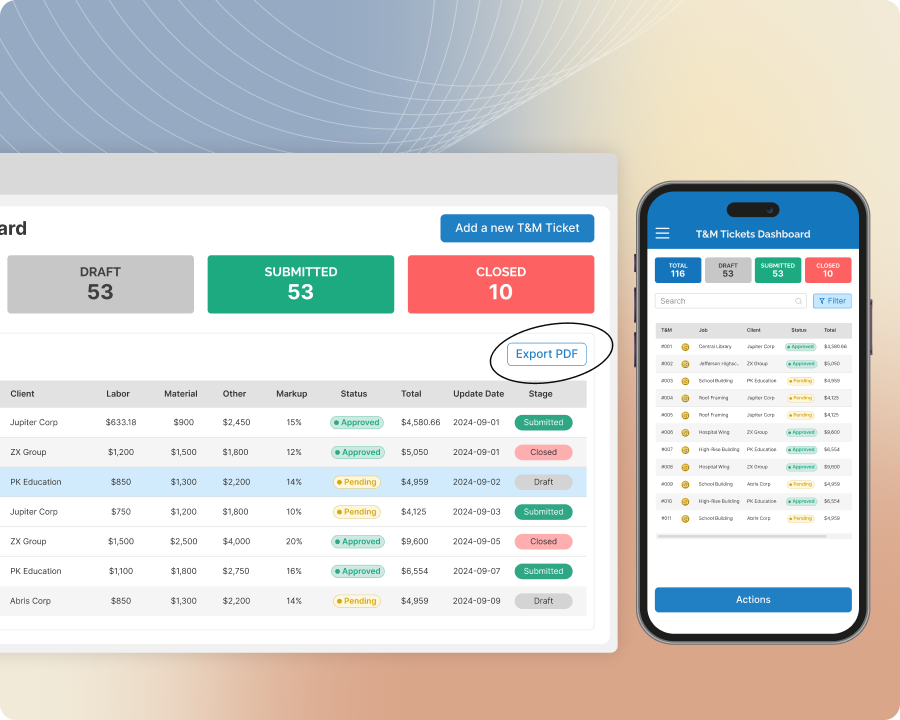
Track and organize tickets, update details, export PDFs, and hand everything off to billing. Keep rates current, stay on top of approvals, and manage the full T&M workflow in one connected place—easy to control from start to finish.
Key Features:
Ticket Dashboards
Monitor and manage all tickets in one place. Quickly locate any ticket using powerful search and filter tools.
Batch PDF Exports
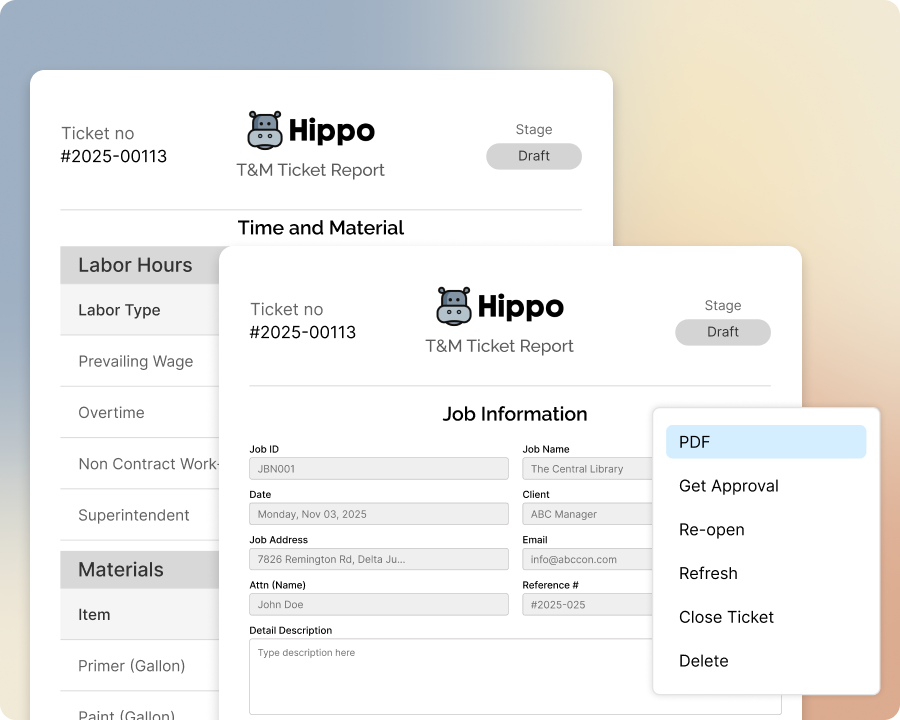
Export tickets as clean, professional PDFs — individually or in bulk for billing or record-keeping.
T&M Data Export
Export filtered ticket data for billing and accounting imports.
Role Management
Control who can view, create, edit, and approve tickets.
Go Live with Zurel in Days
Roll out Zurel fast with guided setup and onboarding. Convert your current tickets, set up rates and access, and get both field and office teams using digital T&M tickets in just a few days.
Key Features:
T&M Form Digitization
Convert paper T&M tickets into Zurel’s digital format so they’re searchable, organized, and easier to track.
Custom PDF Formatting
Customize your T&M Ticket PDF so it mirrors your paper T&M Ticket layout.
Guided Actions Menu
Speed digital T&M tickets adoption with guided actions.
Contextual Guide
Keep digital T&M tickets moving with contextual guides.
Key benefits of Zurel T&M tickets that help you capture more revenue and get paid faster
Manage time and material work with less friction — create tickets in the field, get them approved faster, and keep everything organized from start to finish. Zurel helps you reduce delays, capture more billable work, and keep your clients in the loop every step of the way.
Capture more billable work
Don’t lose revenue to missing paperwork or incomplete tickets — make every hour and item count.
Speed up approvals
Get tickets signed faster with digital signatures, automated reminders, and easy access for clients.
Keep clients informed
Share clear documentation and status updates so clients stay confident, satisfied, and in the loop.
Streamline your workflow
Manage everything from ticket creation to billing handoff in one connected, easy-to-use system
Frequently Asked Questions